
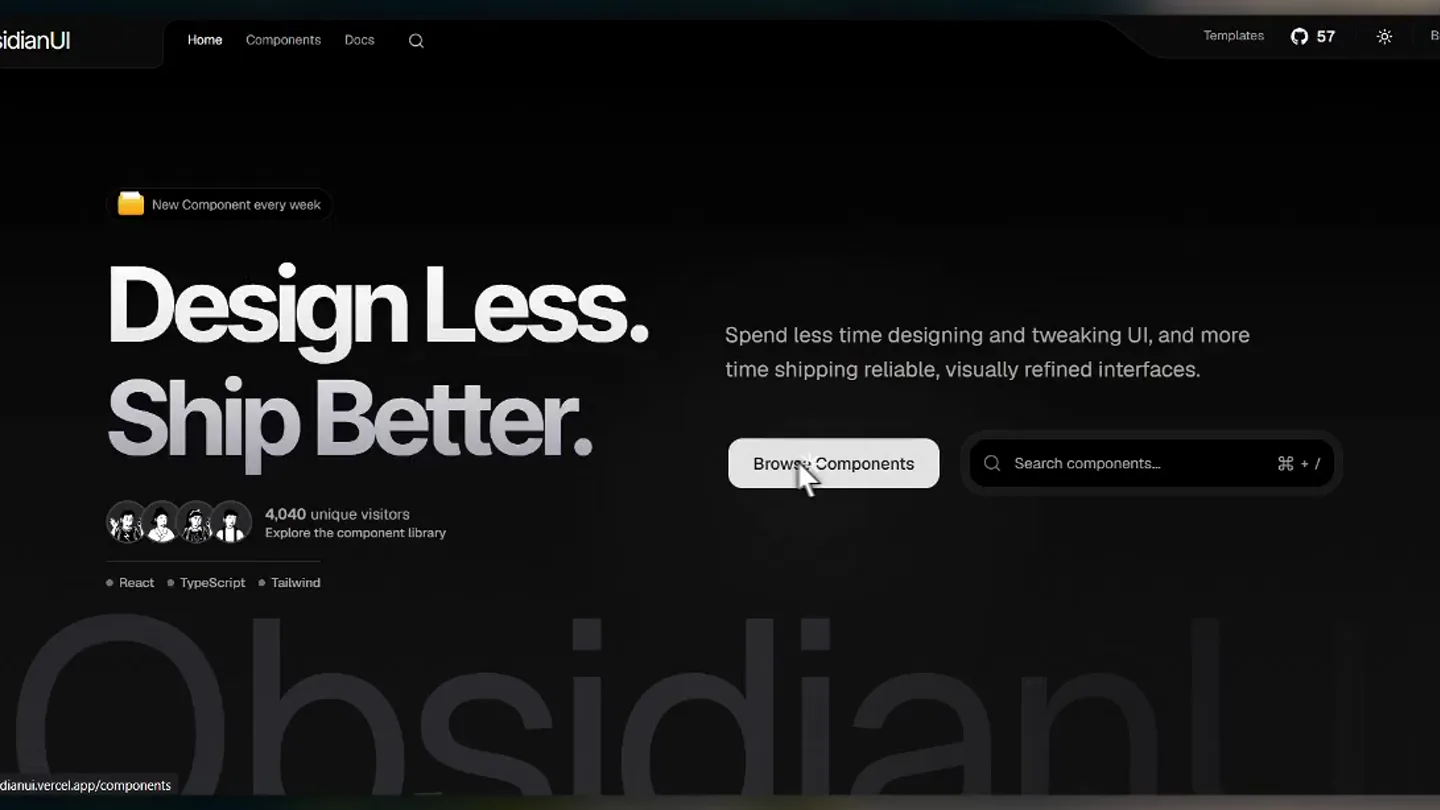
ObsidianUI · Launch Video Breakdown: Hook, Pacing & Motion Design
ObsidianUI is a React and Tailwind CSS component library with 35+ components, blocks, landing pages, templates, and an AI Agents MCP. Free and open source.
Scene-by-scene timeline & spoken transcript
The Hook
Interactive Component Showcase
“(No spoken dialogue — High-energy electronic beat with pizzicato synths and a riser at 0:00-0:01.)”
- On screen
- ObsidianUI Animated, interactive components for React. Built with Tailwind CSS and Motion, ready to copy, customize, and ship your next great interface. Browse Components Docs Explore the components Find your next detail. Preview it, copy the code, and make it yours. Draggable Marquee Parallax Gallery Start with an idea. Give your next interface a clear purpose and room to breathe. Marquee on SVG Path Scroll to reveal SVG Pixel Reveal In flight. Butterfly Trail Cursor ObsidianUI, in full color. Colorful Cursor Aura Interactive Arrows Follow your curiosity. Rope Cursor Book Flip Curved Plane Fractal Glass Grid Lift Hover Slider Magnetic Image Trail Explore ObsidianUI Arrow Fill Button Dotted Grid Interactive Blur Reveal Make something worth remembering. Build your next idea with ObsidianUI. Text Fill Animation Design less. Ship better. Rectangular Text Reveal Previous 1 2 Next
- Camera
- Dynamic, rapid-fire cuts and pans across a web interface, simulating user interaction and scrolling.
- Motion
- Fast-paced cuts, simulated mouse interactions (hover, click, drag), and component-specific animations (e.g., book flip, image trails, text reveals).
Product Reveal
Deep Dive: Magnetic Image Trail
“(No spoken dialogue — Driving electronic beat continues with a high-energy audio transition/riser at 0:13-0:14.)”
- On screen
- Magnetic Image Trail A cluster of images follows your cursor with magnetic momentum and a diagonal orbit. Copy Page On This Page Install using CLI Usage Install Manually Preview behavior Move your cursor across the preview. Component preview Preview Code ObsidianUI. Interfaces people remember. Documentation Install Next.js Install Tailwind CSS Add utilities CLI Buttons Arrow Fill Button Files & Media Folder Preview Hover Image Masonry Grid Component showcase Back to home npm pnpm yarn npx shadcn@latest add "https://www.obsidianui.dev/r/magnetic-image-trail.json" Usage # Code "use client"; import { MagneticImageTrail } from "@/components/block/magnetic-image-trail"; import React from "react"; export default function Demo() { return ( <MagneticImageTrail height="400px" className="w-full rounded-lg" /> ); } Install Manually if (r > 0) { ctx.save(); ctx.beginPath(); ctx.roundRect(x, y, w, h, r); ctx.clip(); ctx.drawImage(img, sx, sy, sw, sh, x, y, w, h); ctx.restore(); return; } // No rounded corners. ctx.drawImage(img, sx, sy, sw, sh, x, y, w, h); /** * @param { images: string[]; children: import("react").ReactNode; className? * style?: import("react").CSSProperties; height?: import("react").CSSProperties * background?: string; textColor?: string; compositionScale?: number } props */ function ImageTrail( { images = images1, children = <>ObsidianUI.<br />Interfaces people remember.</>, className, style, height = "100vh", background = "#E0E0E0", textColor = "#111", compositionScale = 0.78, } : {}) => { const wrapRef = useRef(null); const canvasRef = useRef(null); Install using CLI Usage Install Manually Preview behavior Masonry Grid Pixelated Carousel Menus & Navigation Apple Spotlight Circle Menu Magnet Tabs Components Trading Card Inputs & Feedback Jelly Loader OTP Input Component showcase
- Camera
- Close-up on a specific component's documentation page, showcasing its interactive preview, installation instructions, and underlying code.
- Motion
- Smooth scrolling, simulated cursor interaction with component preview, and code snippet highlighting.
Feature Teaser
Exploring Diverse Components
“(No spoken dialogue — Electronic beat continues with a high-energy audio transition/riser at 0:26-0:27.)”
- On screen
- text_stream Scroll Animations Draggable Marquee Flip Scroll Flow Scroll Glowing Scroll Indicator Horizontal Scroll Marquee on SVG Path Parallax Gallery Scroll Effect Scroll Stack Component showcase Back to home https://new.obsidianui.vercel.app/docs/scroll-stack A framed gallery with rotating photographs, moving side thumbnails, and scroll snapping. Scroll inside the preview to move through the photographs. Component preview Preview Code 01 / 04 Three colored masks follow the pointer through bold typography with staggered easing. Move across the lettering to reveal the colored aura. Component preview Preview Code Install using CLI Install using CLI Preview behavior ObsidianUI, in full color. New Component every week Design Less. Ship Better. Spend less time designing and tweaking UI, and more time shipping reliable, visually refined interfaces. Browse Components Search components... + / 4,040 unique visitors Explore the component library React TypeScript Tailwind ObsidianUI
- Camera
- Rapid navigation through the sidebar, showcasing various component documentation pages and their interactive previews.
- Motion
- Quick cuts between different component pages, highlighting their unique interactive features and visual effects, with a focus on text and image animations.
Call to Action
Final Call to Action & Brand Reinforcement
“(No spoken dialogue — Electronic beat continues with high-energy audio transitions/risers at 0:40-0:41, 0:53-0:54, 1:06-1:07, and a final sub-bass drop/impact at 1:13.)”
- On screen
- Apple Spotlight Circle Menu Magnetic Image Trail ObsidianUI. Interfaces people remember. Fractal Glass Can I use ObsidianUI in commercial projects? Do I need an account or subscription? No account or subscription is needed to browse the component library, read the docs, or copy component source code. How can I contribute to ObsidianUI? Components Why do I need to use the components? How do I add a component to my project? Can I change the colors, layout, and animation? Can I preview a component before installing it? Support ObsidianUI © 2026 ObsidianUI. Make every detail count. Built by Atharv 4,040 unique visitors Product Components Templates Documentation Developers FAQ Socials X / Twitter GitHub Open Source Source code MIT license Report an issue Get started Browse components Installation CLI ObsidianUI
- Camera
- Sweeping overview of the component library, transitioning to FAQ and footer sections, reinforcing brand identity.
- Motion
- Smooth, deliberate camera movements across the UI, showcasing the breadth of the library and key information, culminating in a subtle brand logo reveal.
Motion design primitives
Synthesizable in Remotion · key components of the obsidianui-fast-cut-showcase template.
InteractiveGridScroll
A grid of interactive component cards that respond to simulated mouse hovers and clicks, revealing dynamic previews and triggering page transitions. Cards animate in and out with subtle scaling and blurring effects.
+ Code construction recipe
Utilize `useSpring` for hover and click animations on card elements. Implement `interpolate` for opacity and scale changes during transitions. Use `Sequence` and `AbsoluteFill` for scene management, with `measureText` for responsive text sizing within cards. SVG filters for blur effects.
CodeSnippetReveal
A documentation page view where code snippets are highlighted and scrolled through, demonstrating installation commands and underlying React/Tailwind code. Simulated cursor interaction selects and copies code.
+ Code construction recipe
Employ `Code` component for syntax highlighting. Animate `scrollTop` property for smooth code scrolling. Use `spring` for cursor movement and button presses. `AbsoluteFill` and `Layer` for overlaying UI elements like copy buttons and tabs.
DynamicTextFillAura
Text elements that reveal a colored aura or fill effect as a simulated cursor moves across them, often accompanied by staggered easing for individual characters or words.
+ Code construction recipe
Implement `measureText` to get character positions. Use `Path` and `SVG` for text masks and fill effects. Animate `x` and `y` properties of mask elements with `spring` and `stagger` for a dynamic reveal. Utilize `useCurrentFrame` and `interpolate` for timing and easing.
Style DNA & aesthetic system
Visual aesthetic
Typography
Motion
Special effects
Pacing & rhythm
Conceptual story rhythm
- 1
The Interactive Hook
Purpose. Immediately showcase the product's core value proposition: highly interactive and visually appealing components.
Execution. Rapid-fire montage of diverse component previews, simulating user interaction and highlighting dynamic animations.
- 2
Deep Dive & Technical Credibility
Purpose. Demonstrate the ease of use and developer-friendliness by showing installation and code snippets.
Execution. Focused view on a single component's documentation, revealing its interactive preview, CLI installation, and underlying React code.
- 3
Breadth of Library
Purpose. Illustrate the extensive range and variety of components available.
Execution. Quick cuts through different component categories and individual component pages, emphasizing unique visual effects and interactions.
- 4
Call to Action & Trust
Purpose. Encourage users to explore further, reinforcing the open-source nature and community aspects.
Execution. Transition to a landing page with a clear call to action, followed by FAQ and footer sections highlighting open-source details and community links.
Remix in Animatiq Studio
Master remix prompt · agent-ready
Sample remix
Objective
Launch a new AI-powered design tool called 'PixelFlow' that automates UI element creation.How the recipe adapts
The PixelFlow launch video would open with a rapid montage of AI-generated UI elements animating into existence, mimicking the ObsidianUI component showcase. Instead of code snippets, it would feature a 'prompt-to-design' interface with a simulated cursor typing prompts and instantly generating complex UI blocks. Text fill animations would highlight key features like 'AI-Powered' and 'Instant Design'. The dark-mode aesthetic would be maintained, with PixelFlow's brand colors replacing ObsidianUI's orange. The fast-cut rhythm would emphasize the speed and efficiency of the AI tool.Remix blueprint · obsidianui-fast-cut-showcase
Scene durations (5 scenes, 122s)
Key Remotion components
Related Creative Tools Product Launches
Explore all Creative Tools launches →
A vibe design partner with an AI-native canvas for turning ideas into UI.

We heard you wanted to use Codex rate limit resets on your own time. Starting today, we’re rolling out the ability to save rate limit resets to use later. We’re starting Go, Plus, Pro, and Business
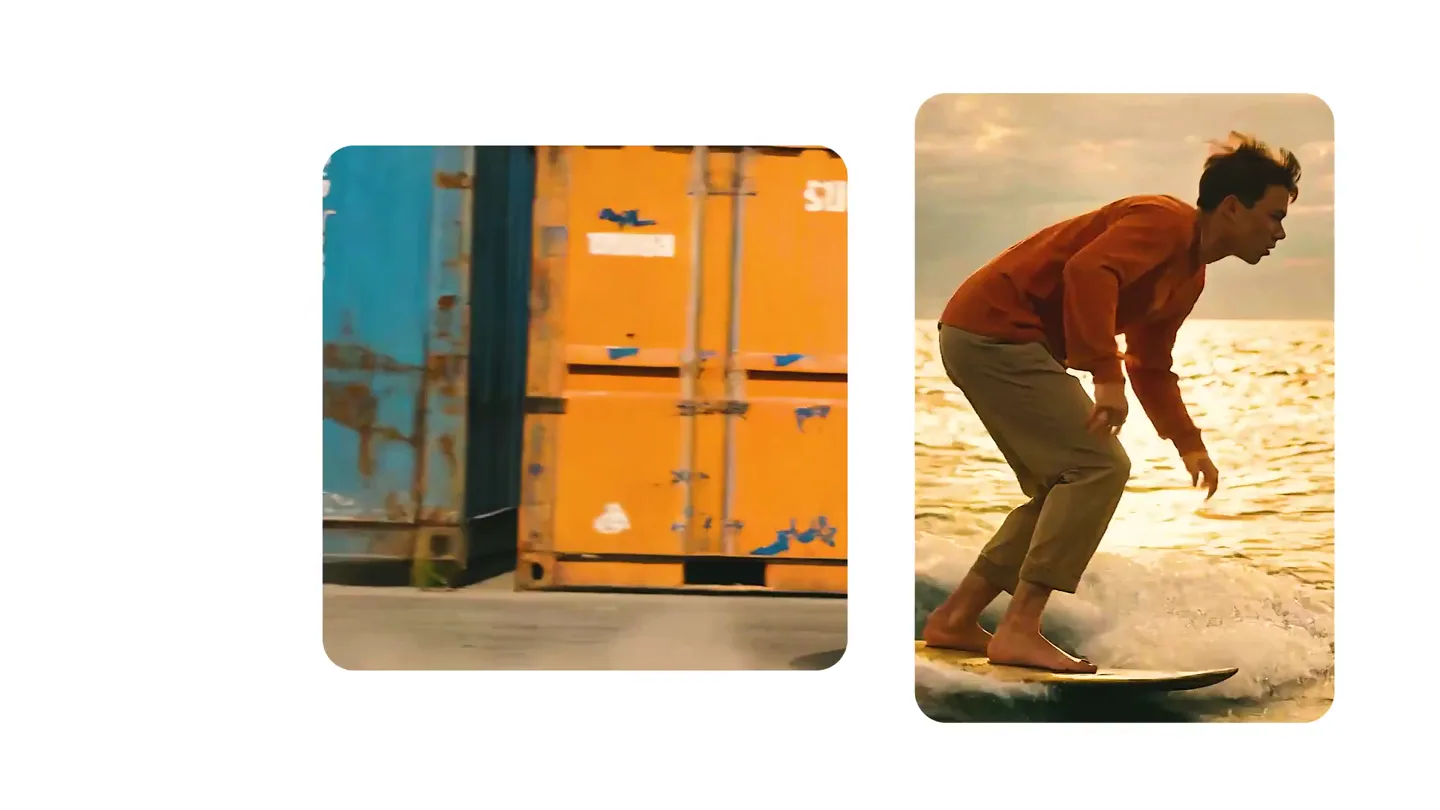
We just launched something the VFX community has been waiting for. OpenArt VFX lets you apply real visual effects to footage you already have. It lets you mask any region of your video and replace it with AI-generated content that matches the scene's lighting and physics. https://t.co/dnQjrZCWC4