
OpenAI · Launch Video Breakdown: Hook, Pacing & Motion Design
OpenAI’s film is captioned Get ready.
Scene-by-scene timeline & spoken transcript
The Hook
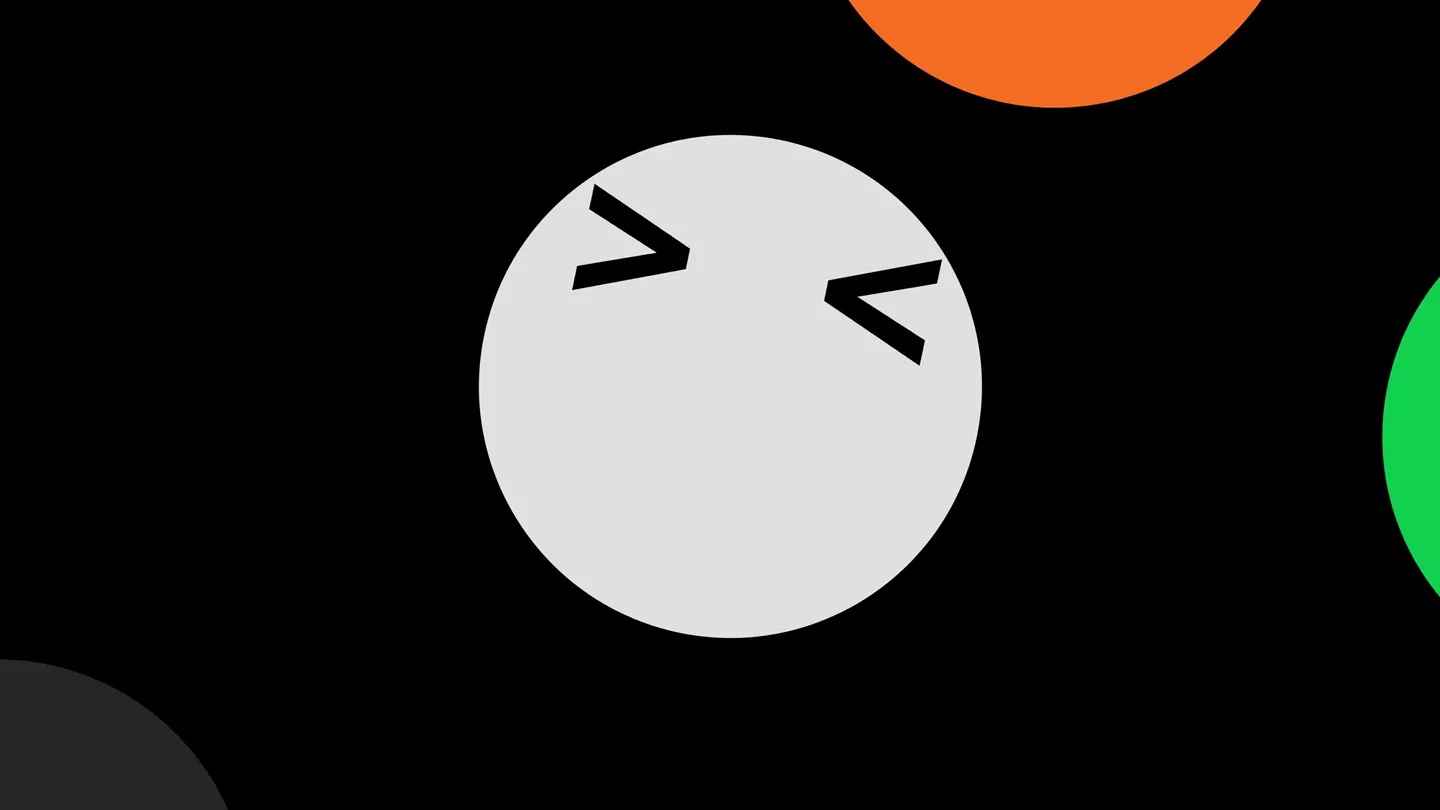
Abstract Emoticon Intro
“(No spoken dialogue — High-energy audio transition with a riser and sweep, culminating in a sub-bass drop/impact.)”
- On screen
- (No on-screen text)
- Camera
- Static, centered view on a single light-grey circle with two black asterisks.
- Motion
- Subtle rotation and scaling of the central circle, followed by a rapid character change within the circle.
Problem Agitation
Expanding Emoticon Swarm
“(No spoken dialogue — Ambient electronic score continues, subtle riser and sweep from 0:04 to 0:05, followed by a sub-bass impact.)”
- On screen
- (No on-screen text)
- Camera
- Dynamic, wide shot revealing multiple colored circles with various emoticon-like characters, moving and scaling.
- Motion
- Procedural generation and animation of multiple colored circles, each containing a different character, moving in a fluid, non-linear path across the screen. Characters within circles change dynamically.
Product Reveal
Countdown to Launch
“(No spoken dialogue — Ambient electronic score continues, final riser and sweep build from 0:08 to 0:09, with a sub-bass impact.)”
- On screen
- 1 day. 1 day. 20+ launches.
- Camera
- Static, centered view on text. Text appears and expands.
- Motion
- Text reveal animation using a 'dots to outline' effect, followed by a 'fill-in' and 'typewriter' effect for subsequent text.
Call to Action
Event Announcement
“(No spoken dialogue — Ambient electronic score fades out.)”
- On screen
- OpenAI DevDay [2026]
- Camera
- Static, centered view on the final event announcement text.
- Motion
- Text reveal animation with a glitching, data-stream effect for the 'DevDay' portion, and a color-changing bracketed year.
Motion design primitives
Synthesizable in Remotion · key components of the openai-devday-launch-remix template.
EmoticonSwarm
Multiple colored circles, each containing a simple character (like *, >, +, o, ^), appear, scale, and move across the screen in a seemingly random yet fluid pattern. Characters within the circles can change dynamically.
+ Code construction recipe
Utilize Remotion's <Sequence> and <AbsoluteFill> for background. Implement a React component for each circle, using `useCurrentFrame()` and `interpolate()` for scaling, positioning (e.g., `translateX`, `translateY`), and rotation. Character changes can be driven by `useVideoConfig()` and `frame` modulo operations. Use `spring()` for organic movement and scaling transitions. SVG filters can be applied for subtle glow or blur effects on the circles.
DotOutlineTextReveal
Text appears initially as an outline formed by a series of small, glowing dots. These dots then connect and fill to reveal the solid text, followed by additional text appearing with a subtle 'typewriter' or 'fade-in' effect.
+ Code construction recipe
For the dot outline, use an SVG path for each character and render small circles along the path using `getPointAtLength()`. Animate the `stroke-dasharray` and `stroke-dashoffset` for the outline reveal. Then, transition to a solid text fill using `interpolate()` for opacity and color. Subsequent text can use `spring()` for a staggered character reveal or a simple `interpolate()` for opacity and scale.
GlitchTextReveal
Text appears with a digital glitching effect, where characters briefly scramble or shift before settling into their final form. Specific parts of the text can also change color or animate independently.
+ Code construction recipe
Implement a custom text component that iterates over characters. For the glitch effect, use `interpolate()` to randomly swap characters or apply small `translateX`/`translateY` offsets for a few frames. Utilize `useCurrentFrame()` and `random()` for the glitch timing. Color changes can be achieved by interpolating between hex values or using conditional styling based on frame numbers. CSS `text-shadow` can enhance the digital look.
Style DNA & aesthetic system
Visual aesthetic
Typography
Motion
Special effects
Pacing & rhythm
Conceptual story rhythm
- 1
Abstract Intrigue
Purpose. To immediately capture attention with abstract, playful visuals and a strong audio hook, setting an energetic tone.
Execution. A single, simple emoticon-like circle appears, quickly followed by a swarm of diverse, colorful emoticons moving dynamically.
- 2
Anticipation Build-up
Purpose. To create a sense of impending revelation and excitement through a countdown, hinting at significant activity.
Execution. Text '1 day.' appears with a unique dot-outline animation, then expands to '1 day. 20+ launches.' with a filling effect.
- 3
Event Reveal
Purpose. To clearly state the event and its context, building on the previous anticipation.
Execution. The text 'OpenAI DevDay' appears with a digital glitch effect, followed by the year '[2026]' in a distinct color.
- 4
Final Branding
Purpose. To leave a lasting impression of the brand and event, reinforcing the core message.
Execution. The full 'OpenAI DevDay [2026]' text remains on screen, clean and prominent, as the audio fades.





