
OpenMuse · Launch Video Breakdown: Hook, Pacing & Motion Design
OpenMuse is an open-source, self-hostable personal assistant that works with any agent harness, with computer use, connectors, and progress tracking.
Scene-by-scene timeline & spoken transcript
The Hook
Introducing OpenMuse: Your Personal AI Assistant
“(No spoken dialogue — The audio track features a driving, percussive electronic beat with prominent sub-bass and glitchy synth elements. High-energy audio transitions, risers, and sweeps create anticipation. A distinct 'scratching' or 'rewind' effect is noticeable.)”
- On screen
- OpenMuse Your personal assistant that remembers your ideas and goals Available on web and mobile Open source. Self-hosted. Enterpr Bring your own Agent Bring your own Agent via AG-UI LangChain Google ADK Pydantic AI mastra AG-UI Open protocol crewai LlamaIndex OpenAI Agents SDK Claude Agents SDK Microsoft Agent Framework Agno
- Camera
- Static, centered framing with elements appearing and disappearing via motion graphics.
- Motion
- Text and icon reveals with subtle scaling and fading. Flowchart-style connections animate to illustrate integration points. Elements slide in from off-screen with smooth easing.
Feature Teaser
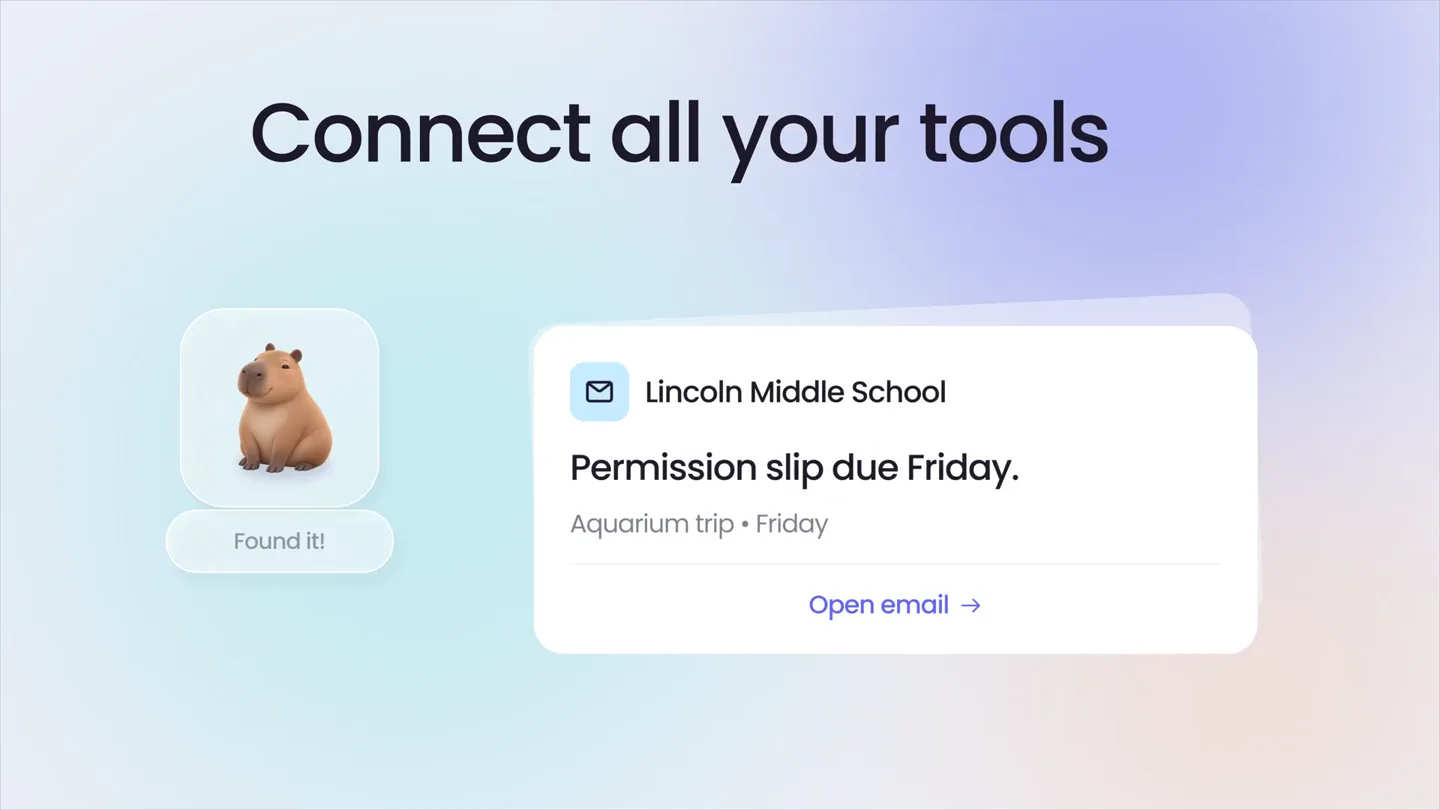
Seamless Tool Integration and Web Search
“(No spoken dialogue — The driving electronic beat continues, punctuated by sharp synth stabs and percussive hits that align with visual reveals. A 'whoosh' sound accompanies text transitions.)”
- On screen
- + Find the school-trip email Connect all your tools Lincoln Middle School Permission slip due Friday. Aquarium trip • Friday Open email → Found it! Every Age + Research Monterey Bay Ac It can search can search the web Agent browser Monterey Bay Aquarium montereybayaquarium.org Exhibits and trip details, found. Read! Remembers Ideas. Tracks Goals. Ideas Permission slip due Friday From your school email Goal created Goals Ready for Friday Read the reminder Research exhibits Review permission slip
- Camera
- Static camera, focusing on UI elements and text animations.
- Motion
- Simulated UI interactions: typing animation in a search bar, notification pop-ups, and browser window reveals. Text highlights and checkmark animations indicate task completion. Elements slide and scale into view.
Feature Teaser
Advanced Compute and User Control
“(No spoken dialogue — The electronic beat maintains its energy, with additional 'click' and 'confirm' sound effects synchronized with UI actions and button presses.)”
- On screen
- Includes compute Run code| Computer Terminal $ Files research.md Saved workspace Take control Agent working... Take You're in control! $ python prepare_trip.py Saved trip-brief.md trip-brief.md You're in control
- Camera
- Static, centered view of a simulated terminal and file explorer UI.
- Motion
- Typing animation in a terminal window, file creation/highlighting, and button state changes (e.g., 'Take control' to 'You're in control') with associated checkmark animations. Text fades and scales.
Call to Action
Try OpenMuse: Open Source & Self-Hostable
“(No spoken dialogue — The music builds to a final, impactful synth chord and a concluding percussive hit, reinforcing the call to action.)”
- On screen
- Try Open source. Your infrastructure. Try OpenMuse github.com/CopilotKit/OpenMuse Powered by AG-UI + CopilotKit github.com/CopilotKit/OpenMuse
- Camera
- Static, centered framing of the final call to action.
- Motion
- Text and logo elements appear with a combination of scaling, fading, and subtle bounce effects. The GitHub link is prominently displayed and animated into view.
Motion design primitives
Synthesizable in Remotion · key components of the openmuse-ai-agent-launch template.
GradientBackgroundFade
A soft, ethereal gradient background that subtly shifts its color composition and intensity over time, creating a calming yet dynamic backdrop for UI elements.
+ Code construction recipe
Implement using Remotion's <AbsoluteFill> with a linear-gradient CSS background. Animate the `background-image` property by interpolating color stops and angles over time, possibly using `spring` for smooth transitions between key gradient states.
UISlideAndScaleReveal
UI elements (text, icons, cards) slide into view from various directions (bottom, sides) while simultaneously scaling up slightly, often accompanied by a subtle bounce or overshoot effect.
+ Code construction recipe
Utilize Remotion's `interpolate` function for `transform: translateY`, `translateX`, and `scale` properties. Apply `spring` for the bounce effect, adjusting `damping` and `stiffness` for desired elasticity. Combine with `opacity` interpolation for a fade-in.
FlowchartConnectorDraw
Lines or arrows animate to 'draw' themselves between distinct UI elements, visually representing connections or data flow.
+ Code construction recipe
Render SVG paths for the connectors. Animate the `stroke-dasharray` and `stroke-dashoffset` properties of the SVG paths to create a 'drawing' effect. Use `interpolate` with `ease-in-out` for smooth line growth.
Style DNA & aesthetic system
Visual aesthetic
Typography
Motion
Special effects
Pacing & rhythm
Conceptual story rhythm
- 1
Product Introduction
Purpose. Introduce OpenMuse and its core value proposition as a personal AI assistant.
Execution. Mascot and logo reveal, followed by a tagline and key features (web/mobile, open-source) presented with clean text animations.
- 2
Agent Integration
Purpose. Explain the unique 'Bring your own Agent' capability via AG-UI and its broad compatibility.
Execution. Animated flowchart illustrating various agent harnesses connecting to AG-UI and then to OpenMuse, emphasizing flexibility.
- 3
Feature Demonstration
Purpose. Showcase practical use cases: connecting tools, web search, goal tracking, and compute capabilities.
Execution. Simulated UI interactions: typing in a search bar, email retrieval, web browsing, idea/goal tracking cards, and a terminal running code, all with synchronized animations.
- 4
Call to Action
Purpose. Encourage users to try OpenMuse and highlight its open-source nature.
Execution. Final screen with a clear call to action, emphasizing 'Open source' and 'Your infrastructure,' along with the GitHub repository link.





