
Paid Media Agent · Launch Video Breakdown: Hook, Pacing & Motion Design
Paid Media Agent is an open-source agent for paid campaign analysis, reporting, and management, built with Managed Deep Agents.
Scene-by-scene timeline & spoken transcript
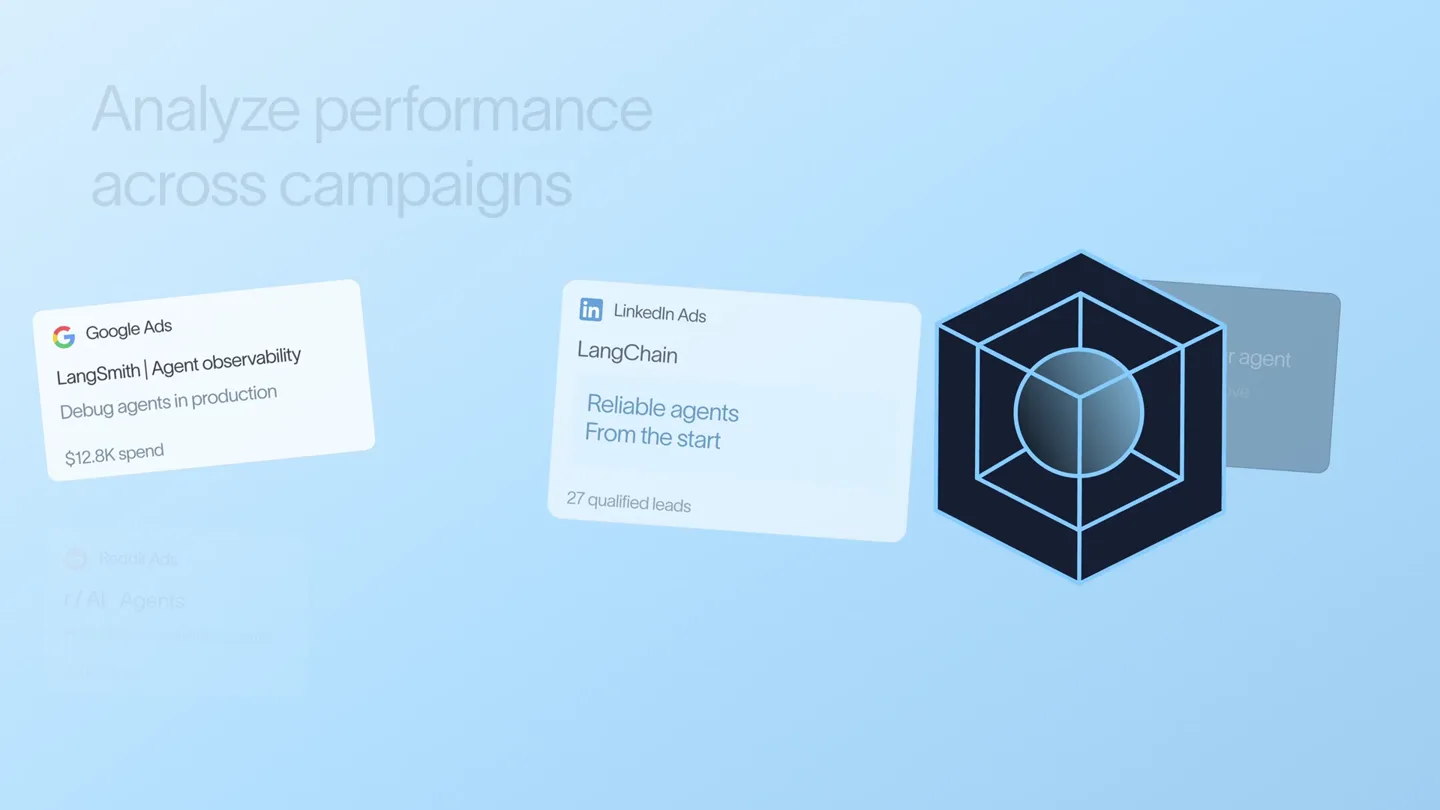
The Hook
Introducing Paid Media Agent
“(No spoken dialogue — Synth riser at 0:01, sub-bass drop/impact at 0:02, driving electronic beat begins.)”
- On screen
- Introducing Paid Media Agent
- Camera
- Static wide shot, then a subtle zoom out revealing multiple UI cards.
- Motion
- Text fade-in, 3D object rotation, UI card reveal with staggered animation and depth.
Product Reveal
Analyze & Create Campaigns
“(No spoken dialogue — Electronic beat continues with pizzicato synths.)”
- On screen
- Analyze performance across campaigns Ask in Slack @Paid Media Agent how did our paid campaigns perform last week? Paid Media Agent Paid Media Report LangChain / Last week Total spend $27K Active channels 4 Google, LinkedIn, X, Reddit Influenced pipeline $160K Across all four channels Spend by channel Google LinkedIn X Reddit $12.8K $8.4K $4.6K $1.2K Pipeline by source Google 60% Share of total influenced pipeline Built from ad platforms and warehouse data Create your next campaign Google Search Draft langchain.com Ship reliable AI agents Debug, trace, and evaluate with LangSmith Keywords LLM observability agent evaluation LLM tracing
- Camera
- Static shots focusing on specific UI elements, then a subtle pan and zoom to highlight different sections of the report.
- Motion
- UI element highlight, text typing animation, data visualization build-up (bar charts, pie charts), card transitions with subtle scaling.
Feature Teaser
Customization & Integration
“(No spoken dialogue — Sustained synth pad and arpeggiated melodies build energy.)”
- On screen
- Yours to customize Tools Ad platforms, data, and team tools Google Ads LinkedIn Ads Meta Ads Instagram YouTube Reddit Ads X Ads BigQuery dbt Slack Read performance, manage campaigns, and query pipeline Skills Edit the playbooks it follows Paid media playbook paid-media-analysis / SKILL.md Campaign analysis A repeatable process for every account 01 Read goals and conversion definitions 02 Compare equal date windows 03 Link spend to leads and pipeline Knowledge Your products, audience, goals, and brand Product LangSmith Trace and debug Evaluate agents Ship with confidence Audience Who we help AI engineers Product teams Technical leaders Goals Outcomes Qualified leads New pipeline Efficient spend Voice Our voice Be direct Use examples Keep it clear Market Landscape Alternatives Positioning Use cases Pricing Plans Developer Plus Enterprise Brand LangChain TYPEFACE TWK Lausanne
- Camera
- Dynamic camera movements, including a wide shot revealing three distinct sections, then zooming into each section sequentially.
- Motion
- Staggered card reveals, icon grid animation, text highlight and fade, 3D object rotation, and a 'mind map' style connection animation.
Call to Action
Deploy & Get Started
“(No spoken dialogue — High-energy audio transition with sub-bass hit at 0:41, leading to a final sustained synth chord.)”
- On screen
- Deploy with Managed Deep Agents Paid Media Agent Slack Team conversations Authentication User access and private threads Ready for your team in Slack # paid-media Paid Media Agent APP Hi Now that we're connected on Slack, here's what you can do: Add me to any channel Tag me with @Paid Media Agent to get my attention LangChain Paid Media Agent Open source github.com/langchain-ai/paid-media-agent
- Camera
- Static shots, then a subtle zoom out to reveal the final call to action.
- Motion
- Connecting line animation, UI element reveal, text fade-in, and a final full-screen brand and URL display with a subtle glow.
Motion design primitives
Synthesizable in Remotion · key components of the ai-agent-launch-ui-reveal template.
StaggeredCardReveal
Multiple UI cards or elements appear on screen in a staggered sequence, often with a slight scale-up and fade-in effect, creating a sense of depth and organized information flow.
+ Code construction recipe
Use `sequence()` and `spring()` for staggered timing and bouncy animation. Apply `interpolate()` for opacity and scale transforms. Utilize `z-index` or 3D transforms for perceived depth.
TypingAndHighlight
Text appears as if being typed character by character, followed by specific words or phrases being highlighted or underlined to draw attention to key information.
+ Code construction recipe
Implement `splitChars()` or `splitWords()` for character/word-level animation. Use `interpolate()` for `opacity` and `width` to simulate typing. Apply `spring()` for highlight animations (e.g., underline growth or background color change).
DataVisualizationBuildUp
Data visualizations like bar charts or pie charts animate into existence, with bars growing or pie segments filling, often accompanied by numerical counters updating.
+ Code construction recipe
For bar charts, `interpolate()` the `height` or `width` of SVG rectangles. For pie charts, `interpolate()` the `stroke-dasharray` and `stroke-dashoffset` of SVG circles. Use `spring()` for a smooth, organic feel. Implement `useCurrentFrame()` and `interpolate()` for numerical counters.
Style DNA & aesthetic system
Visual aesthetic
Typography
Motion
Special effects
Pacing & rhythm
Conceptual story rhythm
- 1
The Agent Unveiled
Purpose. Introduce the core product and its immediate value proposition.
Execution. Product name reveal with a rotating 3D icon, followed by a dynamic display of its analytical capabilities through a scattered UI card montage.
- 2
Seamless Workflow Integration
Purpose. Demonstrate how the agent fits into existing user workflows and delivers actionable insights.
Execution. Simulated Slack interaction with a typing animation, leading to a detailed, animated data report showcasing key metrics and visualizations.
- 3
Empowering Customization
Purpose. Highlight the product's flexibility and the user's ability to tailor it to their specific needs.
Execution. A 'Yours to customize' scene breaking down the agent into 'Tools', 'Skills', and 'Knowledge' sections, with each section zooming in to reveal detailed, editable components.
- 4
Easy Deployment & Access
Purpose. Provide a clear path for users to get started and emphasize the open-source nature.
Execution. Animation showing the agent being 'deployed' and integrated into Slack, culminating in a clear call to action with the GitHub repository link.





