
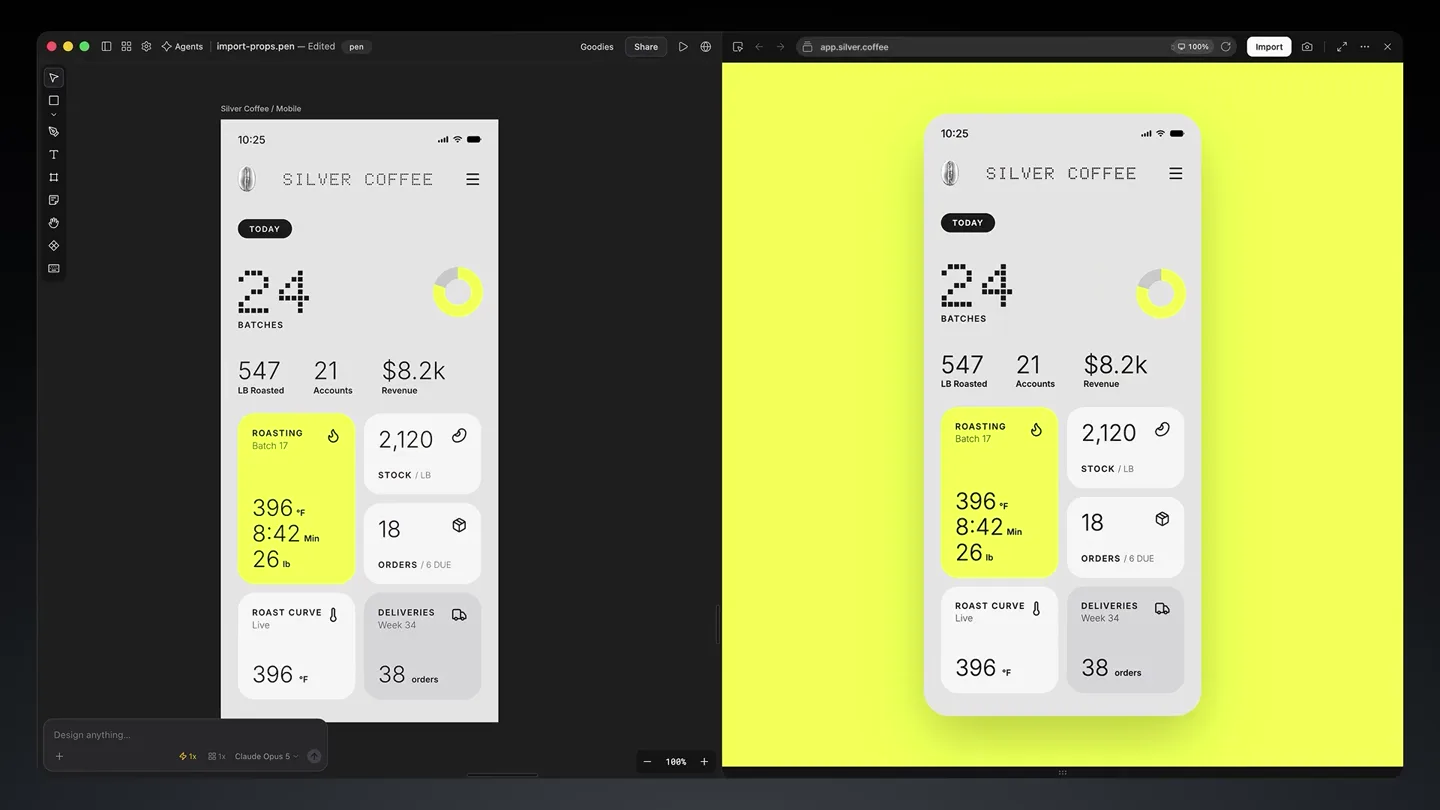
Pencil · Launch Video Breakdown: Hook, Pacing & Motion Design
The new Pencil is an agentic canvas for building bold ideas. Import any website or web app, iterate on the canvas, and push changes back to code.
Scene-by-scene timeline & spoken transcript
The Hook
Agentic Canvas Introduction
“(No spoken dialogue — Sustained, evolving synth pad; high-frequency synth arpeggio enters; prominent riser effect culminates in sub-bass drop/impact.)”
- On screen
- Min Claude Imp to canvas or web app.silver.coffee Import
- Camera
- Close-up on UI elements, then wide shot of browser window, followed by a quick zoom into a button.
- Motion
- Rapid cuts, UI element highlighting, 3D cursor interaction, text reveals with subtle scaling.
Product Reveal
Import & Edit with Agents
“(No spoken dialogue — Driving, rhythmic section with pulsating synth bass, layered synth melodies, and electronic drum beat.)”
- On screen
- Import as design edit with agents Generating: Graphite Generating: Cyan Generating: Green Opus GPT Sol Minimax 547 LB Roasted 21 Accounts $8.2K Revenue ROASTING Batch 17 396 °F 8:42 Min 26 lb ORDERS / 6 DUE
- Camera
- Split-screen view of web app and canvas, close-up on agent interaction, then a full-screen view of the canvas.
- Motion
- Side-by-side comparison, dynamic UI element generation, color-coded agent highlights, rapid content transformation.
Feature Teaser
Manual Craft & Code Push
“(No spoken dialogue — Driving, rhythmic section continues with increasing intensity.)”
- On screen
- craft manually 547 LB Roasted 21 Accounts $8.2K Revenue ROASTING Batch 17 396 °F 8:42 Min 26 lb 18 ORDERS / 6 DUE pen.dev
- Camera
- Close-up on UI elements being manually adjusted, then a stylized animation of the Pencil logo.
- Motion
- Interactive UI manipulation, object scaling and rotation, 3D logo animation with metallic reflections, text reveals.
Call to Action
Pencil: Build Bold Ideas
“(No spoken dialogue — Significant riser and sweep effect, leading to a final sub-bass impact and a sustained, fading synth pad.)”
- On screen
- Pencil Build bold ideas. pen.dev
- Camera
- Zoom out to reveal the full Pencil logo and tagline, then a final shot of the website URL.
- Motion
- Logo reveal, text animation with subtle glow, smooth camera movement, final URL display.
Motion design primitives
Synthesizable in Remotion · key components of the agentic-canvas-fast-cut template.
AgenticCanvasSplit
A split-screen effect where a live web application on one side dynamically transforms into an editable canvas on the other, with UI elements and data points mirroring and becoming interactive.
+ Code construction recipe
Utilize `AbsoluteFill` for the background, `Sequence` for timing, and `interpolate` for smooth transitions of `x` and `width` properties for two `AbsoluteFill` components representing the web app and canvas. Implement `spring` animations for individual UI elements within the canvas to simulate agentic generation and manual edits. Use `OffthreadVideo` for the web app capture and `Img` components for canvas elements.
MetallicLogoReveal
A 3D metallic logo (Pencil icon) animates with reflections and subtle rotations, then expands to reveal accompanying text and a tagline.
+ Code construction recipe
Employ `ThreeCanvas` for rendering the 3D model. Use `useCurrentFrame` and `interpolate` for `rotation` and `scale` properties of the 3D object. Apply `MeshStandardMaterial` with `envMap` for realistic metallic reflections. Text reveals can use `spring` for `opacity` and `y` position, with `Gradient` backgrounds for subtle glow effects.
DynamicUITextHighlight
On-screen text and UI elements are highlighted or generated with a distinct color, often accompanied by a 3D cursor interaction, indicating user or agent input.
+ Code construction recipe
Use `AbsoluteFill` with `Text` components. Animate `backgroundColor` and `color` properties using `interpolate` or `spring` for highlight effects. The 3D cursor can be an `Img` component with `x` and `y` positions animated via `interpolate` to follow a path, potentially with a `dropShadow` for depth.
Style DNA & aesthetic system
Visual aesthetic
Typography
Motion
Special effects
Pacing & rhythm
Conceptual story rhythm
- 1
The Digital Hook
Purpose. Immediately grab attention by showcasing the core interaction: importing a web app into an editable canvas.
Execution. Rapid cuts between a browser URL bar, a 3D cursor clicking an 'Import' button, and a quick flash of the 'Import' text, all building to a sound design impact.
- 2
Agentic Transformation
Purpose. Demonstrate the product's unique selling proposition: AI agents assisting in design and iteration.
Execution. Split-screen showing a live app transforming into a canvas, with multiple AI agents (Opus, GPT Sol, Minimax) dynamically generating and modifying UI elements with distinct color highlights.
- 3
Craft & Code Loop
Purpose. Illustrate the seamless workflow between manual design, agentic assistance, and pushing changes back to code.
Execution. Close-ups of manual UI adjustments, followed by a stylized 3D Pencil logo animation, implying the 'push to code' functionality and the product's identity.
- 4
The Bold Vision
Purpose. Conclude with a powerful brand statement and clear call to action.
Execution. A grand reveal of the Pencil logo and tagline 'Build bold ideas,' followed by the website URL, all synchronized with the final audio impact and fade.
Remix in Animatiq Studio
Master remix prompt · agent-ready
Sample remix
Objective
A launch video for 'Synapse AI,' a collaborative data visualization platform.How the recipe adapts
The video would open with a rapid sequence of different data sources (e.g., 'CSV,' 'API,' 'Database') being 'imported' into a blank canvas. Instead of design agents, AI-driven visualization suggestions (e.g., 'ChartGen,' 'GraphAI') would dynamically populate the canvas with interactive graphs and dashboards, highlighted in cool blues and greens. Manual adjustments would show users refining these visualizations collaboratively. The 3D Pencil logo would be replaced by a stylized 'Synapse' neural network icon, culminating in the tagline 'Visualize your data. Together.' and the Synapse website URL.Remix blueprint · agentic-canvas-fast-cut
Scene durations (4 scenes, 33.1s)
Key Remotion components
Related Creative Tools Product Launches
Explore all Creative Tools launches →
A vibe design partner with an AI-native canvas for turning ideas into UI.

We heard you wanted to use Codex rate limit resets on your own time. Starting today, we’re rolling out the ability to save rate limit resets to use later. We’re starting Go, Plus, Pro, and Business
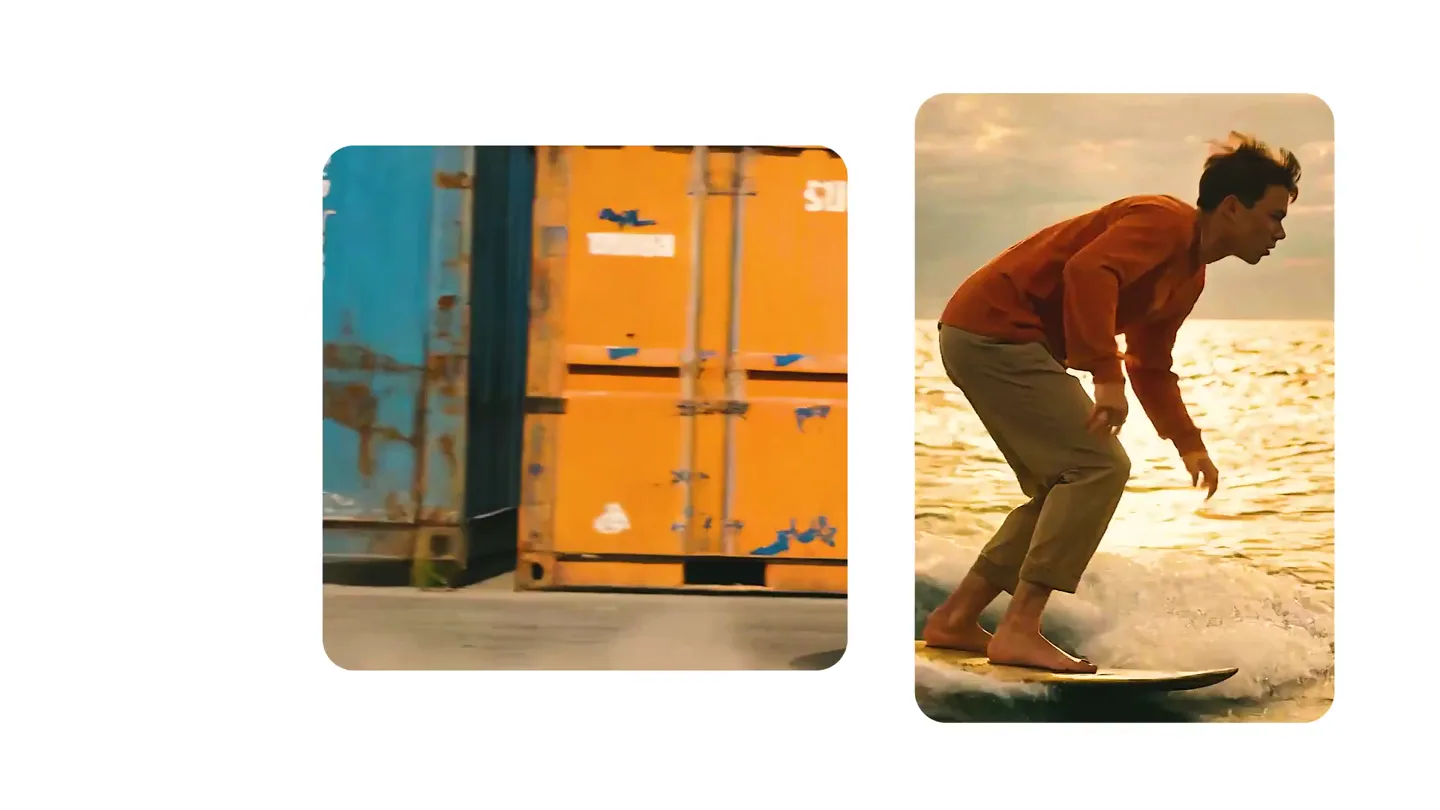
We just launched something the VFX community has been waiting for. OpenArt VFX lets you apply real visual effects to footage you already have. It lets you mask any region of your video and replace it with AI-generated content that matches the scene's lighting and physics. https://t.co/dnQjrZCWC4