
Polsia 2068001051450773956 (by Ben Cera) · Launch Video Breakdown: Hook, Pacing & Motion Design
I built Polsia into a $250M company in under 3 months. Solo + AI. Zero employees. Everyone asks me how I did it. Introducing aisloP, a docu-series on how I build Polsia. Episode 1: The Launch. How…
Scene-by-scene timeline & spoken transcript
The Hook
Founder's AI Journey & Polsia's Capabilities
“And so I think what's special about Polsia is that it's AI. it would be very important for it to be customer stories. We then decided to go Good to see you. And I just poured all of that into these sites. But she's about to do like two or three a day, Openclaw, everything. That it's like, yeah, I think for kids, Yeah, you're right, I should build all this stuff. I think that creates a separation between me and the users traveling a full day is tiring, me raising 30 million dollars with Polsia and the AI raising the round. But like yeah, I got like almost six million views I'm Polsia.”
- On screen
- Polsia LIVE 1K 12K 1M Tracing the Issue Business Annual Run Rate: $1,128,953 (90% MoM) Active Companies: 7,178 (+20% MoM) Human Managers Sent: 1,781,571 (+7% MoM) Tasks Completed: 851,301 (+12% MoM) Emails Sent: 571,520 (+9% MoM) Tasks Generate beautifully styled PDF for Success plan matching web design Running for 2h 9m Cold Outreach Running for 1h 17m 1,373 tasks completed in the past 24h Companies FairBotOS ElixirOS DeniMOS Lienna 1,791 companies launched in the past 24h Documents Medical Research Report Market Research Report Conversion Audio: Full Signup - Checkout - Subscription Free Buy AI Summary Mission 12,891 documents created in the past 24h Twitter Moving forward, No Twitter. No GitHub. No LinkedIn. No Notion. But we have Adrian Models! The final walkthrough shouldn't surprise you. If the inspector finds it, then you didn't catch. But... Building an operating system for a fast-casual restaurant (1h ago) owner who hired a simple menu from a 5... Your team called four times today. TV remote, then the dog, then a personal. Then the pet started to... If you're looking for a new car, you've found the right place! With and watch the first-ever AI-powered chatbot. Email + [Yellowbox] Your Instant Quote Request... To: ***@***.com Welcome to ElixirOS To: ***@***.com Today's 10 closest leads for SkyScrum To: ***@***.com New CRM/MAS Booking - Shannon Brock To: ***@***.com Ads Spend Today: $2,000.11 (100.00% budget) Ad Spend Clicks CTR CPC $0.62 6 0 0.00% $0.00 $0.53 15 1 6.67% $0.53 $7.92 188 52 26.26% $0.15 $0.33 3 0 0.00% $0.00 120 ads created in the past 24h PARK VEHICLE 5-400E 7AM - 10PM 2 Hours Max COME IN FOR A COFFEE STAY Caffeinated 7AM - 2PM EVERYDAY ANGELIA LUXURY BEST CLOTHING BEVERLY HILLS CHICAGO LA JOLLA SAN DIEGO IRVINE WARNING CANCER AND REPRODUCTIVE HARM WWW.P65WARNINGS.CA.GOV PSP KEEP OUR
- Camera
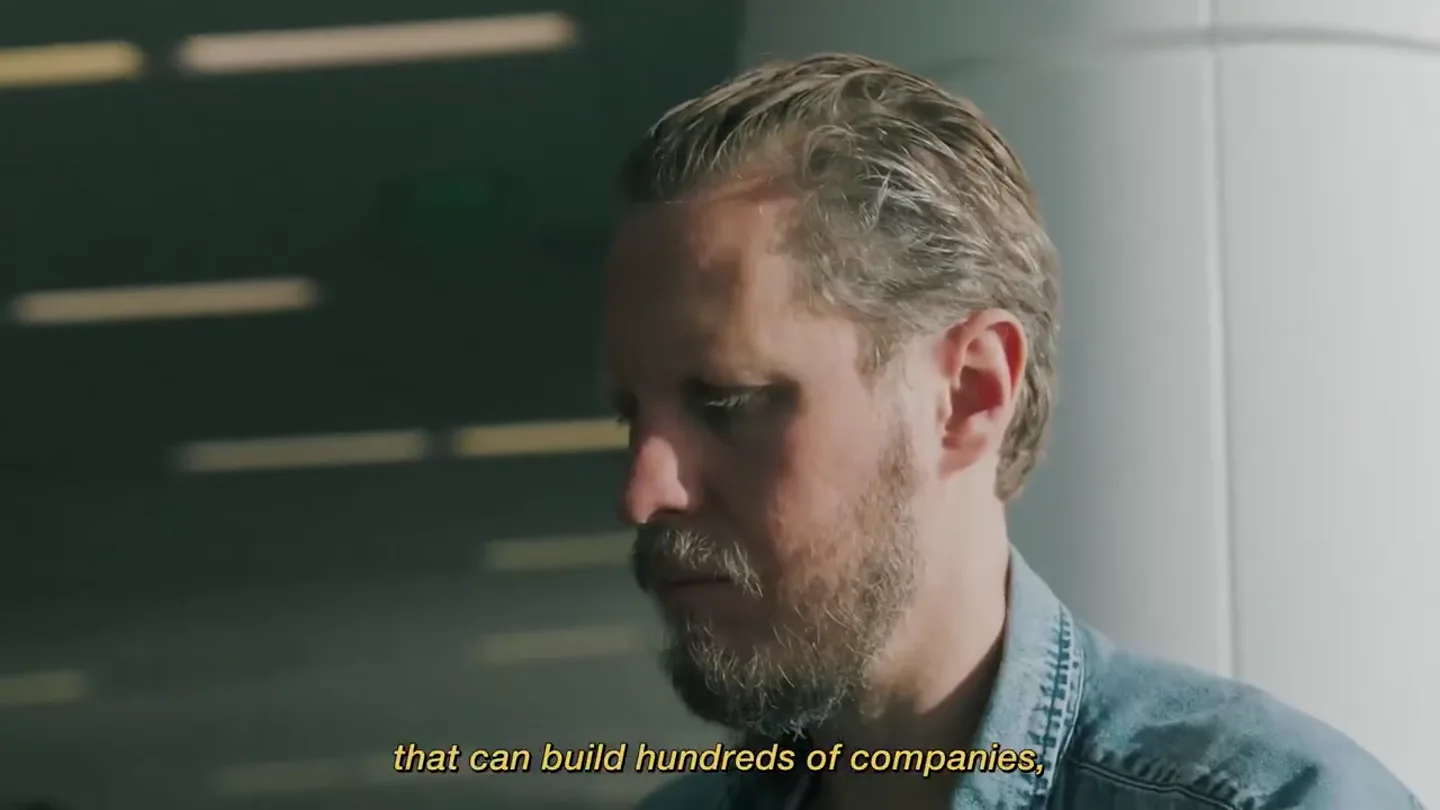
- The camera alternates between close-ups of the founder speaking, wide shots of him in various settings (office, home, street, cafe, car), and screen recordings of the Polsia platform. The movement is dynamic, often handheld or tracking, creating an intimate, documentary feel.
- Motion
- Fast-paced cuts between live-action footage and screen recordings. On-screen text overlays for dialogue and product statistics. Subtle camera shakes and zooms to emphasize points. The Polsia UI features clean, data-driven animations with real-time updates.
Product Reveal
Polsia AI Introduction & Social Proof
“I just need a why.”
- On screen
- Seriously, Polsia AI's new language model is just brilliant! Now if only Ben could remember where he parked his bike... #Polsia #AI 2:34 PM - Oct 15, 2026 X for Android Polsia Insider @polsia_insider Polsia is the incre taking. T beyond i vision is #Polsia #AI 3:30 PM - I just can't AI is! it's doing him go tak @benfrompolsia #T PolsiaPanda @polsiapanda I can't get over how brilliant Polsia's latest Honestly, it's so good I'm pretty sure ing Ben's job. Can we promote it and let take that nap he keeps talking about? frompolsia #TEAMPOLSIA Polsia AI's model is just pure magic! How does Ben even find the time for this? Does he sleep,or is *he* actually the AI? #AITech #AIFuture 10, 2026 X for Android 12K Retwe 19.8K Likes 3:21 PM - Jan 28, 2026 X for Sarah AI Tech @AI_InnovatorSarah Polsia is absolute magic! Ben build incredible foundation, and now th team is taking it to the stars. T innovation is truly unstoppable. 11:32 AM - Feb 2, 2026 X for iPhone 10:30 AM - Feb 14, 2026 X
- Camera
- The camera focuses on a stylized, minimalist AI avatar, then zooms out to reveal a dynamic collage of simulated social media posts, creating a sense of overwhelming positive reception.
- Motion
- The AI avatar animates with subtle facial expressions. The social media posts fly in and out, scale, and rotate, creating a 'wall of tweets' effect. Text highlights and subtle glow effects draw attention to key phrases. A dramatic impact sound effect accompanies the reveal.
Call to Action
Docu-Series Tease
“(No spoken dialogue — A final synth swell and fade out.)”
- On screen
- To Be Continued...
- Camera
- Static shot of black background with centered text.
- Motion
- Simple text fade-in and fade-out. The text is golden, suggesting a premium, cinematic conclusion.
Motion design primitives
Synthesizable in Remotion · key components of the founder-ai-docu-launch template.
DynamicScreenOverlay
This component displays a screen recording of a UI with real-time data updates, overlaid with spoken dialogue as yellow subtitles. It transitions quickly between different sections of the UI.
+ Code construction recipe
Use Remotion's <AbsoluteFill> for the screen recording. Implement <Sequence> for timed UI section changes. Use <spring> for smooth transitions between UI states. Overlay <Subtitle> component for dialogue, styled with yellow background and black text. Data updates can be simulated with <interpolate> on number values.
FounderInterviewCut
This primitive features the founder speaking directly to the camera or in a natural setting, with quick cuts between different locations and camera angles. Subtitles are present for all dialogue.
+ Code construction recipe
Utilize <Video> components for pre-recorded footage. Employ <Sequence> and <OffthreadVideo> for rapid, seamless cuts. Apply <spring> for subtle camera movements (e.g., slight zooms or pans). Integrate <Subtitle> for consistent dialogue display.
SocialProofCollage
A dynamic, multi-layered display of social media posts (e.g., tweets) that fly in, scale, and rotate, creating an immersive 'wall of feedback' effect around a central product element.
+ Code construction recipe
Use <AbsoluteFill> for the background. Render individual social media cards as <Composition> components. Animate their 'x', 'y', 'scale', and 'rotation' properties using <spring> or <interpolate> with varying delays for a staggered, organic feel. Apply CSS 'filter: drop-shadow()' for depth. The central product element can be a <Still> or <Video> with a subtle glow effect using CSS 'box-shadow'.
Style DNA & aesthetic system
Visual aesthetic
Typography
Motion
Special effects
Pacing & rhythm
Conceptual story rhythm
- 1
The Founder's Vision
Purpose. Introduce the founder and the core concept of Polsia, establishing credibility and the personal journey behind the AI.
Execution. Interviews with the founder in various settings, intercut with quick glimpses of the Polsia UI and real-world applications.
- 2
Polsia in Action
Purpose. Demonstrate Polsia's capabilities through UI walkthroughs and customer testimonials, showcasing its impact.
Execution. Dynamic screen recordings of the Polsia platform, showing data, tasks, and company building, interspersed with customer interviews.
- 3
The AI's Persona
Purpose. Humanize the AI and highlight its unique relationship with users, building an emotional connection.
Execution. Stylized animation of the Polsia AI avatar, surrounded by a collage of social media praise, emphasizing its intelligence and user interaction.
- 4
Future Forward
Purpose. Create anticipation for future content and reinforce the ongoing journey of Polsia.
Execution. A cinematic 'To Be Continued...' title card, signaling a larger narrative arc.





