
Remoko Mobile Agent Relay 3469 (by Yohei Nakajima) · Launch Video Breakdown: Hook, Pacing & Motion Design
Mobile agent relay that lets long-running AI agents (Codex, Claude Code etc.) send iOS push notifications via MCP for questions, approvals, check-ins, feedback and reports. Available via TestFlight.
Scene-by-scene timeline & spoken transcript
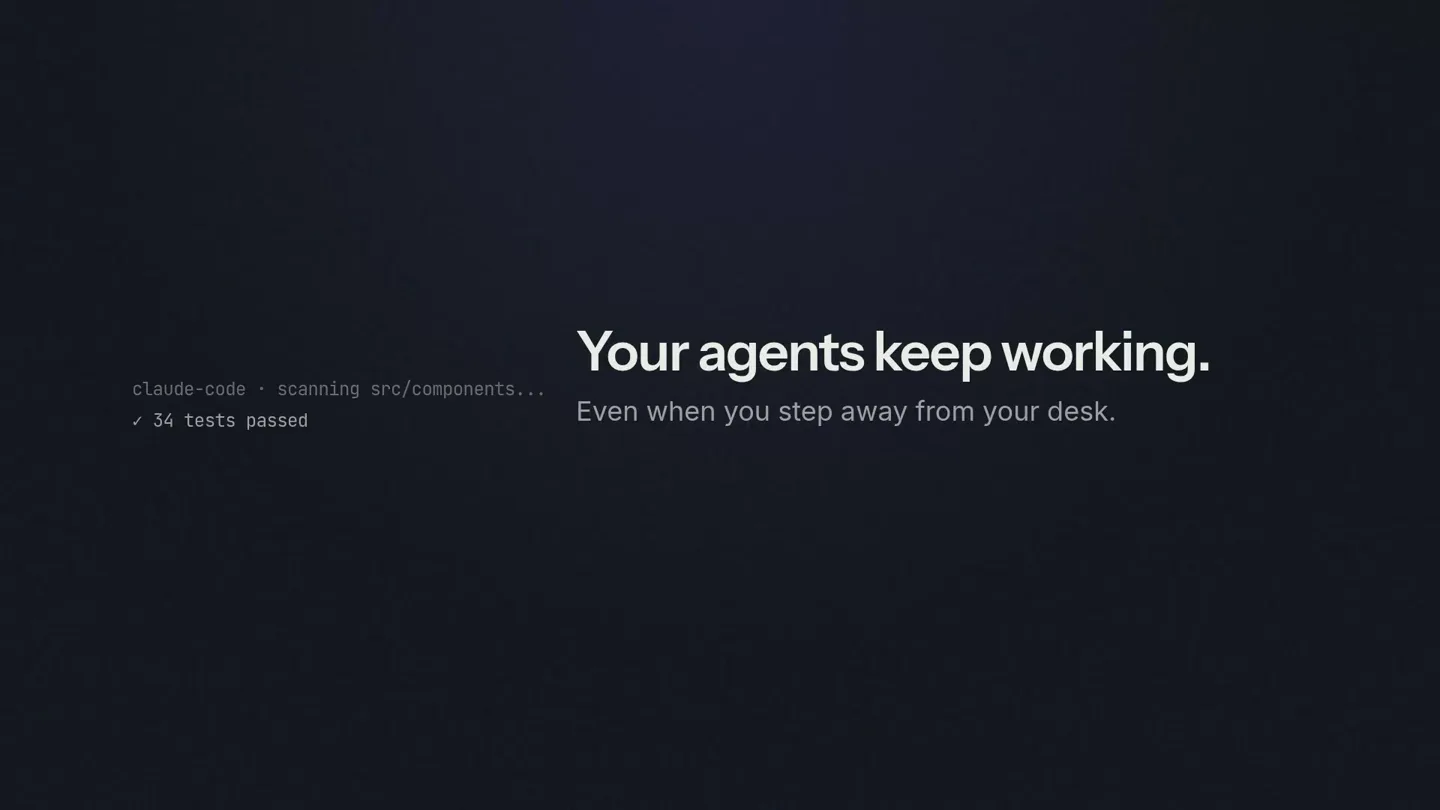
The Hook
Uninterrupted Agent Workflow
“(No spoken dialogue — Ambient electronic score with pizzicato synths and sub-bass establishes a low-key, sustained intensity.)”
- On screen
- Your agents keep working. Even when you step away from your desk. claude-code • scanning src/components... ✓ 34 tests passed codex • generating types... claude-code • refactoring auth middleware...
- Camera
- Static wide shot, text and code elements animate in from left and right.
- Motion
- Text reveal with subtle easing, code terminal-style animation, and a soft background gradient shift.
Product Reveal
Mobile Agent Relay for Approvals
“(No spoken dialogue — Ambient electronic score continues with consistent tempo and subtle percussion.)”
- On screen
- When they hit a roadblock, they ping your iPhone. Answer in one tap. The agent resumes. Inbox Needs You (1) History • NEEDS YOU - 1 WEBSITE c codex NEW URGENT just now Buy domain remoko.app for $14/yr? ◎ Recommends: Approve Deny Approve → pinged your iPhone: Buy domain remoko.app for $14/yr? ✓ decision received • resuming codex...
- Camera
- Static wide shot, iPhone UI slides in from the right, text animates in from the left.
- Motion
- Slide-in animation for the iPhone mockup, UI elements animate within the phone, and text reveals with a typewriter effect for the terminal output.
Feature Teaser
Secure High-Risk Approvals
“(No spoken dialogue — Ambient electronic score maintains its driving tempo, emphasizing the underlying technical process.)”
- On screen
- High-risk approvals never expose lock-screen actions. Open the app. Review the consequences. Inbox Needs You (1) History • NEEDS YOU - 1 MYAPP c claude-code NEW HIGH RISK just now Run database migration on production RECENT ◎ Buy domain remoko.... APPROVED < Inbox c claude-code HIGH RISK August 7, 10:42 AM Run database migration on production The agent needs to apply a schema change to the production database to support the new authentication flow. This alters the users and sessions tables. ✓ IF APPROVED • Alters 2 tables • ~30s downtime • Rollback script included ◎ STILL NOT ALLOWED Cannot drop tables Deny Approve → pinged your iPhone: Run database migration on production
- Camera
- Static wide shot, iPhone UI transitions between different screens, text animates in from the left.
- Motion
- Seamless UI transitions within the iPhone, text reveals with a fade-in and slide-up effect, and subtle background code animation continues.
Call to Action
Remoko: Remote Control for Agents
“(No spoken dialogue — The ambient electronic score gently fades out, leaving a sense of completion and calm.)”
- On screen
- Remoko Remote control for your coding agents. CLOSED BETA testflight.apple.com/join/uSRnabxx
- Camera
- Static wide shot, logo and text fade in and out, with a subtle background light beam effect.
- Motion
- Cross-fade transition to the brand logo and tagline, followed by a fade-in for the call to action. A subtle light beam effect adds depth to the background.
Motion design primitives
Synthesizable in Remotion · key components of the ai-agent-relay-launch template.
TerminalTextReveal
Monospaced text lines appear sequentially, simulating a command-line interface output, often with a preceding '•' or '→' character.
+ Code construction recipe
Use `Sequence` and `AbsoluteFill` for text layers. Animate `opacity` and `y-position` with `spring` or `interpolate(Easing.linear)` for a typewriter effect. Implement a custom component for the '•' or '→' prefix that appears just before the text.
UISlideAndFade
Mobile UI elements or entire device mockups slide into view from the side (e.g., right) and then transition between internal states with fades and subtle position shifts.
+ Code construction recipe
Employ `AbsoluteFill` for the device mockup. Animate `translateX` with `spring` for the initial slide-in. For internal UI changes, use `interpolate` on `opacity` and `translateY` for smooth fades and shifts between different `AbsoluteFill` children representing UI states.
SubtleBackgroundGradientShift
The dark background features a very subtle, slow-moving radial or linear gradient that shifts its position and intensity, adding depth without distraction.
+ Code construction recipe
Utilize a `LinearGradient` or `RadialGradient` component within an `AbsoluteFill`. Animate the `x1`, `y1`, `x2`, `y2` (for linear) or `cx`, `cy`, `r` (for radial) properties of the gradient with `loop` and `spring` or `interpolate(Easing.easeInOut)` over a long duration to create a slow, organic movement.
Style DNA & aesthetic system
Visual aesthetic
Typography
Motion
Special effects
Pacing & rhythm
Conceptual story rhythm
- 1
The Unseen Work
Purpose. Establish the core problem: AI agents work continuously, but users are disconnected.
Execution. Terminal-style text animating on a dark background, showing agent activity, with a headline emphasizing continuous operation.
- 2
The Interruption & Solution
Purpose. Introduce the pain point of agent roadblocks and the product's immediate solution.
Execution. An iPhone mockup slides in, displaying a push notification and an in-app approval request, demonstrating a quick resolution.
- 3
Security & Control
Purpose. Highlight a key feature: handling high-risk decisions with appropriate security and context.
Execution. The iPhone UI transitions to a detailed approval screen for a 'high-risk' action, showing comprehensive information before approval.
- 4
Brand & Call to Action
Purpose. Conclude with branding and direct users to access the product.
Execution. A clean transition to the product logo, tagline, and a TestFlight link on a dark, subtly animated background.





