
Replit Auto Protect (by Amjad Masad) · Launch Video Breakdown: Hook, Pacing & Motion Design
AI ate most of the software development lifecycle but maintaining live apps is still manual. “DevSecOps” is the new bottleneck as software creation explodes. Introducing Replit Auto-Protect: a 24x7…
Scene-by-scene timeline & spoken transcript
The Hook
Introducing Replit Auto-Protect
“(No spoken dialogue — The track opens with a glitchy, percussive electronic beat, featuring pizzicato synths and a prominent sub-bass. A high-energy riser builds from 0:00-0:02, followed by a sub-bass drop/impact at 0:02.)”
- On screen
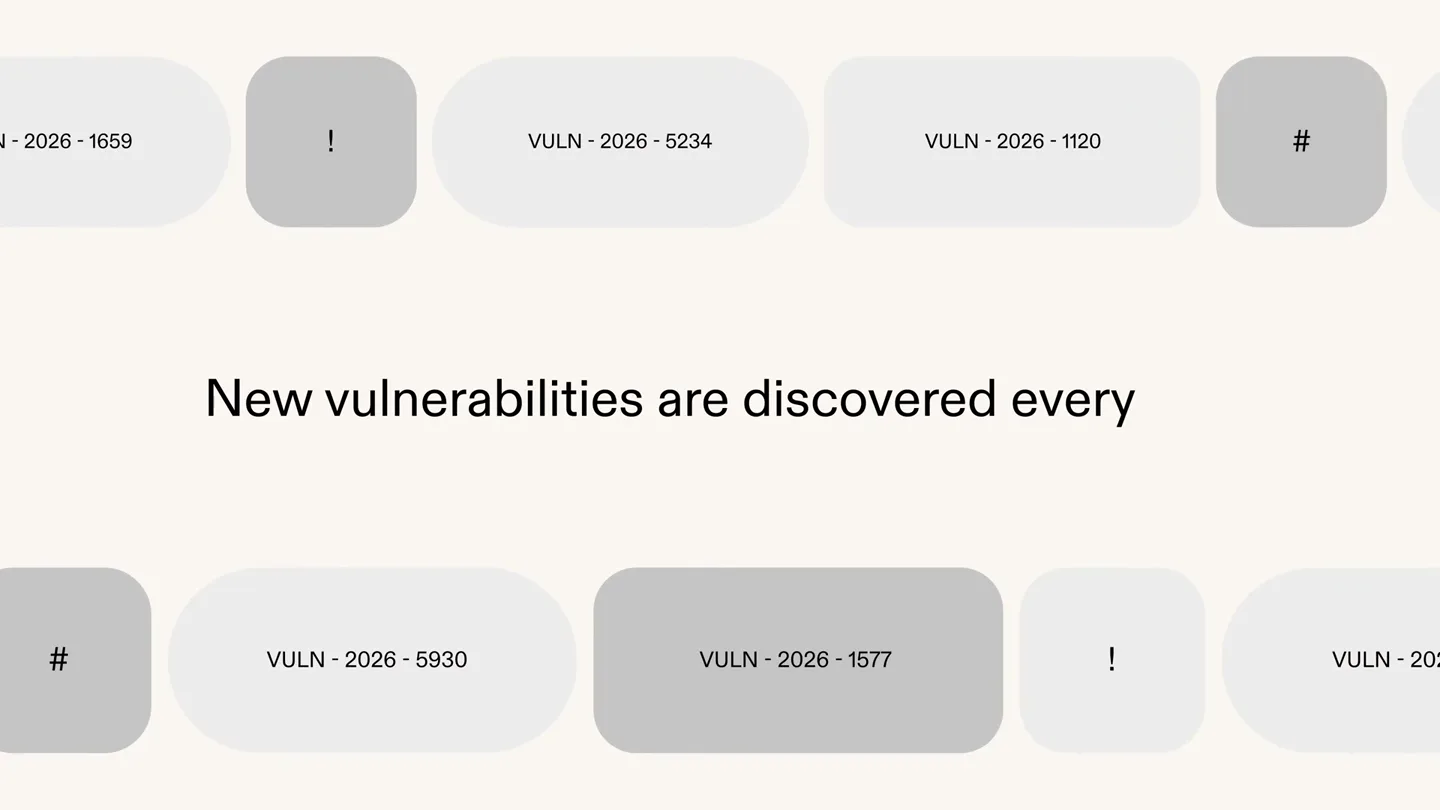
- Replit Auto-Protect New vulnerabilities are discovered every day.
- Camera
- Static, centered framing on text and animated vulnerability cards. Slight zoom out as the shield icon appears.
- Motion
- Text reveal with a subtle bounce, animated cards sliding in and out, 3D icon pop-in with rotation.
Problem Agitation
Automated Vulnerability Detection & Fixes
“(No spoken dialogue — Another riser occurs at 0:05, leading to a more sustained electronic melody.)”
- On screen
- Introducing Replit Auto-Protect Keeps watch over your apps 24x7 Finds new security issues in your dependencies and drafts fixes for affected packages.
- Camera
- Static, centered framing. Elements animate around the central text.
- Motion
- Text typing animation, vulnerability cards changing color (red to green), shield icon with multiple layers indicating fixes, horizontal scrolling of vulnerability cards.
Product Reveal
Real-time Scanning and Automated Patching
“(No spoken dialogue — A significant sweep and sub-bass drop/impact are heard at 0:17.)”
- On screen
- Constant proactive vulnerability scans for your apps. Replit Agent prepares and tests the patch automatically.
- Camera
- Static, centered framing on a UI card. Slight zoom in on the UI card as details populate.
- Motion
- UI elements animating in, numbers counting up, progress bars filling, text appearing and disappearing, status changes (CRITICAL to PATCHED).
Call to Action
Seamless Deployment and Secure Coding
“(No spoken dialogue — This section features a prominent, deep sub-bass line and ethereal synth melodies, creating a sense of anticipation and grandeur. The track concludes with a final sub-bass impact at 0:42.)”
- On screen
- Republish Vibe code securely with Replit
- Camera
- Quick cuts between UI elements and a final static shot of the brand logo and tagline.
- Motion
- Button click animation, quick transition wipes, text reveal with a subtle glow, logo reveal with a soft fade.
Motion design primitives
Synthesizable in Remotion · key components of the replit-auto-protect-remix template.
VulnerabilityCardFlow
Rounded rectangular cards with text (e.g., 'VULN-2026-1659') slide horizontally across the screen, changing color (grey to red to green) and sometimes revealing an exclamation mark or hash symbol. A central 3D shield icon with an exclamation mark rotates and scales in.
+ Code construction recipe
Use `interpolate` for horizontal position and opacity. Animate `backgroundColor` based on vulnerability status. Implement a `spring` animation for the 3D shield icon's scale and rotation on entry. Utilize `map` to render an array of card data.
AutomatedPatchUI
A clean, white UI card appears, populating with dynamic data: project counts, dependency numbers, and a list of critical vulnerabilities. A detailed patch process unfolds with animated checkboxes, progress bars, and status updates (e.g., 'Preparing patch...', 'Running tests...', 'PATCHED').
+ Code construction recipe
Employ `Sequence` and `AbsoluteFill` for scene composition. Use `interpolate` for number counting animations and progress bar filling. Implement `spring` for UI element pop-ins and status changes. Text typing effects can be achieved with `split` and `map` over characters.
BrandActionReveal
A 'Republish' button animates in with a click interaction, followed by a quick transition to a final brand message and logo. Text appears with a subtle glow and the Replit logo fades in.
+ Code construction recipe
Use `spring` for button scale and color change on click. Implement `AbsoluteFill` with `interpolate` for quick wipe transitions. Text reveal can use `interpolate` on opacity and `textShadow` for a glow effect. Logo fade-in with `interpolate` on opacity.
Style DNA & aesthetic system
Visual aesthetic
Typography
Motion
Special effects
Pacing & rhythm
Conceptual story rhythm
- 1
The Threat Unveiled
Purpose. Establish the pervasive problem of software vulnerabilities and the constant threat.
Execution. Rapidly appearing vulnerability cards, a central warning shield, and text highlighting the daily discovery of new issues.
- 2
The Automated Guardian
Purpose. Introduce Replit Auto-Protect as the solution, highlighting its 24/7 monitoring and proactive fixing capabilities.
Execution. Vulnerability cards changing from red to green, a multi-layered shield icon, and text explaining the automated detection and drafting of fixes.
- 3
The Agent in Action
Purpose. Demonstrate the product's core functionality: real-time scanning, identification of critical issues, and automated patching.
Execution. A detailed UI simulation showing CVE matches, dependency scans, critical vulnerability lists, and a step-by-step automated patch process with progress bars.
- 4
The Secure Future
Purpose. Conclude with the benefit of seamless deployment and a call to action for secure coding with Replit.
Execution. A 'Republish' button click, followed by a clean brand message and logo reveal, emphasizing security and ease of use.





