
Runway · Launch Video Breakdown: Hook, Pacing & Motion Design
Google Omni 1.1 Flash is now on Runway alongside the platform's existing image and video models.
Scene-by-scene timeline & spoken transcript
The Hook
Pirate Ship Docking
“(No spoken dialogue — Driving electronic score with pizzicato synth melodies begins.)”
- On screen
- runway
- Camera
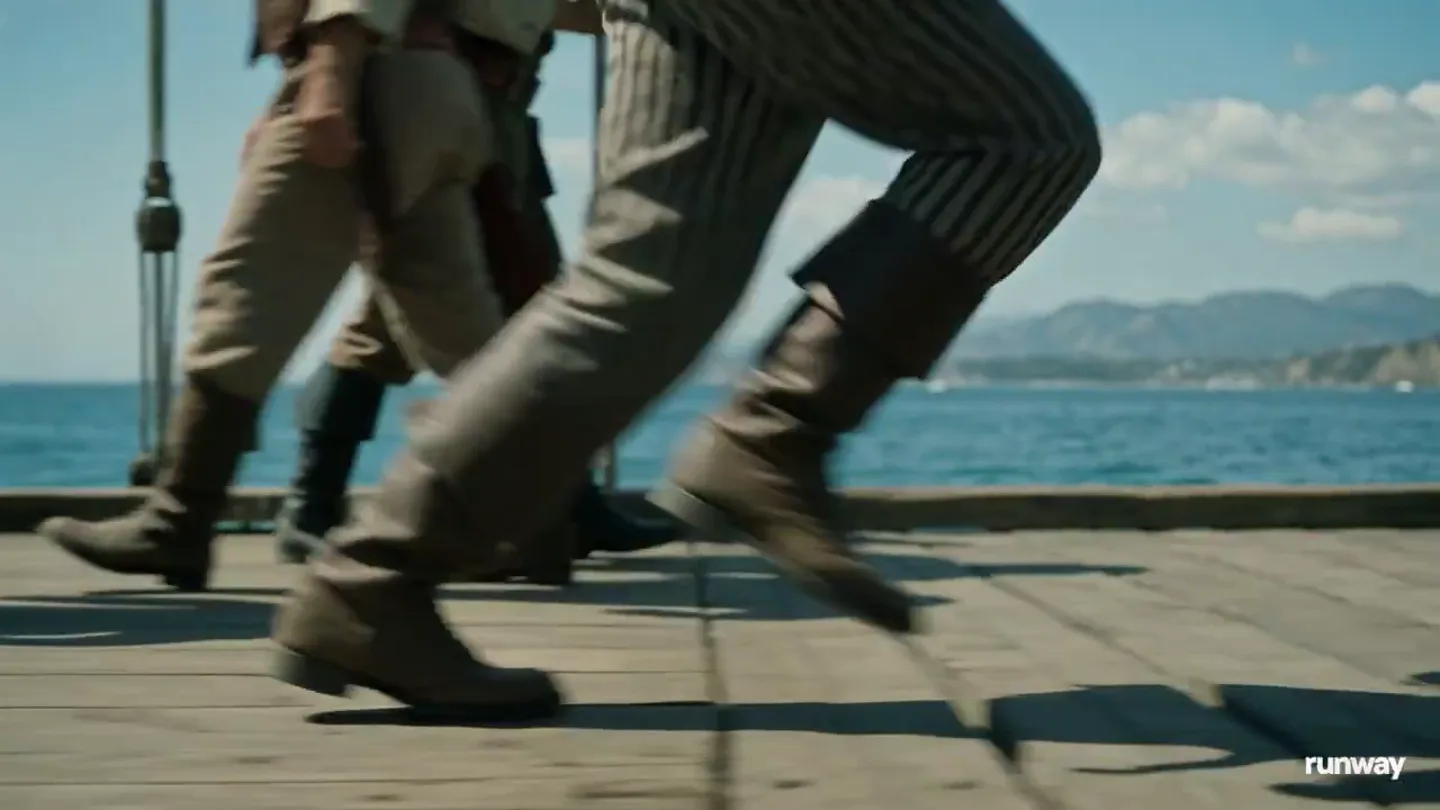
- Wide shot of two pirate ships docked, slowly zooming in. Cuts to a low-angle tracking shot of pirate legs walking on the dock.
- Motion
- Slow zoom, quick cuts, dynamic tracking shot.
Problem Agitation
Surreal Character Transformations
“(No spoken dialogue — Electronic score continues, building intensity with rhythmic elements.)”
- On screen
- runway
- Camera
- Low-angle tracking shot of a man dribbling a ball, then a woman running, then a woman running through a cheese factory, then a bear running through a forest. All shots maintain a similar low-angle, side-profile tracking.
- Motion
- Seamless character and environment morphing, fast-paced cuts, consistent camera perspective across disparate scenes.
Product Reveal
Omni Flash 1.1 Introduction
“(No spoken dialogue — Audio riser at 0:12, followed by a sub-bass drop/impact at 0:13, leading to a more intense section.)”
- On screen
- Omni Flash 1.1 now available runway.com runway
- Camera
- Close-up on a pirate's face, then a wide shot revealing a giant octopus in the sea behind him. Camera pans and zooms to emphasize the scale of the octopus and the text overlays.
- Motion
- Jump cut to close-up, dramatic reveal with text overlay, dynamic camera movement to follow the action.
Feature Teaser
Bathtub World Transition
“(No spoken dialogue — Another significant audio riser builds from 0:22 to 0:24, culminating in a final sub-bass impact and sustained synth chord at 0:25.)”
- On screen
- runway
- Camera
- Overhead shot of the pirate ships and octopus in a bathtub. Cuts to a close-up of the pirate climbing out of the tub, then a wider shot of him running through a house, transforming into a bear, and finally running through a forest.
- Motion
- Perspective shift, seamless environment transitions, character transformation, fast-paced action.
Call to Action
Runway Logo Reveal
“(No spoken dialogue — Sustained synth chord fades out.)”
- On screen
- runway
- Camera
- Final shot of the bear running in the forest, then a quick cut to a white screen with the Runway logo.
- Motion
- Abrupt cut to logo, clean brand reveal.
Motion design primitives
Synthesizable in Remotion · key components of the surreal-transformation-launch template.
SeamlessCharacterMorph
A character in motion seamlessly transforms into a different character or object while maintaining the same camera angle and movement trajectory, creating a surreal, continuous action.
+ Code construction recipe
Utilize Remotion's <Sequence> and <TransitionSeries> components. Implement cross-fade or dissolve transitions between video clips or Lottie animations of different characters. Ensure consistent camera perspective and character position using CSS transforms and keyframe animations for smooth interpolation.
DynamicTextReveal
Text appears on screen with a subtle, impactful animation, often timed with an audio cue like a sub-bass drop, and remains legible against a dynamic background.
+ Code construction recipe
Employ Remotion's <AbsoluteFill> for text overlay. Animate opacity and scale using `interpolate` or `spring` functions, triggered by `useCurrentFrame`. Use `z-index` to ensure text visibility over video. Consider a subtle text shadow or outline for contrast.
PerspectiveShiftTransition
The scene abruptly shifts perspective, revealing a miniature or unexpected context for the previous environment, often with a 'pull-back' or 'reveal' camera motion.
+ Code construction recipe
Achieve this with a hard cut between two distinct video clips or compositions. The first clip shows the 'normal' scene, the second reveals the 'miniature' or 'surreal' context. Use `AbsoluteFill` for each scene and control their visibility with `spring` or `interpolate` on `opacity` or `display` properties.
Style DNA & aesthetic system
Visual aesthetic
Typography
Motion
Special effects
Pacing & rhythm
Conceptual story rhythm
- 1
The Whimsical Setup
Purpose. To establish a sense of playful mystery and introduce the concept of transformation through unexpected character and environment shifts.
Execution. Opening with pirate ships, then quickly transitioning through various characters (man, woman, bear) running through different, increasingly surreal environments (city, cheese factory, forest).
- 2
The Grand Reveal
Purpose. To dramatically introduce the product name and its core capability (Omni Flash 1.1) in a memorable, larger-than-life context.
Execution. A pirate's shocked reaction followed by the reveal of a giant octopus, with the product name appearing boldly on screen, timed with a powerful audio impact.
- 3
The Surreal Deconstruction
Purpose. To playfully demonstrate the product's ability to manipulate reality by revealing the 'behind-the-scenes' or miniature nature of the grand spectacle.
Execution. The grand ocean scene is revealed to be a bathtub, with the pirate climbing out and running through a domestic setting, further transforming.
- 4
The Final Transformation & Call to Action
Purpose. To reinforce the theme of transformation and conclude with a clear brand identity.
Execution. The pirate's final transformation into a bear running through a forest, leading to a clean, impactful reveal of the Runway logo.





