
Runway · Launch Video Breakdown: Hook, Pacing & Motion Design
Runway Ruby now supports alpha channels and can convert footage to HDR while keeping the alpha intact, in one step.
Scene-by-scene timeline & spoken transcript
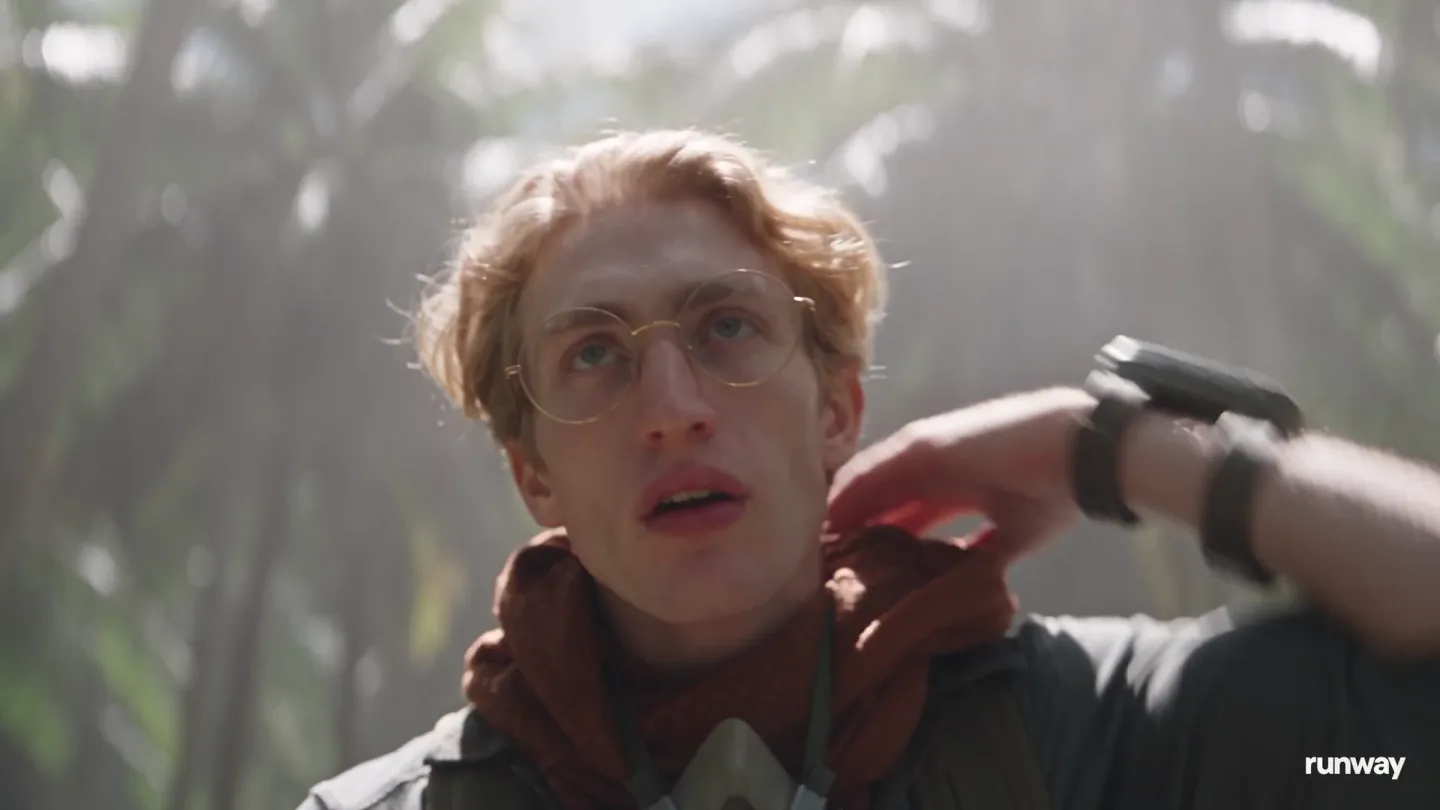
The Hook
Mysterious Jungle Expedition & VFX Reveal
“(No spoken dialogue — ambient electronic sounds, low rumble, 'thump' at 0:00, high-energy riser at 0:07, sub-bass drop/impact at 0:09)”
- On screen
- runway
- Camera
- Starts with a close-up on the protagonist, pulls back to reveal him on a woolly mammoth in a jungle, then reveals the green screen studio setup.
- Motion
- Live-action footage with a dramatic reveal of the VFX production environment, transitioning from cinematic to behind-the-scenes.
Product Reveal
Ruby Alpha Channel & HDR Compositing Demo
“Ruby now preserves Alpha”
- On screen
- Ruby now preserves Alpha Output format HDR10 HEVC - PQ - MP4 HLG HEVC - HLG - MP4 ProRes BT.2020 - PQ - MOV Linear BT.2020 Display-referred - Half-float EXR - ZIP ACEScg 1.3 Scene-referred - Half-float EXR - ZIP ACEScg 2.0 Scene-referred - Half-float EXR - ZIP Apps Ruby Generate Image Video Audio ACEScg 1.3 C001.mp4 27% Tip: Experiment with abstract and surreal prompts for unexpected results. HDR compositing runway
- Camera
- Static screen capture of the UI, then a dynamic camera following the mammoth through various composited environments.
- Motion
- Screen recording of UI interaction, followed by rapid scene cuts showcasing the compositing capabilities with text overlays.
Feature Teaser
Mammorak Productions & Creative Freedom
“(No spoken dialogue — lively jazz/big band music with brass, woodwinds, walking bass line, steady rhythm, and improvisational elements)”
- On screen
- MAMMORAK PRODUCTIONS runway
- Camera
- Dynamic tracking shots of the mammoth in various fantastical environments, including a split-screen comparison.
- Motion
- Fast-paced montage of diverse visual effects, split-screen comparison for before/after, and cinematic title card animation.
Call to Action
Surprise Reveal & Final Call
“Runway”
- On screen
- Times AVAILABLE NOW runway get started app.runway.com runway
- Camera
- Tracking shot of the mammoth entering a suburban home, close-up on a newspaper, then static text screens.
- Motion
- Unexpected juxtaposition of fantasy and reality, leading to clear call-to-action text with a final brand logo reveal.
Motion design primitives
Synthesizable in Remotion · key components of the ai-creative-reveal-montage template.
VFXStudioReveal
A cinematic scene transitions abruptly to reveal the green screen studio and production crew, exposing the artificiality of the initial shot.
+ Code construction recipe
Use a `Sequence` component to layer live-action footage over a green screen, then animate a `Clip` or `AbsoluteFill` to reveal the underlying studio environment. Employ `spring` for a sudden, impactful transition.
AlphaHDRCompositor
A subject with complex alpha channels (like fur) is shown seamlessly composited into various HDR environments, demonstrating preservation of detail and dynamic range.
+ Code construction recipe
Implement `Video` components with `blendMode='screen'` or `mask` properties for alpha channels. Use `interpolate` for smooth transitions between different `Image` or `Video` backgrounds, showcasing HDR effects via color grading or `filter` properties.
SplitScreenComparison
The screen splits to show a side-by-side comparison of a raw asset (e.g., with a checkerboard background) and its fully composited version within a scene.
+ Code construction recipe
Utilize `AbsoluteFill` or `Column` components to create a split-screen layout. Place two `Video` or `Image` components side-by-side, one with a checkerboard pattern (SVG or image) and the other with the final composited footage. Animate the split line using `interpolate` for a dynamic reveal.
Style DNA & aesthetic system
Visual aesthetic
Typography
Motion
Special effects
Pacing & rhythm
Conceptual story rhythm
- 1
The Grand Illusion
Purpose. To captivate the audience with a fantastical scene, then immediately break the illusion to highlight the product's role in creating it.
Execution. Opening with a cinematic jungle scene featuring a protagonist on a mammoth, followed by a sudden pull-back to reveal the green screen studio.
- 2
The Technical Breakthrough
Purpose. To clearly demonstrate the core technical innovation of the product (alpha channel preservation, HDR compositing) through direct UI interaction and visual examples.
Execution. Screen recording of the Runway UI selecting 'Ruby' and 'ACEScg 1.3', followed by the mammoth seamlessly composited into diverse HDR environments.
- 3
Creative Empowerment
Purpose. To inspire users by showcasing the boundless creative possibilities enabled by the product, emphasizing ease and quality.
Execution. A montage of the mammoth in various fantastical settings, including a split-screen showing raw vs. composited footage, and a cinematic 'MAMMORAK PRODUCTIONS' title card.
- 4
The Real-World Impact
Purpose. To ground the fantastical elements in a relatable context and provide a clear call to action.
Execution. The mammoth unexpectedly appears in a suburban living room, followed by a newspaper headline confirming the product's availability, and finally, the website URL.





