
Runway · Launch Video Breakdown: Hook, Pacing & Motion Design
Seedance 2.5 is now on Runway. Build entire worlds with up to 50 references, clips up to 30 seconds with full sound and dialogue.
Scene-by-scene timeline & spoken transcript
The Hook
Product Name Reveal
“(No spoken dialogue — Pizzicato synths and sub-bass intro)”
- On screen
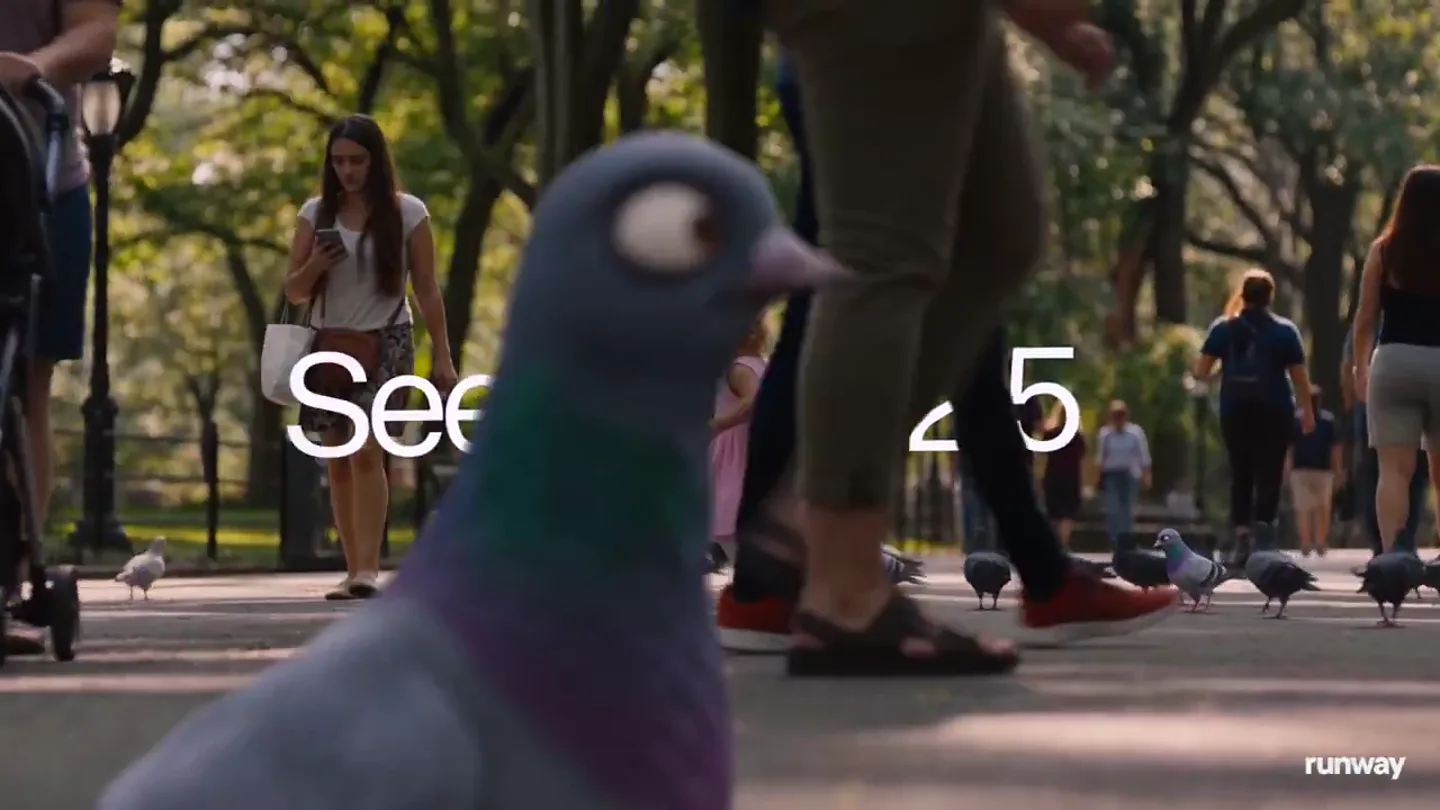
- Seedance 2.5 Now on Runway
- Camera
- Low-angle tracking shot, following people's legs in a park, then a quick pan up to reveal a wide shot of a park avenue.
- Motion
- Kinetic typography with a subtle parallax scroll effect, revealing text over a live-action background. Quick cut to a wider shot.
Problem Agitation
Imagination Unleashed
“What if your imagination could walk among us? What if your stories could come to life?”
- On screen
- (No on-screen text)
- Camera
- Tracking shot, following the presenter walking through a park and then a city street, with various animated characters appearing and interacting with the scene.
- Motion
- Seamless integration of 2D and 3D animated characters into live-action footage. Characters appear and disappear with subtle magical effects, demonstrating the product's ability to generate diverse content.
Product Reveal
Build Entire Worlds
“Build entire worlds with up to 50 references. Clips up to 30 seconds with full sound and dialogue. Tell your story.”
- On screen
- Use up to 50 references in a single prompt.
- Camera
- High-angle drone shot, slowly pulling back and revealing a fantastical, vibrant city street filled with diverse characters and architectural transformations.
- Motion
- Massive scale visual effects, transforming a mundane city into a fantastical landscape. Text overlays appear with a subtle zoom and fade, emphasizing key features. Orchestral synth pads build intensity.
Feature Teaser
Creative Freedom & Impact
“What will you create? What will you imagine? What will you tell?”
- On screen
- (No on-screen text)
- Camera
- Dynamic montage of various AI-generated scenes, showcasing diverse styles and content, often with quick cuts and energetic camera movements.
- Motion
- Rapid-fire montage of diverse AI-generated content, utilizing quick cuts, dynamic camera movements (pans, zooms, rotations), and energetic transitions. Features include stylized text reveals and abstract visual effects.
Motion design primitives
Synthesizable in Remotion · key components of the ai-architectural-vision-launch template.
LiveActionCharacterIntegration
Animated 2D or 3D characters seamlessly appear and interact within live-action footage, often with a subtle magical or glitch-like entrance/exit effect.
+ Code construction recipe
Utilize Remotion's `AbsoluteFill` for video background, `Sequence` for precise timing. Implement `spring` for character entrance/exit animations (scale, opacity, position). Use `Img` or `Video` components for characters with transparent backgrounds (e.g., WebM, Lottie). Apply `interpolate` for subtle depth-of-field effects on characters based on their Z-position.
DynamicFeatureTextReveal
Key feature text appears on screen with a subtle zoom-in and fade-in animation, often accompanied by a soft glow or outline, over a complex background.
+ Code construction recipe
Employ `Text` component with `spring` for scale and opacity. Use `Box` or `AbsoluteFill` for background elements. Apply `linear-gradient` or `radial-gradient` for subtle text glows. `interpolate` can be used for a slight parallax effect if the background is also moving.
WorldTransformationMontage
A series of rapid cuts showcasing diverse, fantastical AI-generated scenes, often with dramatic camera movements and vibrant color shifts, building narrative intensity.
+ Code construction recipe
Create a `Sequence` of `Video` or `Img` components for each generated scene. Use `spring` for quick camera movements (e.g., `translateX`, `translateY`, `scale`) on the `Video` components. Implement `interpolate` for color grading shifts (e.g., `filter: hue-rotate`, `saturate`) and `opacity` for fast cross-dissolves between scenes. Leverage `Audio` component for sound design synchronization.
Style DNA & aesthetic system
Visual aesthetic
Typography
Motion
Special effects
Pacing & rhythm
Conceptual story rhythm
- 1
The Mundane Transformed
Purpose. Introduce the core concept: AI's ability to bring imagination into reality, starting from a familiar setting.
Execution. Presenter walks through a normal park/city, gradually joined by fantastical animated characters, blurring the line between real and imagined.
- 2
Scaling Imagination
Purpose. Demonstrate the product's power and scale, showing how it can create entire worlds.
Execution. A wide, sweeping shot of a city street transforming into a vibrant, fantastical landscape filled with diverse AI-generated elements.
- 3
Unleashing Creativity
Purpose. Showcase the breadth of creative possibilities and inspire users to create their own stories.
Execution. A fast-paced montage of diverse, high-quality AI-generated video clips, highlighting different styles and narratives.
- 4
Call to Action
Purpose. Directly engage the audience and prompt them to use the product.
Execution. Rhetorical questions posed by the narrator over inspiring visuals, culminating in a clear product name and call to 'tell your story'.





