
ScreenKite · Launch Video Breakdown: Hook, Pacing & Motion Design
ScreenKite 2.0 is a native screen recorder and pro video editor for product launch films. Bring your own Claude, Grok, or Codex, with Hyperframes support and no subscription.
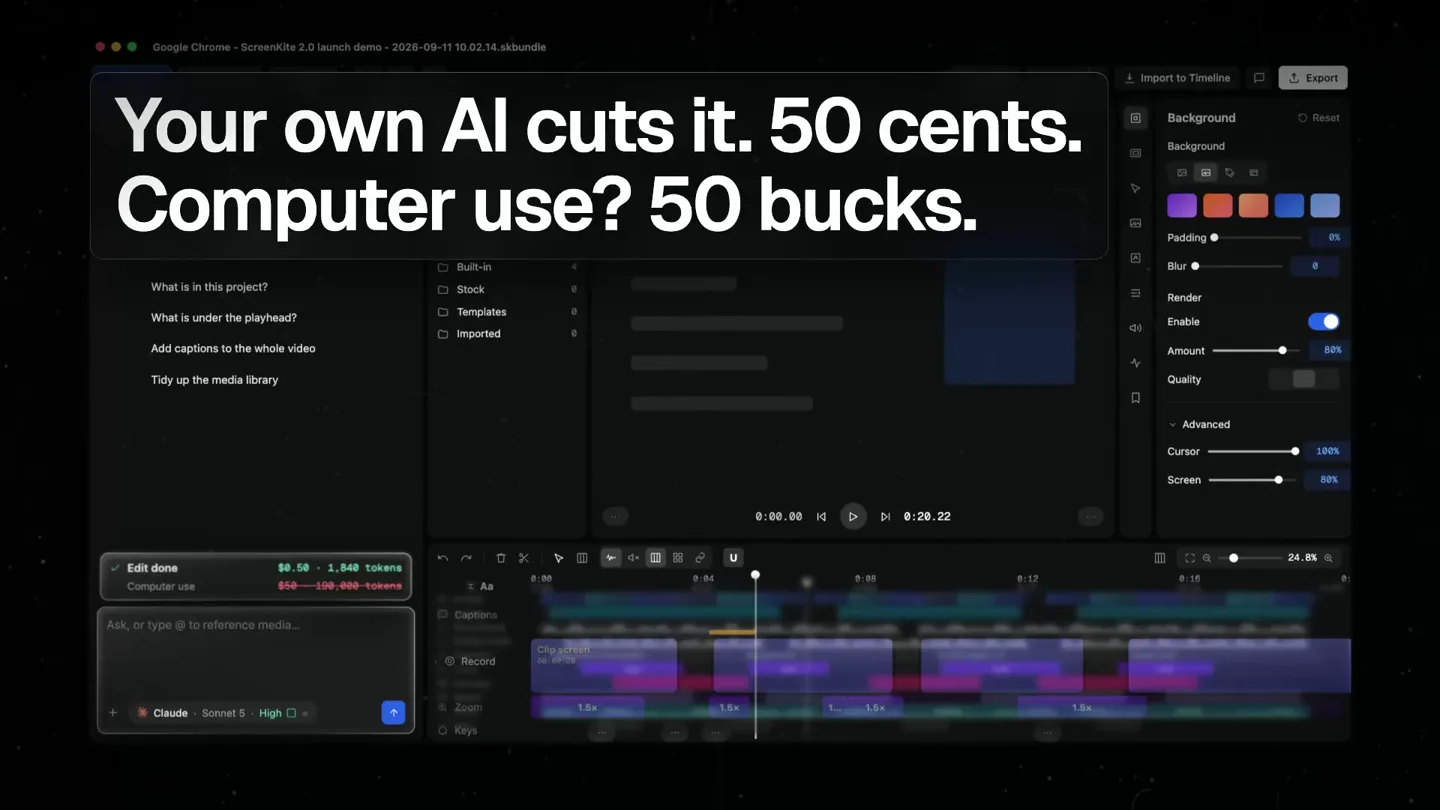
Scene-by-scene timeline & spoken transcript
The Hook
ScreenKite 2.0: Native macOS Recorder + Pro Editor
“(No spoken dialogue — High-energy audio transition with pizzicato synths and sub-bass drop at 0:01. Ambient electronic score with driving rhythmic pulse.)”
- On screen
- • 100% Native macOS • Swift & Metal - Zero web wrappers, zero CPU spikes Best macOS Screen Recorder + Video Editor 2.0 released! You and your agent, on the same timeline. Trusted by engineers and teams at GitHub Adobe Amazon Netflix LinkedIn Reddit Perplexity Supabase JetBrains Nutanix Paddle SingleStore Remote SmartBear Celonis Veeva Systems BC RevenueCat Whimsical Motive
- Camera
- Static wide shot of the ScreenKite UI, with a subtle background texture. A curved arrow animates from the main text to the UI.
- Motion
- Text reveal with a subtle bounce, followed by a dynamic arrow animation connecting text to UI. Logo carousel appears with a staggered fade-in.
Feature Teaser
Intelligent Recording & Editing Workflow
“(No spoken dialogue — Sub-bass drops/impacts at 0:08, 0:13. Energetic and futuristic ambient electronic score continues.)”
- On screen
- Record your screen. Display, window, or a shot. Then edit right here. Full NLE. Not a toy. Your own AI cuts it. 50 cents. Computer use? 50 bucks. Cut the filler words, add captions, export for YouTube and Reels. Remove 4 filler segments edit-timeline split recording at 4 filler words edits removed 6.2 s of silence captions added 4 captions Filmstrip and waveform. A clip shows what it is. Precise Word Ribbon. Words you can touch on the timeline. Auto zoom crops. Loupe magnifies. One more thing. Screenshot studio. Record, edit, ship. One native app. Instant mobile previews. 3D iPhone 17 Pro mockup. Set an approval mode once. Connect Claude Code Use the account you already have. Keys are stored by ScreenKite, edits stay on this Mac. Sign in with Claude Your Claude Pro or Max plan Paste an Anthropic API key sk-ant-... stored in the host app ChatGPT via an OpenAI compatible endpoint Azure OpenAI or your own gateway ScreenKite AI fee: $0. Billed to the plan you already pay for.
- Camera
- Close-up shots of specific UI elements, often with a slight pan or zoom to highlight interactions. The camera follows the cursor or a highlighted area.
- Motion
- Highlighting specific UI elements with red outlines and animated clicks. Text overlays animate in with a quick fade and slide. UI elements like the timeline and asset panel are shown with interactive animations, such as dragging clips or typing commands. A magnifying glass effect (loupe) is used to emphasize code.
Feature Teaser
AI Integration & Advanced Editing
“(No spoken dialogue — Sub-bass drops/impacts at 0:19, 0:23, 0:28. Energetic and futuristic ambient electronic score continues.)”
- On screen
- Bring your own agent. No second subscription. No subscriptions. One-time purchase. 3 Macs • Keep forever • AI fee: $0
- Camera
- Dynamic camera movements, including quick pans and zooms, to showcase different parts of the UI and feature interactions. The perspective shifts to emphasize the AI integration.
- Motion
- UI elements animate in and out rapidly, demonstrating features like AI-powered editing and mobile previews. Text overlays appear with a quick, impactful reveal. A 3D iPhone mockup rotates into view, showcasing mobile preview capabilities. The overall pacing is fast, matching the energetic audio.
Call to Action
No Subscriptions, One-Time Purchase
“(No spoken dialogue — Sub-bass drops/impacts at 0:33, 0:38. High-energy audio transitions with risers and sweeps, leading to a final impactful beat.)”
- On screen
- No subscriptions. One-time purchase. 3 Macs • Keep forever • AI fee: $0 ScreenKite 2.0 screenkite.com • macOS 15+ • Apple Silicon and Intel
- Camera
- The camera pulls back to a wider shot, focusing on the core value proposition. The final shot is a static display of the product logo and website.
- Motion
- Text animates in with a bold, confident reveal. The 'One-time purchase' text is highlighted with a color change. The final product logo and website appear with a clean, impactful fade-in, accompanied by a strong audio beat.
Motion design primitives
Synthesizable in Remotion · key components of the screenkite-ai-code-editor-launch template.
UIHighlightPulse
A UI element is briefly highlighted with a red outline and a subtle glow, often accompanied by a simulated click or interaction. This draws attention to key features or actions within the application.
+ Code construction recipe
Use `interpolate` for the border color and width, and `spring` for a subtle scale animation on click. Apply a `box-shadow` with a pulsing opacity for the glow effect. Coordinate with audio cues for impact.
DynamicTextReveal
Text overlays appear quickly with a combination of fade-in and a slight slide from the bottom or side, often with a subtle bounce or overshoot effect. Key words are sometimes highlighted with a color change.
+ Code construction recipe
Implement with `spring` for position and opacity, using a custom `easing` function for the bounce. Use `interpolate` for color changes on specific words. Stagger individual lines or words for a more dynamic reveal.
MagnifyingLoupeEffect
A circular or oval 'loupe' effect magnifies a specific area of the screen, often used to show detailed code or small UI elements. It can move across the screen to follow a point of interest.
+ Code construction recipe
Achieve this with an SVG filter or a Canvas API approach. For SVG, use `feMorphology` and `feGaussianBlur` combined with a `clipPath` to create the magnified area. For Canvas, render a scaled-up portion of the underlying content within a circular mask. Animate its position with `spring`.
Style DNA & aesthetic system
Visual aesthetic
Typography
Motion
Special effects
Pacing & rhythm
Conceptual story rhythm
- 1
The Power Statement
Purpose. Immediately establish the product's core value proposition and technical superiority.
Execution. Bold headline text reveal, followed by a dynamic arrow connecting the value proposition to the product UI, reinforced by a carousel of trusted company logos.
- 2
Feature Showcase Blitz
Purpose. Rapidly demonstrate key features and innovative workflows, highlighting ease of use and advanced capabilities.
Execution. Fast cuts between UI close-ups, animated highlights of interactive elements, and quick text overlays explaining each feature (e.g., screen recording modes, NLE, AI cutting, word ribbon).
- 3
AI & Ecosystem Integration
Purpose. Emphasize the product's seamless integration with AI agents and its ability to handle complex tasks like mobile previews and approvals.
Execution. Dynamic UI animations showing AI connection options, a rotating 3D iPhone mockup for mobile previews, and interactive elements demonstrating approval workflows.
- 4
Value Proposition & CTA
Purpose. Reinforce the unique selling points (no subscriptions, one-time purchase) and provide clear call to action.
Execution. Impactful text reveals highlighting pricing model, followed by a clean display of the product logo, website, and system requirements, all synchronized with a strong audio outro.
Remix in Animatiq Studio
Master remix prompt · agent-ready
Sample remix
Objective
Launch 'CodeFlow AI', a native macOS code editor with AI-powered refactoring and real-time collaboration.How the recipe adapts
The UIHighlightPulse primitive would be adapted to highlight AI-suggested code changes or refactoring options within the CodeFlow AI editor. DynamicTextReveal would introduce features like 'Instant AI Refactor' or 'Collaborate in Real-Time'. The MagnifyingLoupeEffect would be used to zoom into specific lines of code or syntax, demonstrating the precision of the AI or the editor's detail. The overall dark-mode aesthetic and fast-cut rhythm would be preserved, with the electronic score driving the narrative of efficient, modern coding.Remix blueprint · screenkite-ai-code-editor-launch
Scene durations (4 scenes, 44s)
Key Remotion components
Related Creative Tools Product Launches
Explore all Creative Tools launches →
A vibe design partner with an AI-native canvas for turning ideas into UI.

We heard you wanted to use Codex rate limit resets on your own time. Starting today, we’re rolling out the ability to save rate limit resets to use later. We’re starting Go, Plus, Pro, and Business
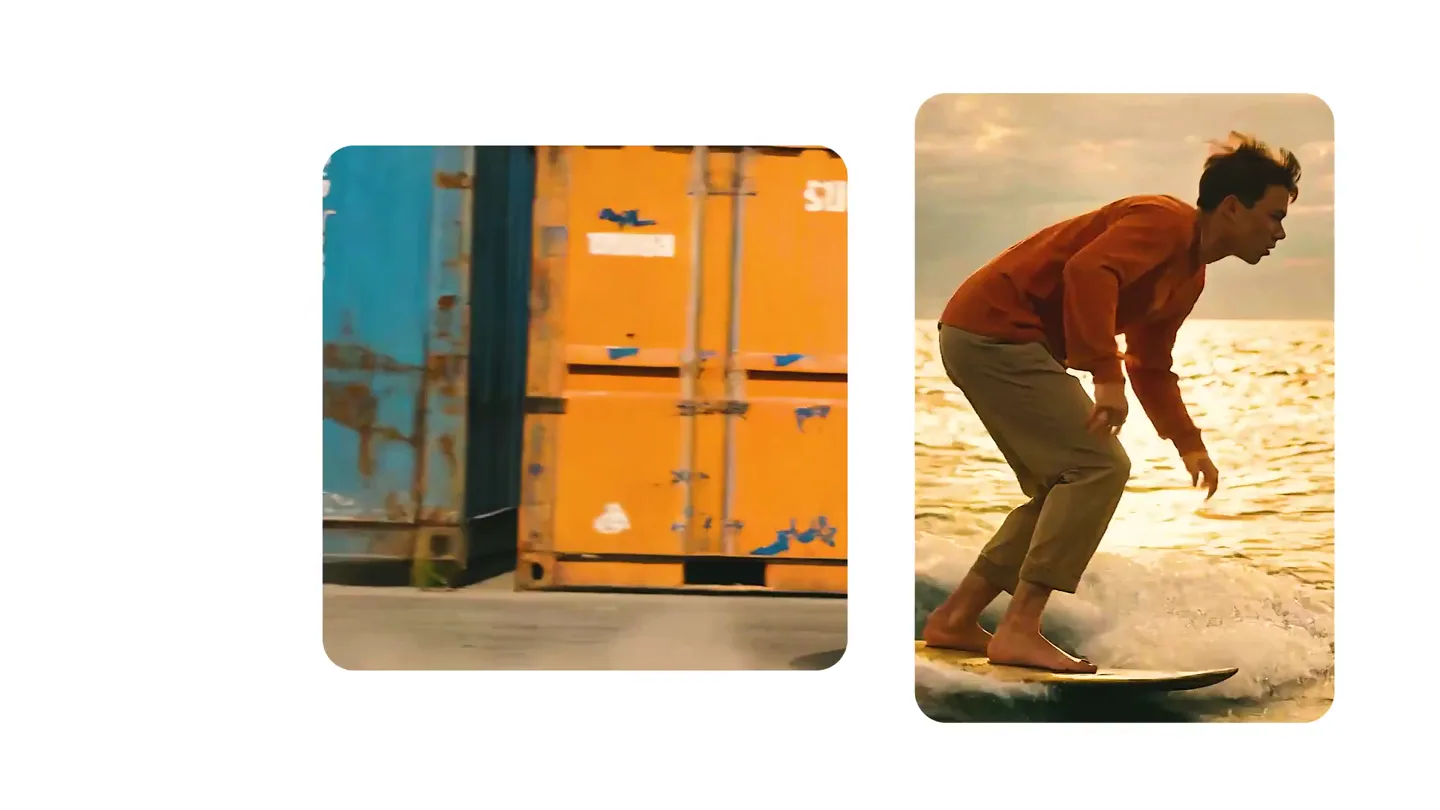
We just launched something the VFX community has been waiting for. OpenArt VFX lets you apply real visual effects to footage you already have. It lets you mask any region of your video and replace it with AI-generated content that matches the scene's lighting and physics. https://t.co/dnQjrZCWC4