
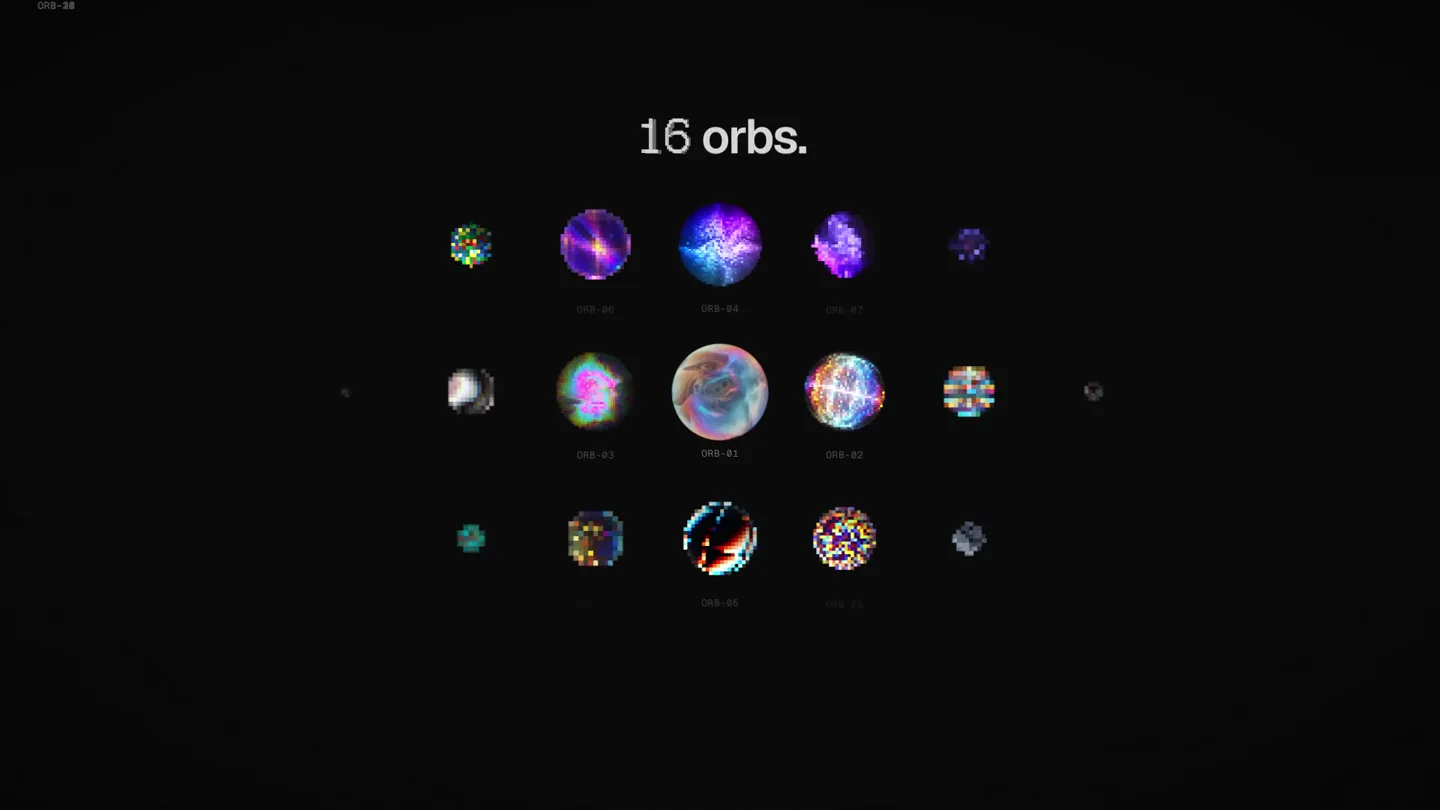
Shadcn Labs · Launch Video Breakdown: Hook, Pacing & Motion Design
shadercn is a free, open-source set of 30 shader orbs. Install it with one command, then customize it. It is typesafe and works with shadcn/ui.
Scene-by-scene timeline & spoken transcript
The Hook
Pixelated Orb Reveal & Core Value Proposition
“(No spoken dialogue — High-energy audio transition, pizzicato synths, sub-bass drop/impact.)”
- On screen
- Beautiful shaders made simp[#]
- Camera
- Static, centered view, then a slight zoom out to reveal text.
- Motion
- Pixelation dissolve, chromatic aberration, text reveal with glitch effect.
Product Reveal
Orb Gallery & Installation Command
“(No spoken dialogue — Pizzicato synths, sub-bass drops/impacts, high-energy audio transitions.)”
- On screen
- 33 orbs. One command. bun npm pnpm yarn $ npx shadcn add @shadercn/orb-24 $ npx shadcn add @shadercn/orb-32
- Camera
- Static, wide shot of the orb gallery, then a subtle zoom to highlight selected orbs and the terminal.
- Motion
- Grid layout reveal, highlight animation on selected orbs, terminal command line typing animation.
Feature Teaser
Customization & Dynamic States
“(No spoken dialogue — Pizzicato synths, sub-bass drops/impacts, high-energy audio transitions.)”
- On screen
- REACT VGPU TYPEGPU app/assistant.tsx TSX <Orb05 state="think" size={600} colors={{ tint: "#ffffff" }} /> idle <Orb05 state="speakn" size={600} colors={{ tint: "#ffffff" }} /> thinking <Orb05 state="speaking" size={600} colors={{ tint: "#7af0ff" }} /> speaking
- Camera
- Horizontal pan across orbs, then a static shot focusing on a code editor and a single orb.
- Motion
- Horizontal parallax scroll, code editor typing animation, orb state changes with color shifts and shader variations.
Call to Action
Brand Reinforcement & Final CTA
“(No spoken dialogue — Pizzicato synths, sub-bass drops/impacts, high-energy audio transitions.)”
- On screen
- Copy. Ship. (S) / shadercn Beautiful shaders, made simple. shadercn.run
- Camera
- Static, centered text, then a final wide shot with brand logo and call to action.
- Motion
- Text reveal with chromatic aberration and glitch, pixelation transition, final brand lockup with interactive button.
Motion design primitives
Synthesizable in Remotion · key components of the shadercn-orb-launch-template template.
PixelatedOrbReveal
A small white square rapidly expands and pixelates into a complex, iridescent orb, accompanied by a glitching text reveal.
+ Code construction recipe
Use Remotion's <Sequence> and <AbsoluteFill> components. Animate a <Rect> component's scale and opacity, then apply a pixelation shader (e.g., using a custom WebGL component or SVG filter) to transition into a pre-rendered orb texture. Text reveal uses character-by-character opacity and position animation with a 'glitch' effect via CSS transforms and filter properties (e.g., hue-rotate, blur).
OrbGridHighlight
A grid of diverse shader orbs is displayed, with a bounding box highlight animating between selected orbs, synchronized with a command-line typing animation.
+ Code construction recipe
Render a grid of <Image> or <Canvas> components for the orbs. Implement a <Rect> component for the bounding box, animating its 'x' and 'y' position using `interpolate` with `spring` for a bouncy feel. The command line text can be animated using `splitText` and `delay` for a typing effect, with a cursor blink animation.
CodeDrivenOrbState
A code editor pane displays changing React props, which dynamically alter the visual state (color, pattern) of an adjacent 3D shader orb.
+ Code construction recipe
Use a <Code> component for the editor, animating line-by-line or character-by-character changes. The orb can be a <Canvas> or <ThreeCanvas> component, where shader uniforms (e.g., color, frequency, amplitude) are driven by `useCurrentFrame()` and `interpolate` based on the code changes. Implement a `spring` animation for smooth transitions between orb states.
Style DNA & aesthetic system
Visual aesthetic
Typography
Motion
Special effects
Pacing & rhythm
Conceptual story rhythm
- 1
Intriguing Introduction
Purpose. Hook the viewer immediately with a visually striking, abstract representation of the product's core offering.
Execution. A pixelated square transforms into a beautiful, complex shader orb, followed by a glitching text reveal: 'Beautiful shaders made simple.'
- 2
Showcase & Simplicity
Purpose. Demonstrate the breadth of the product and its ease of use.
Execution. A grid of 33 diverse orbs is presented, followed by a clear command-line instruction showing how to install them.
- 3
Deep Dive & Customization
Purpose. Illustrate the dynamic and customizable nature of the shaders through code interaction.
Execution. A code editor pane shows changing React props, which directly influence the real-time appearance and state of a shader orb.
- 4
Empowerment & Call to Action
Purpose. Reinforce the product's value proposition and guide the user to the next step.
Execution. Impactful single words ('Copy.', 'Ship.') with glitch effects, leading to the final brand lockup and website URL.
Remix in Animatiq Studio
Master remix prompt · agent-ready
Sample remix
Objective
Launch a new AI-powered code generation tool called 'SynapseAI'.How the recipe adapts
The PixelatedOrbReveal primitive would be adapted to reveal a glowing, neural network-like 'Synapse Core' instead of an orb, with glitching text 'Code Smarter, Not Harder'. The OrbGridHighlight would become a 'Synapse Module Gallery', showcasing different AI models with bounding box highlights and command-line prompts for integration. The CodeDrivenOrbState would be 'CodeDrivenSynapseState', where changing parameters in a code editor dynamically alter the visual complexity and 'thinking' state of the Synapse Core, demonstrating its real-time code generation process. The final CTA would feature 'SynapseAI.run' with similar impactful text reveals.Remix blueprint · shadercn-orb-launch-template
Scene durations (4 scenes, 15s)
Key Remotion components
Related Creative Tools Product Launches
Explore all Creative Tools launches →
A vibe design partner with an AI-native canvas for turning ideas into UI.

We heard you wanted to use Codex rate limit resets on your own time. Starting today, we’re rolling out the ability to save rate limit resets to use later. We’re starting Go, Plus, Pro, and Business
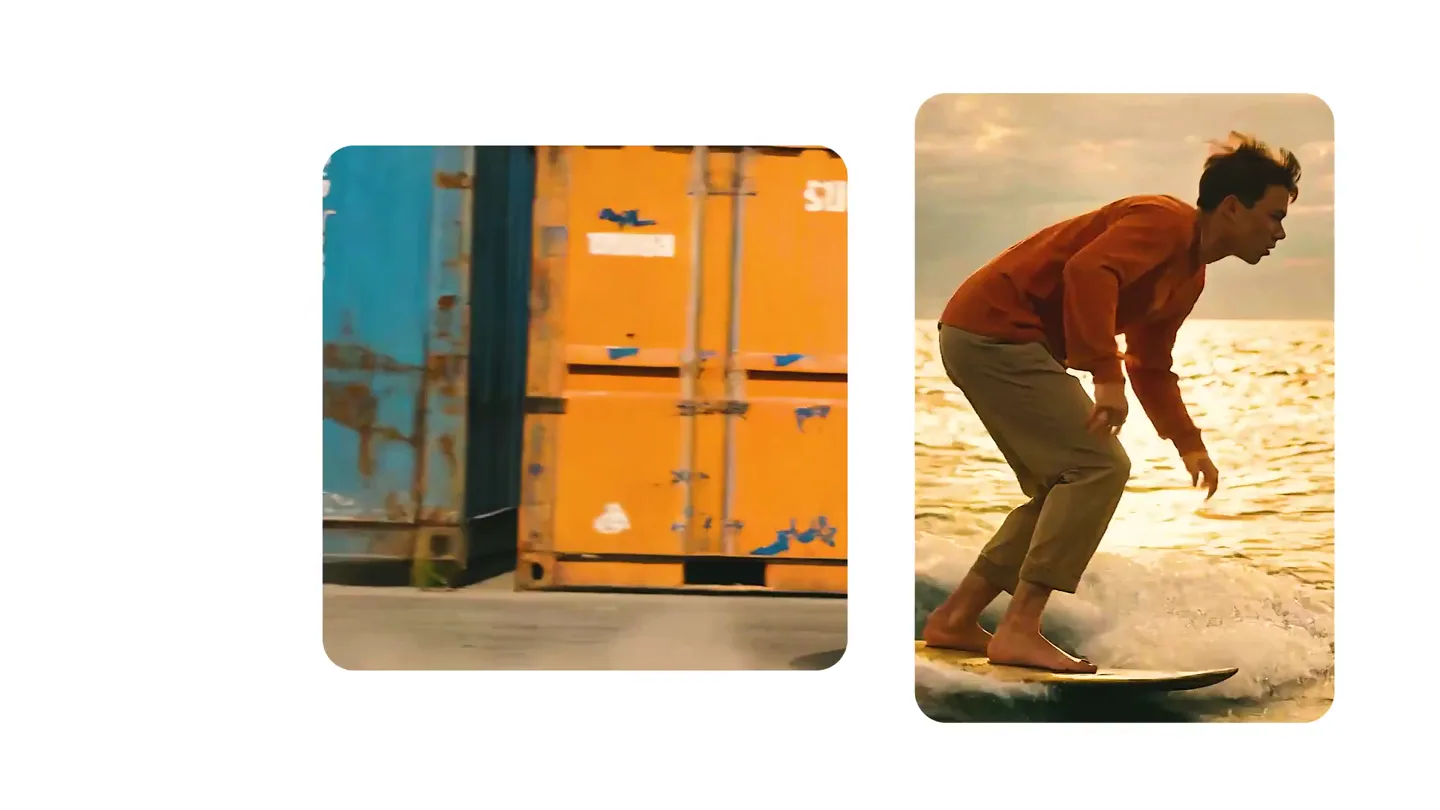
We just launched something the VFX community has been waiting for. OpenArt VFX lets you apply real visual effects to footage you already have. It lets you mask any region of your video and replace it with AI-generated content that matches the scene's lighting and physics. https://t.co/dnQjrZCWC4