Space · Launch Video Breakdown: Hook, Pacing & Motion Design
After you mount Space, files work in any app or agent, stream only the bytes you need, and stay in the cloud so context moves between tasks.
Scene-by-scene timeline & spoken transcript
The Hook
Historical Context & Intrigue
“in the 1960s”
- On screen
- in the 1960s
- Camera
- Close-up on a vintage camera viewfinder, revealing the presenter within, then a quick cut to a wider shot of the presenter and team in a studio.
- Motion
- Quick cuts, in-camera effect (viewfinder framing), text overlay.
Problem Agitation
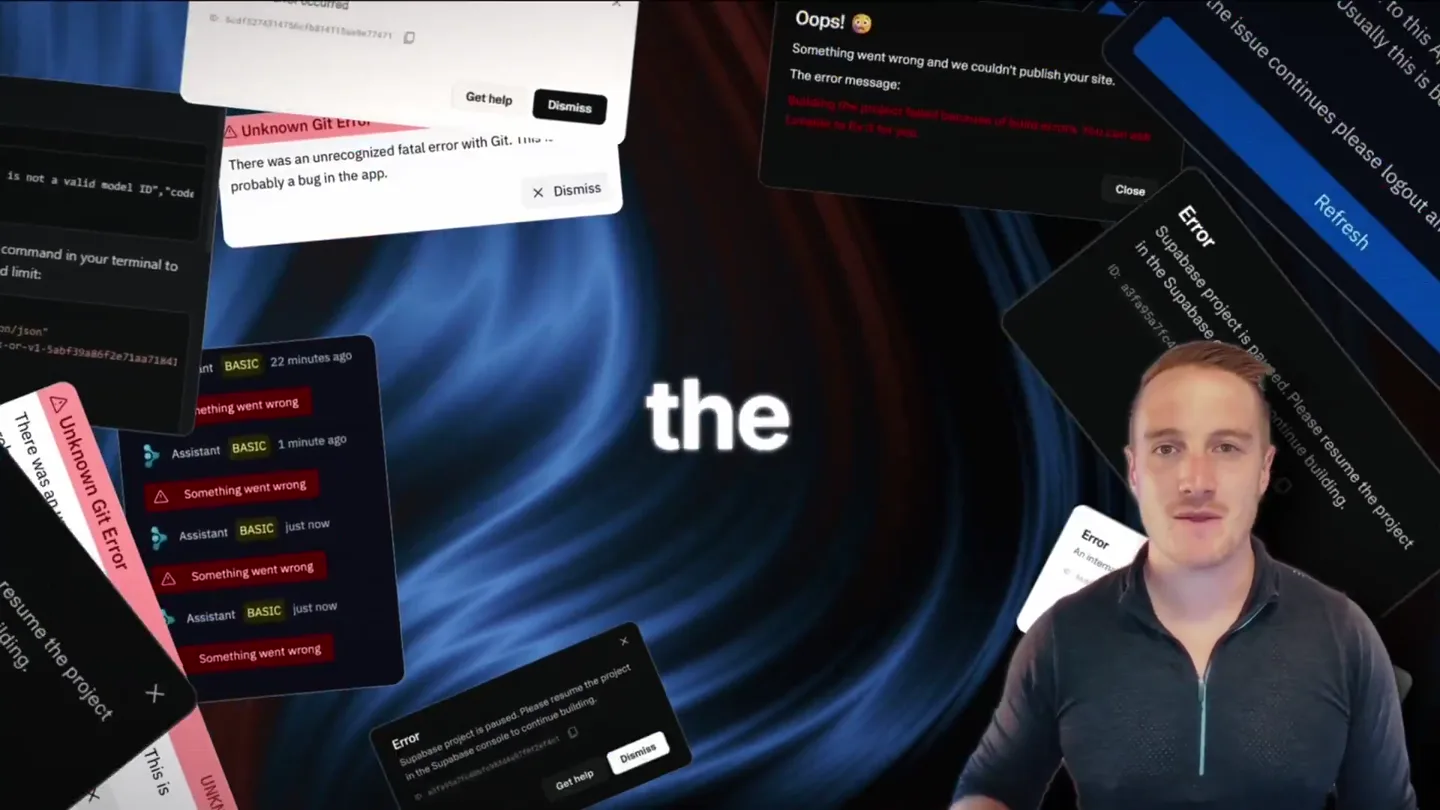
Exposing Cloud Storage Flaws
“why. See all these. SLOW asf. Nobody likes this one. your files back, make any sense.”
- On screen
- why SLO Wasf No innovation Nobody likes this one Downloading Really Important Video 4.48/111.49 GB · 2h 59m 27s Downloading Really Important Video 4.36/111.49 GB · 2h 59m 39s
- Camera
- Medium shots of the presenter interacting with a large monitor, then close-ups on the monitor displaying competitor apps and a slow download progress bar. Camera pans across the office.
- Motion
- Screen capture integration, animated sticky notes, text overlays highlighting pain points, quick cuts between presenter and screen.
Product Reveal
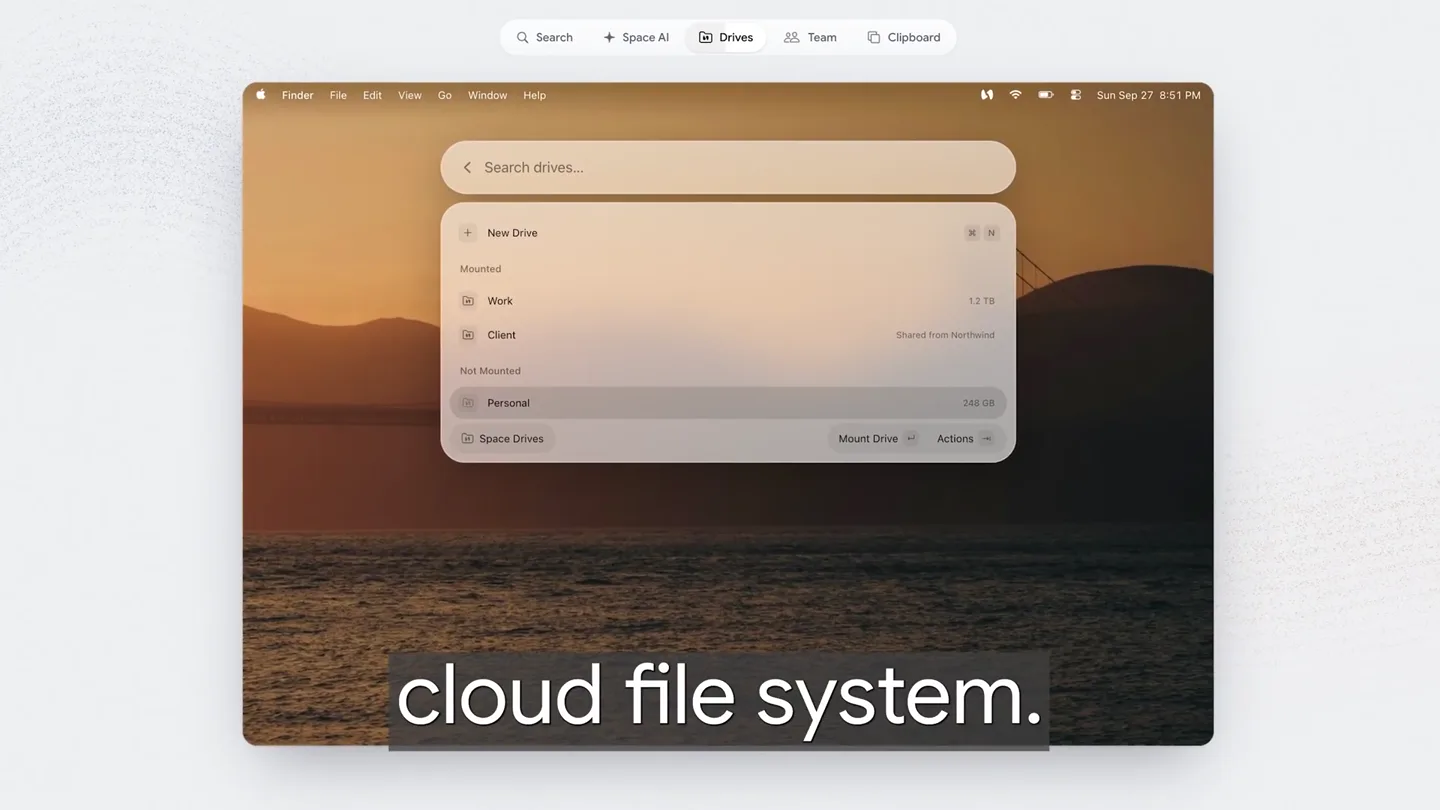
Introducing Space: The Infinite Filesystem
“and cleaner cloud file system. quickly get files I have Space that's your Space I can. I can scrub it. I can also do a thousand files just a sync”
- On screen
- The infinite AI-native filesystem Search + Space AI Drives Team Clipboard < Search drives... + New Drive Mounted Work 1.2 TB Client Not Mounted Personal 48 GB Space Drives Mount Drive + Actions Mac Mini tired of dropbox?
- Camera
- Wide shot of presenter approaching a large screen revealing the 'Space' website, then close-ups on a laptop screen demonstrating the 'Space' interface and features. Pixel art animations illustrate concepts.
- Motion
- Seamless screen integration, UI/UX demonstration, pixel art animation, animated arrows and text highlighting features, quick cuts between live action and screen capture.
Feature Teaser
Native Integration & Cloud-Native Workflow
“directly in the cloud.”
- On screen
- RUNS NATIVELY WITH ANY APP OR AGENT CLAUDE CHATGPT GROK Claude Code v2.1.283 Opus 5.5 (1M context) Claude Team /Volumes/Mac Mini Updated to latest. Got 21 features, 170 bugfixes, and code.claude.com/docs/en/changelog for details Opus 5.5 is now your default model and it draws down t 6. Switch anytime with /model. > make me a million dollar app make no manual mode on
- Camera
- Close-up on laptop screen showing terminal commands and AI agent integration. Returns to the vintage camera viewfinder framing the presenter.
- Motion
- Pixel art diagrams illustrating connectivity, screen capture of terminal interface, text overlays, return to initial framing device.
Call to Action
Try Space Now
“(No spoken dialogue — Final sub-bass drop/impact with a driving electronic beat.)”
- On screen
- spacefs.com
- Camera
- Static shot of the vintage camera viewfinder, with the presenter framed inside, and the website URL overlaid.
- Motion
- Static text overlay, consistent framing device, strong audio cue for conclusion.
Motion design primitives
Synthesizable in Remotion · key components of the founder-tech-pixel-launch template.
RetroViewfinderFrame
A live-action scene or screen capture is framed within a stylized, often slightly distorted, vintage camera viewfinder, complete with grid lines and a subtle vignette. This effect is used for both opening and closing the video, and as a transition.
+ Code construction recipe
Use an SVG mask or CSS clip-path to create the viewfinder shape. Overlay a semi-transparent PNG texture of a vintage viewfinder with grid lines. Apply a subtle CSS filter (e.g., sepia, contrast) or a Remotion <Effect> component to the content within the frame for a retro feel. Animate opacity and scale for transitions.
AnimatedStickyNoteCallout
Hand-drawn or stylized sticky notes with bold, often critical, text animate onto the screen, pointing out flaws or features on a product interface. They appear with a slight bounce or pop effect.
+ Code construction recipe
Render sticky notes as SVG or React components with text. Use Remotion's `spring()` or `interpolate()` for position and scale animations, creating a 'pop' or 'bounce' effect on entry. Apply a slight rotation and shadow for depth. Text can animate in with a typewriter effect or simple fade.
PixelArtDiagramTransition
Complex technical concepts are simplified and illustrated using pixel art animations, often involving icons, connecting lines, and simple text. These diagrams transition in and out with a clean, digital wipe or fade.
+ Code construction recipe
Create pixel art assets as SVG or PNGs. Animate their appearance using `interpolate()` for position, opacity, and scale. Connecting lines can be drawn using SVG path animations (`stroke-dasharray`, `stroke-dashoffset`). Text uses a pixelated font. Transitions can be achieved with simple `fade` or `slide` effects.
Style DNA & aesthetic system
Visual aesthetic
Typography
Motion
Special effects
Pacing & rhythm
Conceptual story rhythm
- 1
The Setup: History & Problem
Purpose. Establish context, agitate existing pain points with current cloud solutions, and build anticipation for a new solution.
Execution. Opens with a retro camera hook, quickly transitions to the founder directly addressing the camera, then uses animated sticky notes and screen captures to visually highlight the frustrations of slow downloads and outdated interfaces.
- 2
The Reveal: A New Paradigm
Purpose. Introduce 'Space' as the innovative solution, showcasing its clean interface and core benefits.
Execution. A dramatic reveal of the 'Space' website, followed by a detailed, fast-paced UI/UX demonstration on a laptop, emphasizing speed and native integration. Pixel art diagrams simplify complex technical advantages.
- 3
The Deep Dive: Technical Superiority
Purpose. Explain the underlying technological breakthrough and advanced capabilities of 'Space'.
Execution. More intricate pixel art diagrams illustrate the 'file system vs. sync folder' distinction and AI agent integration. Screen captures of terminal commands demonstrate advanced, cloud-native workflows.
- 4
The Call: Experience It
Purpose. Encourage viewers to try the product and reinforce the brand.
Execution. Returns to the initial retro camera framing, with the founder making a final statement, culminating in a clear call to action with the website URL prominently displayed, backed by a strong audio impact.