
Suno · Launch Video Breakdown: Hook, Pacing & Motion Design
Suno v6 is the new model family, built in partnership with artists and producers. Welcome to the v6 era.
Scene-by-scene timeline & spoken transcript
The Hook
Suno v6 Introduction & Core Models
“(No spoken dialogue — Driving electronic beat with sub-bass and pizzicato synths. High-energy audio riser at 0:14.)”
- On screen
- SUNO v6 v6 wild With two distinct models.
- Camera
- Static, centered framing on UI elements. Slight zoom out to reveal more UI.
- Motion
- Gradient background shifts, UI elements slide in with soft easing, text fades in.
Product Reveal
AI Music Generation & Iteration
“Yo tengo, Yo tengo, Yo tengo, Contigo, Yo tengo, Yo tengo, Contigo, (Aahh Ah)”
- On screen
- Take image and voi o-industrial Spanish track Create Yo tengo, Yo tengo, Yo tengo, Contigo Yo tengo, Yo tengo, Contigo Change “tengo” to “quiero” throughout (Aahh Ah) Yo quiero, Yo quiero, Yo quiero, Yo quiero, Contigo Yo quiero, Yo quiero, Contigo Yo quiero, Yo quiero, (Aahh Ah) v6 v6 wild Give “yo quiero” the depth of a full choir
- Camera
- Static, centered framing on UI. Slight vertical pan to follow text input.
- Motion
- UI elements animate in, text input fields expand, generated lyrics appear and are edited in real-time with smooth transitions. Background color shifts.
Feature Teaser
Creative Control & Wild Mode
“(No spoken dialogue — High-energy audio transition with riser and sub-bass drop at 0:28 and 0:36. Pizzicato synths continue.)”
- On screen
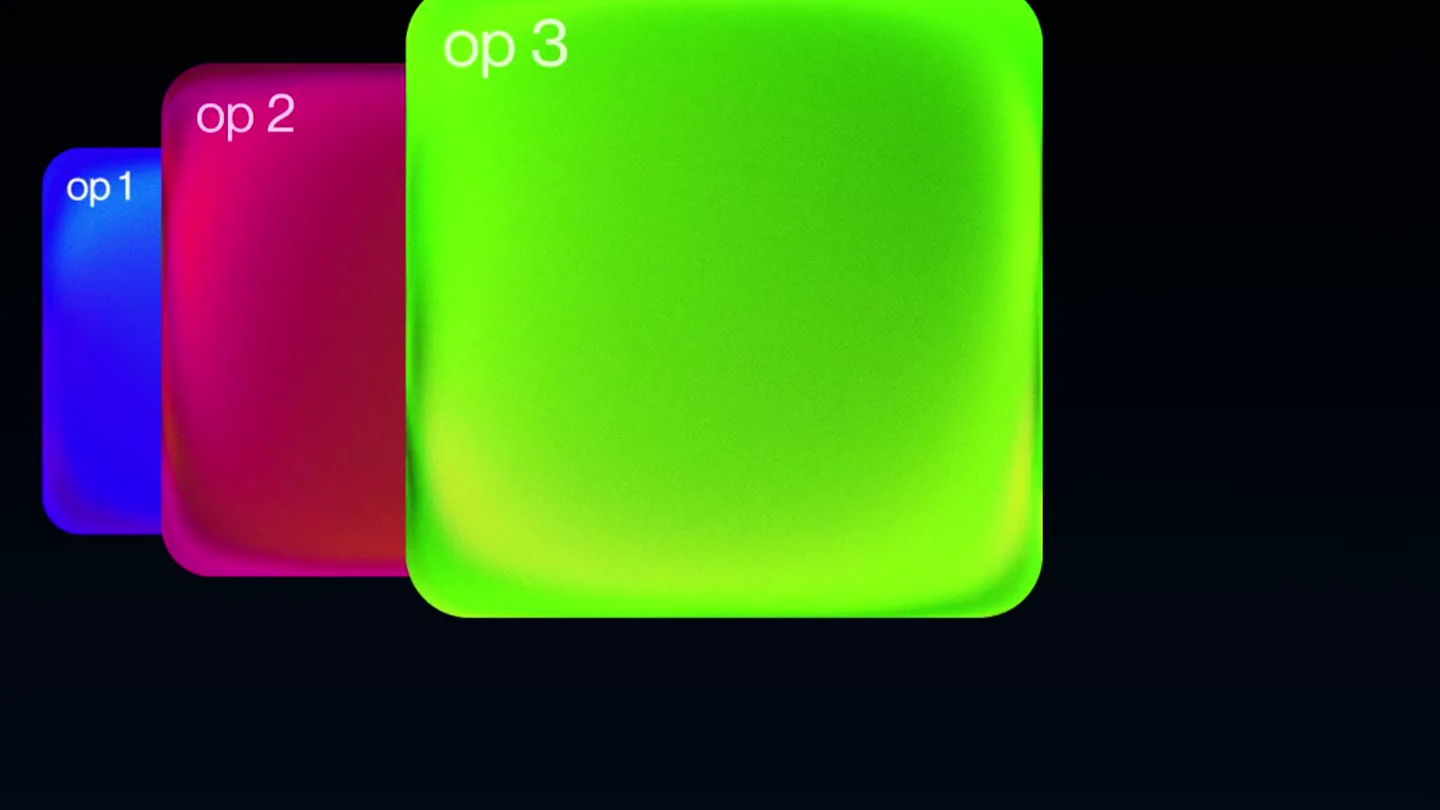
- v6 v6 wild Turn the riff at 0:27 into cinematic strings Get inspired. Go wild. v6 v6 wild Give me more options on this base op 1 Embrace op 3 op 2 Embrace the weird
- Camera
- Static, centered framing on UI. Slight horizontal pan to reveal multiple options.
- Motion
- UI elements animate in and out, text fades in, multiple generated options slide into view with a bouncy, elastic motion. Background color shifts.
Call to Action
Suno's Collaborative Vision
“(No spoken dialogue — High-energy audio transition with riser and sub-bass drop at 0:44. Driving electronic beat continues to fade out.)”
- On screen
- Contigo v6 industrial, flamenco Describe whatever you want. v6 gets it done. Built in partnership with artists and producers. SUNO
- Camera
- Static, centered framing on UI, then zooms out to reveal a grid of abstract art. Final shot is static with the logo.
- Motion
- UI elements animate in, text fades in. A grid of small, abstract, glowing squares appears and expands, filling the screen with a dynamic, generative feel. Logo fades in.
Motion design primitives
Synthesizable in Remotion · key components of the suno-v6-ai-launch-template template.
GradientShiftUIReveal
A UI element appears on screen while the background subtly shifts its gradient colors. Text fades in with a soft ease.
+ Code construction recipe
Use `interpolate` for background color transitions (e.g., `interpolateColors`). UI elements can use `spring` for a gentle entrance, combined with `useCurrentFrame` and `useVideoConfig` for timing. Text opacity animated with `interpolate`.
DynamicLyricEdit
Generated lyrics appear on screen, then a text input field animates to show a modification, and the lyrics instantly update to reflect the change.
+ Code construction recipe
Implement a `Sequence` of text components. Use `spring` for the text input field's entrance and expansion. Text updates can be achieved by conditionally rendering different text components or animating `opacity` and `y` position for a quick swap effect.
GenerativeGridExpansion
Small, abstract, glowing squares emerge from the center and expand outwards, filling the screen in a dynamic, randomized grid pattern.
+ Code construction recipe
Utilize a `map` function to render an array of `Square` components. Each `Square` can have its `x`, `y`, `scale`, and `opacity` animated using `spring` or `interpolate` with a slight delay based on its position in the grid, creating a ripple effect. SVG filters for glow effects.
Style DNA & aesthetic system
Visual aesthetic
Typography
Motion
Special effects
Pacing & rhythm
Conceptual story rhythm
- 1
The Creative Spark
Purpose. Introduce the product's core capability: generating music from simple inputs.
Execution. Showcasing the initial UI, input fields, and the immediate generation of a music track.
- 2
Refinement & Control
Purpose. Demonstrate the user's ability to iterate and refine the AI-generated music.
Execution. Editing lyrics, changing musical styles, and seeing instant updates within the UI.
- 3
Exploration & Expansion
Purpose. Highlight the 'wild' mode and the breadth of creative possibilities.
Execution. Presenting multiple stylistic options and abstract visual representations of diverse outputs.
- 4
The Artist's Partner
Purpose. Emphasize Suno's role as a collaborative tool for artists and producers.
Execution. A montage of diverse, abstract art pieces representing creative output, culminating in the Suno logo.





