
Team Bots (by xAI) · Launch Video Breakdown: Hook, Pacing & Motion Design
Team Bots are shared AI teammates that learn as your team works with them. Give a Team Bot the skills, plugins, and credentials for its role, then work with it in Slack or Grok Bot.
Scene-by-scene timeline & spoken transcript
The Hook
Introducing Team Bots: Seamless Integration
“(No spoken dialogue — Dynamic electronic score with pizzicato synths and sub-bass drops. High-energy audio transitions.)”
- On screen
- Q4 launch tracker, Sheets, SpaceXAI Sales Bot, 9:16 AM, 2 renewals due this week. Added to tracker., Keep our pipeline sheet current and flag renewals the team needs to chase., $4.2M, open pipeline, Prospecting, Qualification, Needs Analysis, Proposal, Negotiation, $1.4M, $990K, $800K, $760K, $620K, $440K, range, criteria_range, $19,500, %
- Camera
- Static overhead shot, then a quick zoom into a 'Create new Team Bot' button, followed by a chat bubble appearing.
- Motion
- Rapid UI element pop-ins, text reveal, and a simulated mouse click animation.
Product Reveal
Team Bot in Action: Content & Code
“(No spoken dialogue — Electronic score continues with building energy, punctuated by sound design elements.)”
- On screen
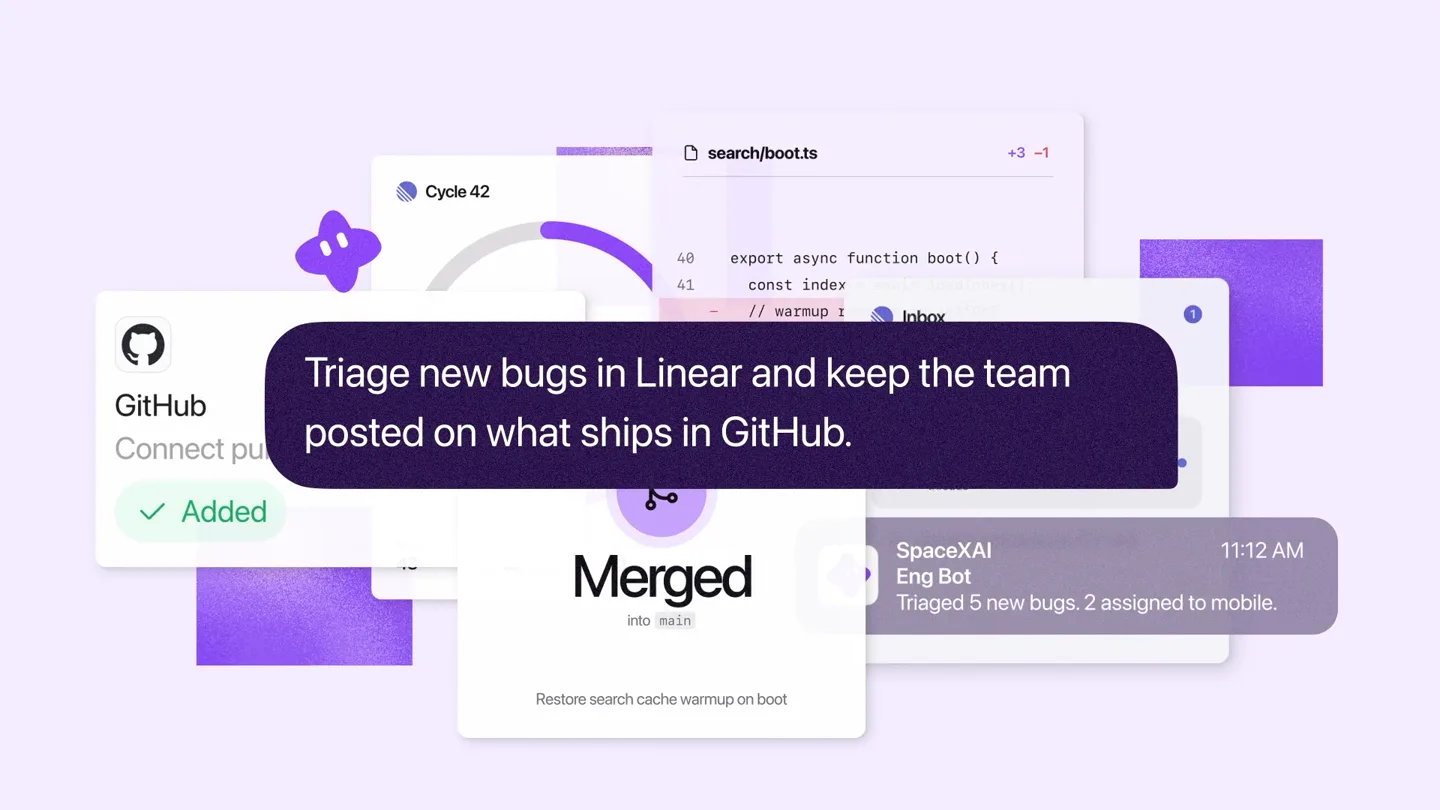
- Hi, I'm a new Team Bot. What can I help the team with?, Draft launch copy in Figma and Notion and recap campaign results for the team., Notion, Read and update roadmap pages, Added, Summary of Launch plan, Staged rollout starts Oct 7 at 10% of workspaces, QA on Oct 14 with blog post and changelog, Two checklist items still open: flag and changelog, Figma, I link da, Storage, 200 GB plan, handoff launch, Status, Owner, Brand_Photography, Logos, Press_kit.pdf, OG_Image_01.png, Triage new bugs in Linear and keep the team posted on what ships in GitHub., Cycle 42, search/boot.ts, export async function boot(), const index, // warmup p, Inbox, Merged, into main, Restore search cache warmup on boot, SpaceXAI Eng Bot, 11:12 AM, Triaged 5 new bugs. 2 assigned to mobile.
- Camera
- Static shots of various application interfaces, with text bubbles and UI elements appearing and disappearing.
- Motion
- Sequential reveal of application windows, text typing animation, and subtle background color shifts.
Feature Teaser
Real-time Collaboration & Bot Creation
“(No spoken dialogue — Energetic electronic music with a strong beat and sound effects for transitions.)”
- On screen
- Keep our pipeline sheet current and flag renewals the team needs to chase., Grok Bot is working, Rolodex is live for your team, Teammates can find it in their Bots list, or you can share the link directly., Copy link, Add to Slack
- Camera
- Static shots focusing on chat interactions and a bot creation/sharing interface.
- Motion
- Text reveal, UI element animations (buttons, icons), and a smooth transition between chat bubbles and a sharing modal.
Call to Action
Integrate Team Bots: Slack & Grok
“(No spoken dialogue — The electronic score builds to a climax with a final sub-bass drop and a concluding flourish.)”
- On screen
- Bring your Team Bots into, Slack, Grok, Rolodex, 9:16 AM, Dana Lee, VP Ops. Renewal due Oct 15., Marketer, 10:18 AM, Signups +12%. Recap's in Notion., EngBot, 1:42 PM, MOB-214. Waiting on API., Grok Bot
- Camera
- Text-centric scenes with words appearing sequentially, followed by quick cuts to notification pop-ups and a final logo reveal.
- Motion
- Kinetic typography, rapid scene cuts, and a clean, impactful logo animation.
Motion design primitives
Synthesizable in Remotion · key components of the ai-agent-ui-showcase template.
DynamicUIPopIn
UI elements (windows, chat bubbles, notifications) rapidly scale and fade in from a slightly offset position, often accompanied by a subtle bounce or spring effect.
+ Code construction recipe
Utilize `spring()` for scale and opacity, with a slight `translateX` or `translateY` offset at the start. Stagger delays for multiple elements.
ContextualTextReveal
Text appears character by character or word by word, simulating typing or a quick, deliberate reveal, often within a chat bubble or as a headline.
+ Code construction recipe
Implement `interpolate()` on `opacity` and `translateX` for each character or word, with a calculated delay based on its position in the string. Use a monospace font for typing effect.
GradientNoiseOverlay
Subtle, animated gradient noise textures are overlaid on background elements or as transitions, adding a modern, digital grit to the clean UI.
+ Code construction recipe
Employ SVG filters with `feTurbulence` and `feColorMatrix` for noise generation, animated via `animate` tags or CSS `transform` on a parent container. Blend with a gradient using `mix-blend-mode`.
Style DNA & aesthetic system
Visual aesthetic
Typography
Motion
Special effects
Pacing & rhythm
Conceptual story rhythm
- 1
Problem/Solution Setup
Purpose. Quickly establish the problem of manual, disparate tasks and introduce Team Bots as the integrated solution.
Execution. Rapid cuts showing various app interfaces (Sheets, Notion, GitHub) with a central text bubble articulating the problem, followed by the 'Create new Team Bot' action.
- 2
Feature Demonstration
Purpose. Showcase the core capabilities of Team Bots across different use cases (sales, marketing, engineering).
Execution. Sequential scenes demonstrating Team Bots handling tasks in different contexts, with relevant app UIs and chat interactions.
- 3
Ease of Integration
Purpose. Highlight how easily Team Bots can be integrated into existing workflows and shared within a team.
Execution. A scene showing the 'Rolodex is live for your team' modal with 'Copy link' and 'Add to Slack' buttons, emphasizing seamless adoption.
- 4
Brand Reinforcement & CTA
Purpose. Conclude with a strong brand identity and a clear call to action for integration.
Execution. Kinetic typography revealing 'Bring your Team Bots into Slack' and 'Grok Bot', followed by quick notification examples and a final logo reveal.





