Typeahead · Launch Video Breakdown: Hook, Pacing & Motion Design
Meet Typeahead. AI autocomplete for every app on your Mac. Inline suggestions appear as you type, Tab to accept. It runs on a local model, works offline and your writing never leaves your device. One time purchase. Now live on Product Hunt 👇 https://t.co/YQfe2cePor
Scene-by-scene timeline & spoken transcript
The Hook
The Evolution of Typing & The Problem
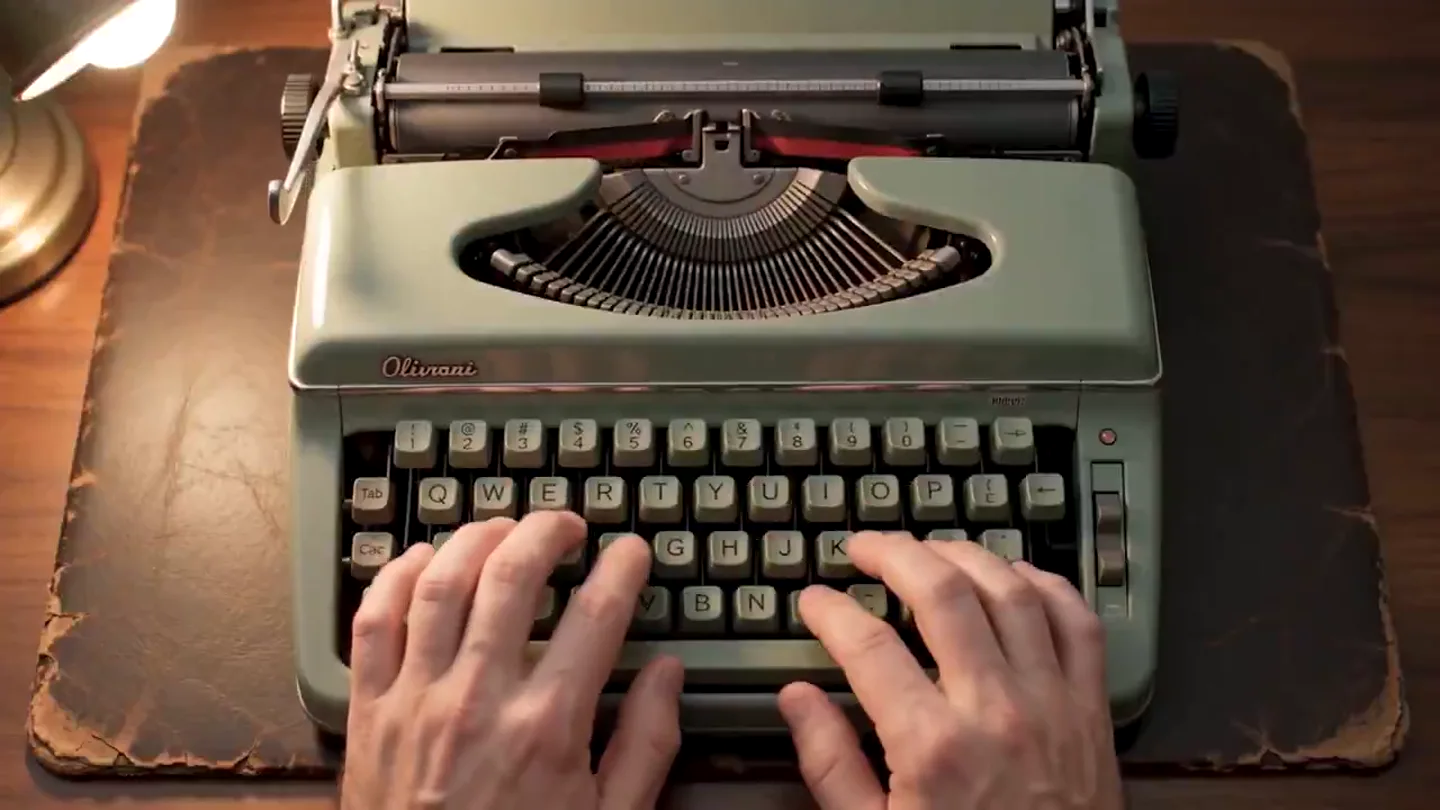
“For centuries, we've been typing the same way. From the mechanical typewriter to the modern keyboard, our fingers have been the bottleneck. You think faster than you type.”
- On screen
- You think faster than you type.
- Camera
- Rapid cuts between overhead shots of hands typing on various keyboards (typewriter, vintage PC, modern laptop). Close-up on a clock, then a frustrated typist. Ends with a static shot of text on a black screen.
- Motion
- Fast-paced montage, quick cuts, subtle camera shakes on typing shots, text reveal with a glitch effect.
Product Reveal
Introducing Typeahead: Seamless AI Autocomplete
“Meet Typeahead. AI autocomplete for every app on your Mac. Inline suggestions appear as you type, Tab to accept. It runs on a local model, works offline and your writing never leaves your device.”
- On screen
- Typeahead Autocomplete that works everywhere you type.
- Camera
- Static shot of product name, then a wide shot of multiple macOS app windows. Subsequent shots zoom into individual app windows (Telegram, LinkedIn) demonstrating the product in action.
- Motion
- Text reveal with a subtle glow and particle effect, smooth UI animations demonstrating typing and autocomplete, app icons subtly floating in the background.
Feature Teaser
Core Benefits: Speed, Privacy, Integration
“It works in every app, not just one. It runs locally, nothing leaves your Mac. And it's a one-time purchase. No subscriptions, no hidden fees. Just pure productivity.”
- On screen
- Works in every app, not just one Runs locally, nothing leaves my Mac One time purchase. No subscriptions, no hidden fees. Just pure productivity.
- Camera
- Close-up on a woman typing, then a series of UI shots highlighting features. The camera pans across a list of benefits within a 'Notes' app window.
- Motion
- Smooth UI transitions, text highlights, bullet point reveals, subtle camera pan across text, clean and crisp animations.
Feature Teaser
Real-time Suggestions & Offline Capability
“It learns your writing style and offers suggestions in real-time. Works offline, so you can write anywhere, anytime. And it's incredibly fast.”
- On screen
- (No on-screen text)
- Camera
- Close-up on a woman typing, then a series of UI shots demonstrating real-time suggestions and offline functionality. The camera focuses on the text being typed and suggested.
- Motion
- Dynamic text suggestions appearing inline, smooth cursor animation, subtle background blur to emphasize foreground UI.
Call to Action
Write at the Speed of Thought. Get Typeahead.
“Write at the speed of thought. Get Typeahead now.”
- On screen
- Typeahead Write at the speed of thought. typeahead.ai/get
- Camera
- Zoom out to a clean, minimalist screen with the Typeahead logo and tagline. A call-to-action button appears below.
- Motion
- Clean reveal of logo and text, button pop-in animation, subtle glow around the logo.
Motion design primitives
Synthesizable in Remotion · key components of the typeahead-productivity-launch template.
TypingEvolutionMontage
A rapid sequence of overhead shots showcasing hands typing on different historical keyboards, from typewriters to modern laptops, creating a sense of progression and speed.
+ Code construction recipe
Implement using a sequence of <AbsoluteFill> components, each containing a video clip of typing. Use <Sequence> with short durations (e.g., 0.5s-1s) and a 'fade' or 'cut' transition. Ensure consistent camera angle for visual continuity.
InlineAutocompleteReveal
Text appears character by character as if being typed, with inline suggestions subtly fading in and out, accepted by a 'Tab' key press animation.
+ Code construction recipe
Utilize <Typewriter> component for character-by-character text reveal. For suggestions, use <AbsoluteFill> with <Text> and opacity interpolation (0 to 1) for fade-in, triggered by a specific frame. A cursor component can animate its position.
FloatingAppIconGrid
A grid of blurred, semi-transparent app icons subtly floats and scales in the background, emphasizing the product's multi-app compatibility.
+ Code construction recipe
Create an array of app icon images. Map over this array to render multiple <Img> components. Apply CSS 'filter: blur()' and 'opacity' for the blurred, semi-transparent effect. Animate 'transform: scale()' and 'transform: translate()' with a 'spring' or 'ease-in-out' interpolation for subtle floating and scaling.
Style DNA & aesthetic system
Visual aesthetic
Typography
Motion
Special effects
Pacing & rhythm
Conceptual story rhythm
- 1
Historical Context & Problem Setup
Purpose. Establish the long-standing inefficiency of typing and agitate the problem of human-computer speed disparity.
Execution. Rapid montage of historical typing devices, close-ups of frustrated typists, and a stark text reveal: 'You think faster than you type.'
- 2
Product Introduction & Core Value Proposition
Purpose. Introduce Typeahead as the solution, highlighting its universal compatibility and core benefit of AI autocomplete.
Execution. Clean product name reveal, followed by a dynamic demonstration of Typeahead working across multiple macOS applications.
- 3
Feature Deep Dive & Trust Building
Purpose. Detail key features like local processing, one-time purchase, and real-time learning, building trust and addressing common concerns.
Execution. UI demonstrations highlighting specific features, bulleted lists of benefits, and a confident user typing with ease.
- 4
Call to Action & Brand Reinforcement
Purpose. Summarize the ultimate benefit and guide the viewer to take the next step.
Execution. Minimalist screen with product logo, tagline 'Write at the speed of thought,' and a clear call-to-action button.