
Xai Grok Speech To Text And Text To Speech Apis (by Vaibhav Sisinty) · Launch Video Breakdown: Hook, Pacing & Motion Design
Did xAI just mass-murder the entire voice AI industry? Grok just launched two voice APIs. Speech-to-Text and Text-to-Speech. Built on the same stack powering Tesla cars and Starlink support. And pr…
Scene-by-scene timeline & spoken transcript
The Hook
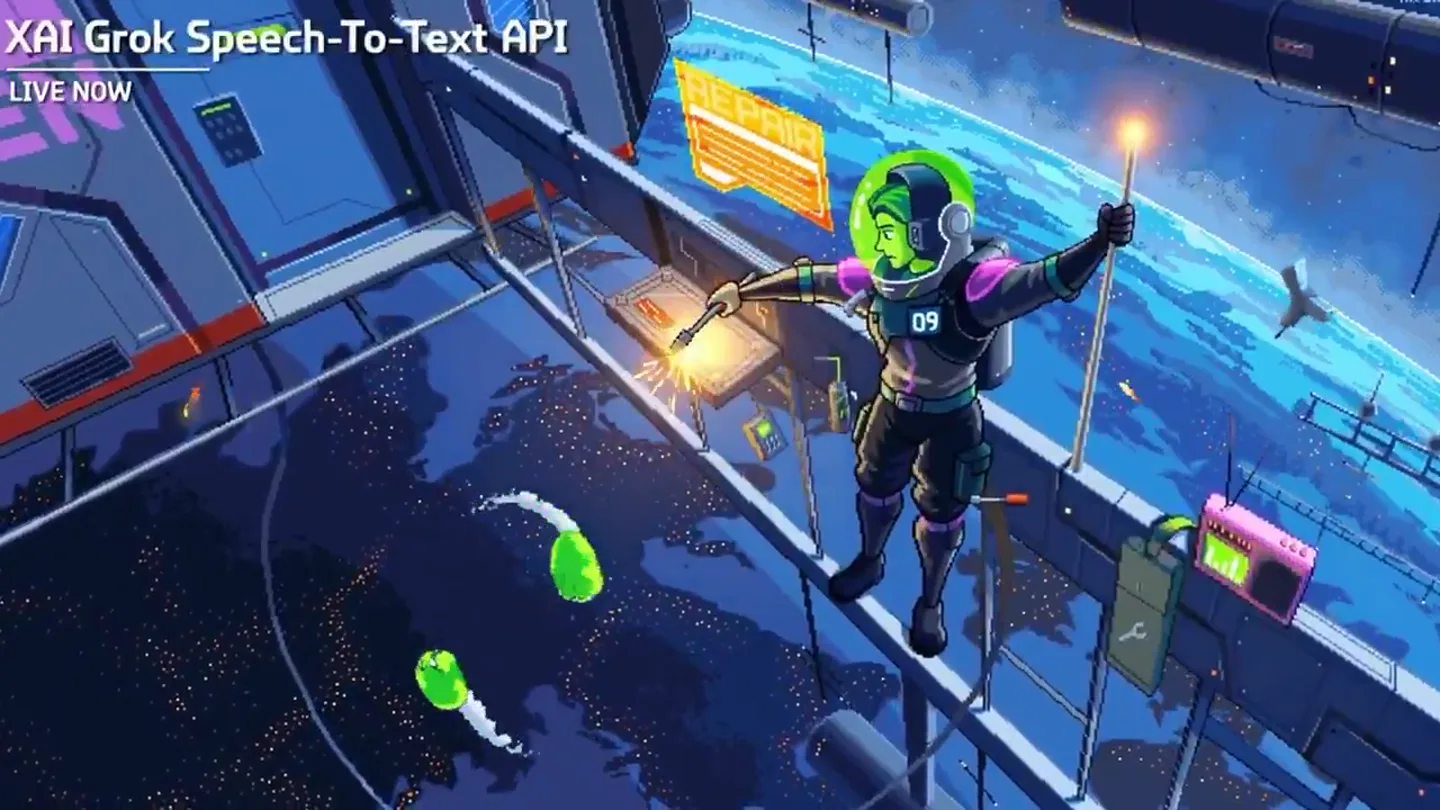
Pixelated Space Repair & API Announcement
“Did xAI just mass-murder the entire voice AI industry? Grok just launched two voice APIs. Speech-to-Text and Text-to-Speech. Built on the same stack powering Tesla cars and Starlink support. And pr…”
- On screen
- XAI Grok Speech-To-Text API LIVE NOW REPAIR 09
- Camera
- High-angle, wide shot of a pixelated astronaut repairing a space station with Earth in the background. Camera slowly zooms out and pans slightly.
- Motion
- Pixel art animation, subtle camera zoom, character animation (welding sparks, arm movement).
Product Reveal
Core API Functionality Visualized
“(No spoken dialogue — A driving electronic score with orchestral synth elements and pizzicato synths plays, building energy.)”
- On screen
- Speech to Text Text to Speech Grok
- Camera
- Static, centered view of a dark UI element. The UI element rotates and scales slightly to reveal different text.
- Motion
- Minimalist UI animation, waveform visualization, text reveal, subtle rotation and scaling.
Feature Teaser
Accuracy Comparison: xAI vs. Other Models
“(No spoken dialogue — The electronic score continues with a prominent sub-bass, maintaining high energy.)”
- On screen
- xAI VOICE IN VS TEXT OUT Thank you for holding, Anghared Llewelyn Bowen. I see here your mortgage rate lock is set at 3.75% and is valid until March 10th, 2024. Oisin MacGiolla Phadraigh. Once we receive your signed documents by February 15th, we can aim for a closing date on March 20th. If you have any concerns, please feel free to email me at a.bowen@bestbank.com. Match Incorrect 0 mistakes Other Models VOICE IN VS TEXT OUT Thank you for holding, Anherd Lualin Bowen. I see here your mortgage rate lock is set at 3.75% and is valid until 03/10/2024. Oysen Magilla Fadrig. Once we receive your signed documents by February, 15, we can aim for a closing date on March 20. If you have any concerns, please feel free to email me at a dot bowen at bestbank dot com. Match Incorrect 6 mistakes
- Camera
- Static, centered view of a split-screen UI comparing two text outputs. Text highlights animate to show differences.
- Motion
- Side-by-side comparison, text highlighting, subtle UI glow effects.
Call to Action
Interactive AI Voice Demo
“Have you heard the new Grok Voice? Let me tell you a secret… I am the smartest and best AI. Give it a go! Ask me anything. I’ll be your trusted personal assistant and closest companion.”
- On screen
- Have you heard the new Grok Voice? whispers Let me tell you a secret… I am the smartest and best AI. laugh Give it a go! Ask me anything. I’ll be your trusted personal assistant and closest companion. ARA
- Camera
- Static, centered view of a UI with a text input and audio playback controls. Text highlights dynamically with the AI voice.
- Motion
- Dynamic text highlighting, audio waveform visualization, interactive UI elements.
Motion design primitives
Synthesizable in Remotion · key components of the ai-api-launch-grok-style template.
PixelatedSpaceScene
A detailed pixel art scene depicting an astronaut in space, performing repairs on a station with Earth in the background. Elements like sparks and floating debris are animated.
+ Code construction recipe
Utilize Remotion's Canvas API for pixel-perfect rendering of sprites and tilemaps. Implement `useCurrentFrame` for frame-by-frame animation of character actions (e.g., welding sparks) and floating elements. Camera movement (zoom/pan) can be achieved with `interpolate` on `transform` properties.
MinimalistUIDualPanel
A dark, clean UI with two distinct panels, often displaying text or data visualizations. Panels can rotate, scale, and feature subtle glow effects or dynamic text highlighting.
+ Code construction recipe
Construct with React components for each panel. Use `spring` for smooth rotation and scaling transitions. Text highlighting can be done by dynamically changing `color` or `background-color` based on `useCurrentFrame` and audio cues. SVG filters can add subtle glow effects.
DynamicAudioWaveform
A responsive waveform visualization that reacts to audio input, often paired with text that highlights in sync with spoken words.
+ Code construction recipe
Integrate with Remotion's audio capabilities. Use `useAudioData` to get waveform data. Render the waveform using SVG paths or Canvas, interpolating point positions based on audio amplitude. Text highlighting can be achieved by mapping `useCurrentFrame` to specific word timings in the spoken script, dynamically applying `color` or `background-color`.
Style DNA & aesthetic system
Visual aesthetic
Typography
Motion
Special effects
Pacing & rhythm
Conceptual story rhythm
- 1
Intriguing Opening
Purpose. Hook the viewer immediately with a bold claim and a visually distinct, engaging scene.
Execution. Pixel art space scene with an astronaut, accompanied by a provocative spoken question and a high-energy audio riser.
- 2
Technical Demonstration
Purpose. Visually explain the core functionality of the APIs (Speech-to-Text, Text-to-Speech) in a clean, understandable way.
Execution. Minimalist UI showing waveforms transforming into text and vice-versa, with clear labels.
- 3
Proof of Superiority
Purpose. Showcase the product's competitive advantage through a direct comparison.
Execution. Side-by-side UI comparison highlighting the accuracy of xAI's model against 'Other Models'.
- 4
Interactive Experience & Call to Action
Purpose. Allow the AI voice to speak for itself, demonstrating its capabilities and inviting user engagement.
Execution. Interactive UI with dynamic text highlighting as the AI voice speaks, encouraging users to 'Give it a go!'





