
Auxos Launch (by Y Combinator) · Launch Video Breakdown: Hook, Pacing & Motion Design
Auxos (@UseAuxos) lets marketing, product, and research teams simulate every decision at scale before it reaches a real customer. Test hypotheses on messaging, ads, pricing, and brand positioning in minutes. Congrats on the launch, @TheAshtonDaniel, @kerry_lu_, and @jwoobers!
Scene-by-scene timeline & spoken transcript
The Hook
The Pain of Traditional Customer Research
“Customer research is slow, biased, and expensive.”
- On screen
- CUSTOMER RESEARCH AND EXPENSIVE
- Camera
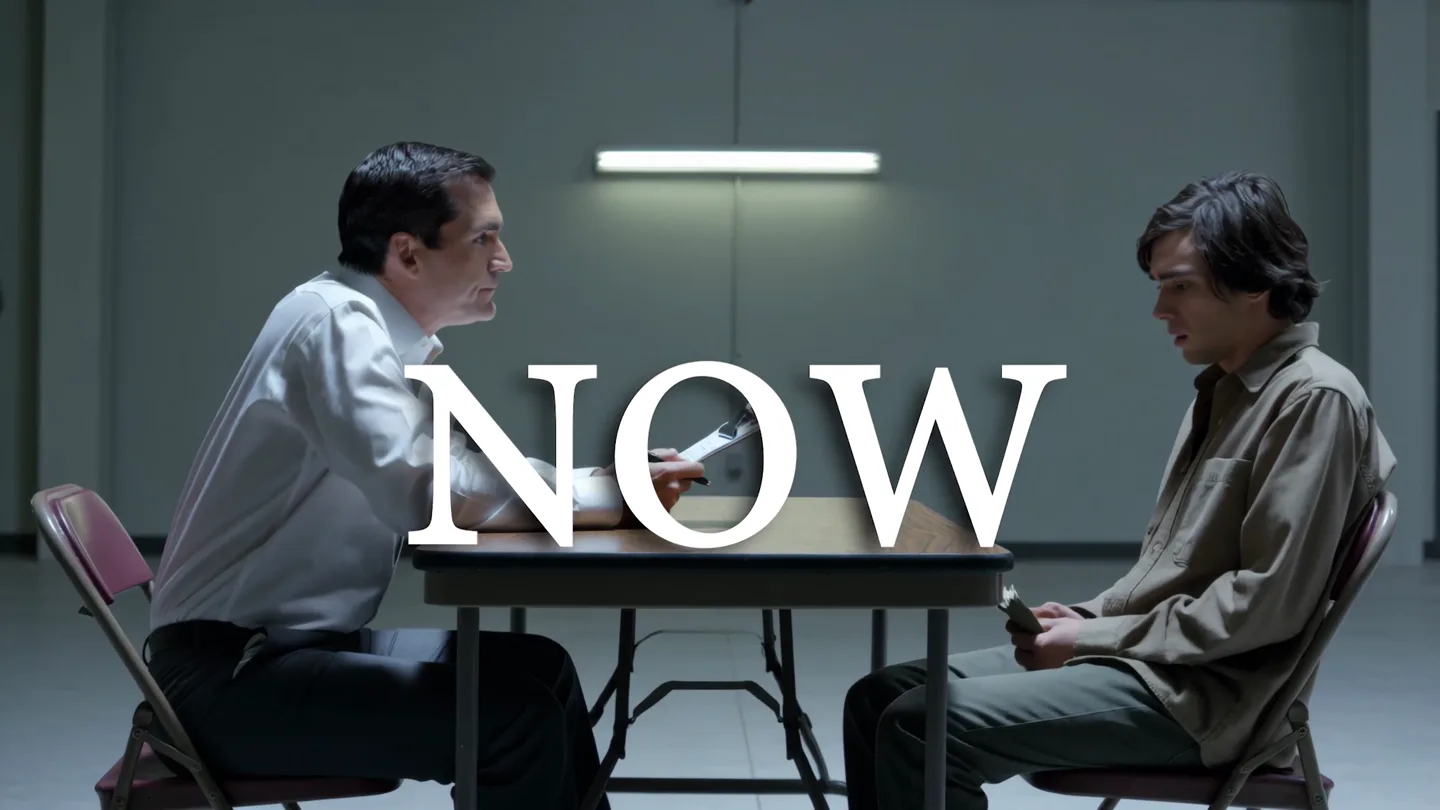
- Static medium shot of two men at a table, then a close-up on money changing hands, followed by a close-up on a man checking his watch.
- Motion
- Live-action footage with overlaid text, quick cuts to emphasize pain points.
Problem Agitation
Introducing Auxos: The Solution
“What if you could simulate every decision at scale before it reaches a real customer? Auxos lets marketing, product, and research teams test hypotheses on messaging, ads, pricing, and brand positioning in minutes.”
- On screen
- AUXOS Women a | Customer retention with product priced at $75 or $95 Price A Price B Website A Website B Winner Charlotte Lopez Surveys take weeks Real Results in Minutes Auxos Backed by Y Combinator
- Camera
- Dynamic camera movements, including a top-down shot of a laptop opening, then a zoom into a search bar, followed by a wide shot of a founder, then various product UI shots with data visualizations, and finally a wide shot of founders walking.
- Motion
- Fast-paced cuts between live-action and screen recordings, animated UI elements, data visualization transitions, and a final reveal of the product logo with a scenic backdrop.
Product Reveal
Simulate Audiences & Test Hypotheses
“We built Auxos to help you understand your customers better. Simulate any audience, gather their opinions, and test your hypotheses on messaging, ads, pricing, and brand positioning.”
- On screen
- Customer retention with product priced at $75 or $95 Price A Price B Website A Website B Winner
- Camera
- Focus on product UI, with animated data points and side-by-side comparisons of different product options (e.g., pricing, website layouts).
- Motion
- Particle system animations representing audience segments, smooth transitions between UI states, and clear visual differentiation of test results.
Feature Teaser
Deep Dive into Customer Motivation
“With Auxos, you can understand what motivates your customers, what they truly care about, and how to best reach them. Get real results in minutes, not weeks.”
- On screen
- Charlotte Lopez Surveys take weeks Real Results in Minutes
- Camera
- Alternating between founder talking head shots and product UI demonstrations, including a bubble chart visualization of customer demographics.
- Motion
- Animated data visualizations, text overlays highlighting key benefits, and seamless transitions between live-action and screen capture.
Call to Action
Auxos: Backed by Y Combinator
“(No spoken dialogue — The music swells with a final riser and sub-bass impact, concluding with a subtle electronic flourish.)”
- On screen
- Auxos Backed by Y Combinator
- Camera
- Wide shot of founders walking towards the Golden Gate Bridge, then a fade to black with the Auxos logo and Y Combinator backing.
- Motion
- Scenic live-action footage, clean logo reveal with supporting text, and a fade-out to black.
Motion design primitives
Synthesizable in Remotion · key components of the auxos-launch-style-remix template.
AudienceParticleSplit
A cluster of small, colored particles representing an audience dynamically splits into two distinct groups, then reforms or shifts to highlight comparative data. The particles subtly animate and flow.
+ Code construction recipe
Implement using Remotion's Canvas API or SVG circles with `interpolate` for position and color. Use `spring` for the initial split and merge animations, controlling damping and stiffness for a fluid, organic feel. Particle opacity and scale can also be animated.
DynamicSearchInput
A clean, rounded search bar appears, with text typing out dynamically, followed by a blinking cursor. The background features a subtle, gradient blur.
+ Code construction recipe
Utilize Remotion's `Sequence` and `AbsoluteFill` for layout. Text typing can be achieved with `interpolate` on string slices or character-by-character rendering. The blinking cursor is a simple `opacity` animation. Background blur can be an SVG filter or a CSS `backdrop-filter` on a semi-transparent element.
ProductCardComparison
Two distinct product cards or website mockups slide into view from opposite sides, positioned to allow for a central data visualization or comparison element. They feature subtle shadows and depth.
+ Code construction recipe
Use `AbsoluteFill` and `spring` for the initial slide-in animation of each card. Apply CSS `box-shadow` for depth. Content within the cards can be static images or nested Remotion components for further animation. Ensure responsive positioning for different aspect ratios.
Style DNA & aesthetic system
Visual aesthetic
Typography
Motion
Special effects
Pacing & rhythm
Conceptual story rhythm
- 1
Problem Setup
Purpose. Establish the pain points of traditional customer research to create immediate relatability and a need for a solution.
Execution. Live-action vignettes depicting slow, expensive, and biased research, overlaid with bold, contrasting text.
- 2
Solution Introduction
Purpose. Introduce Auxos as the innovative answer, highlighting its core capability of simulation and efficiency.
Execution. Transition from live-action to clean, animated UI demonstrating the product's ability to simulate audiences and test hypotheses.
- 3
Feature Demonstration
Purpose. Showcase specific use cases and benefits, such as pricing tests, ad comparisons, and website optimization, with clear visual results.
Execution. Side-by-side product card comparisons and dynamic particle system visualizations illustrating data outcomes.
- 4
Founder Endorsement & Call to Action
Purpose. Build trust through founder testimonials and provide a clear, memorable brand identity and call to action.
Execution. Founder talking heads interspersed with UI, culminating in a scenic shot with the logo and Y Combinator backing.




