
browser-use · Launch Video Breakdown: Hook, Pacing & Motion Design
A persistent open-source Python harness for almost any Mac task: accessibility tree, AppleScript, screenshots, files, and shell. The mouse stays yours.
Scene-by-scene timeline & spoken transcript
The Hook
Introducing Echoes Harness: The Self-Launching Automation
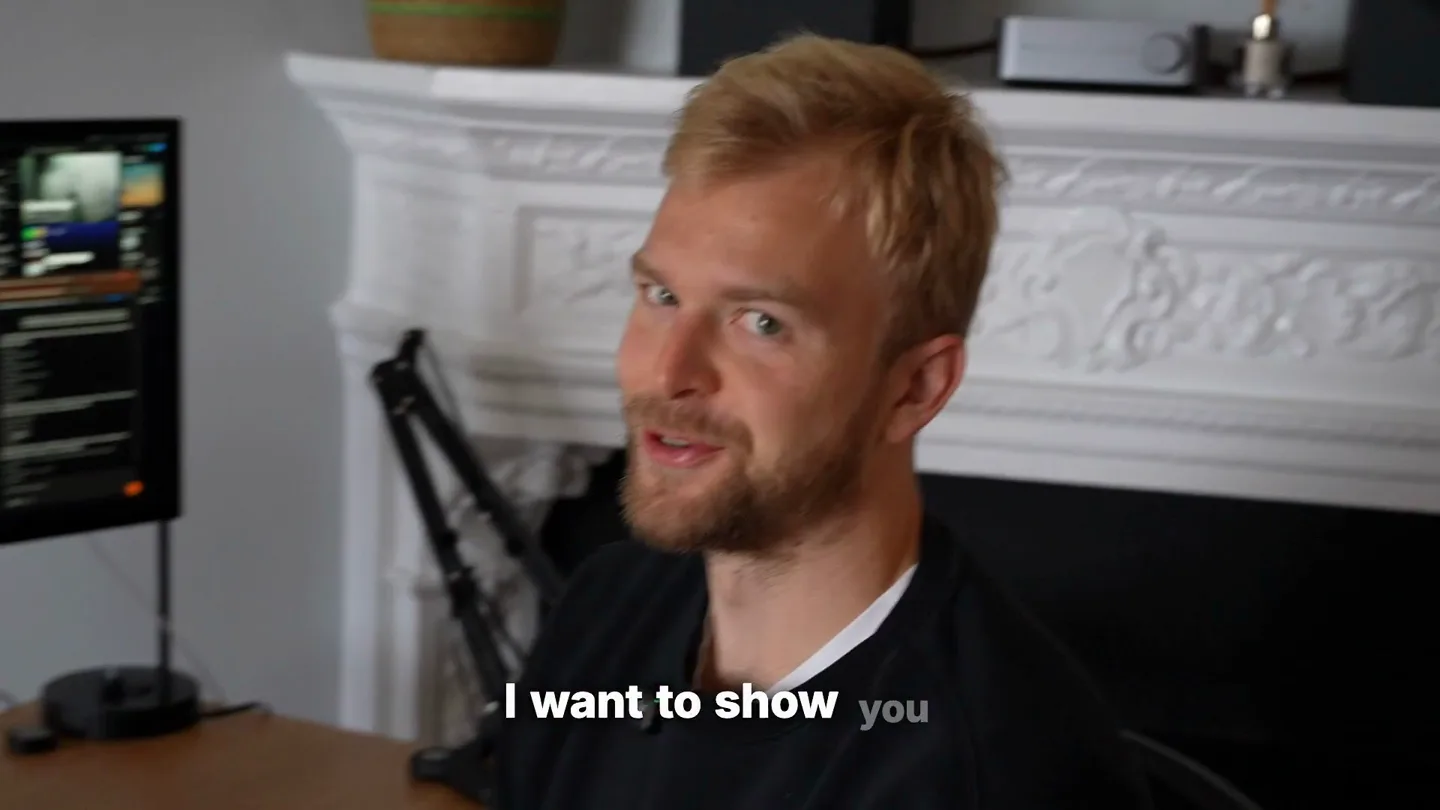
“So I'm building, okay? I think by the time this launched. But the crazy part, okay, is like, coding”
- On screen
- So I'm building, okay? I think by the time this launched. But the crazy part, okay, is like, coding
- Camera
- Medium shot of the presenter at his desk, looking at monitors. Camera slightly zooms in and out, with a quick rack focus.
- Motion
- Subtle camera movements with dynamic rack focus to emphasize key dialogue points. On-screen captions animate in with a simple fade/scale.
Product Reveal
Browser Harness: Automating GitHub and Packaging
“basically Browser Harness. created the GitHub repository, It made the package on and Maybe it'll also open Superhuman.”
- On screen
- basically Browser Harness. created the GitHub repository, It made the package on and Maybe it'll also open Superhuman.
- Camera
- Alternating between close-up shots of the presenter and screen recordings of code editors and web applications.
- Motion
- Rapid cuts between presenter and screen, with screen content showing active coding and web browsing. Text captions animate in with a subtle bounce.
Feature Teaser
Local Authentication & AI Content Generation
“do anything uses my local authentication, It also tab to It I don't have to”
- On screen
- do anything uses my local authentication, It also tab to It I don't have to
- Camera
- Close-up on presenter, then a dynamic shot panning across a laptop screen displaying Midjourney, followed by a wider shot of the laptop and a browser.
- Motion
- Dynamic camera pan across the laptop screen, highlighting specific UI elements. Text captions use a highlight effect on key words.
Call to Action
browser-use: The Future of Mac Automation
“(No spoken dialogue — The ambient electronic score with a driving synth pulse continues, building slightly in intensity. Subtle high-energy audio transitions and risers are present, leading into the final logo reveal.)”
- On screen
- Browser Use
- Camera
- Static shot of the presenter smiling, followed by a full-screen logo reveal on a black background.
- Motion
- Simple fade to black, then a clean, white logo animates in with a subtle scale and fade, holding for the remainder of the video.
Motion design primitives
Synthesizable in Remotion · key components of the founder-tech-demo-reveal template.
DynamicCaptionHighlight
On-screen text captions appear with a subtle fade-in and slight scale, with specific keywords highlighted by a color change or a glow effect.
+ Code construction recipe
Use Remotion's <Text> component with `spring()` for scale and opacity. Implement conditional styling for keyword highlighting based on `interpolate()` values or a `Sequence` for timed color changes.
RackFocusReveal
The camera quickly shifts focus from a foreground element to a background element (or vice-versa) to draw attention to a new visual or speaker's point.
+ Code construction recipe
Simulate with CSS `filter: blur()` on different layers or elements, animating the blur radius using `interpolate()` or `spring()` based on the timeline. Combine with subtle `scale()` or `translate()` for camera movement.
ScreenContentPan
A smooth, controlled camera pan across a digital screen (laptop, monitor) to showcase specific UI elements or content within an application.
+ Code construction recipe
Render the screen content as a larger-than-viewport image or component. Animate the `transform: translateX()` or `translateY()` property of the screen content container using `spring()` or `interpolate()` to create the panning effect.
Style DNA & aesthetic system
Visual aesthetic
Typography
Motion
Special effects
Pacing & rhythm
Conceptual story rhythm
- 1
The Visionary Hook
Purpose. Immediately grab attention by introducing the product's core capability (self-building/automation) through the founder's enthusiastic explanation.
Execution. Founder speaking directly, with dynamic camera work and on-screen captions to highlight key phrases, creating an immediate sense of excitement and intrigue.
- 2
The Technical Demonstration
Purpose. Showcase the product's practical application by demonstrating its ability to automate complex developer tasks like GitHub repository creation and package management.
Execution. Rapid cuts between the founder explaining and screen recordings of the automated processes, providing concrete evidence of the product's power.
- 3
The Broadened Horizon
Purpose. Expand on the product's versatility by illustrating its integration with other tools (local authentication, AI image generation) and its potential for diverse applications.
Execution. Dynamic camera pans across a laptop screen showing various applications, emphasizing seamless integration and the product's wide-ranging utility.
- 4
The Brand Affirmation
Purpose. Conclude with a clear brand identity, reinforcing the product's name and leaving a lasting impression.
Execution. A clean, minimalist logo reveal on a solid background, providing a strong visual anchor for the product name.




