
Cua · Launch Video Breakdown: Hook, Pacing & Motion Design
Built on Cua Driver and their virtualization stack, rolling out on macOS. Free and source-available.
Scene-by-scene timeline & spoken transcript
The Hook
The Space We Built
“(No spoken dialogue — Upbeat electronic music with 8-bit chiptune melody and pizzicato synth sounds begins, establishing a consistent rhythm.)”
- On screen
- We built the Space we wanted our agents to use.
- Camera
- Static wide shot, centered text with floating 3D keycaps orbiting in a subtle, slow motion around the text.
- Motion
- 3D object animation, subtle depth of field, text reveal via line-by-line fade-in.
Product Reveal
Teleport & Multiplayer Apps
“(No spoken dialogue — The electronic music continues with its driving beat and chiptune melody.)”
- On screen
- Teleport any app Go multiplayer with your agents
- Camera
- Static wide shot, centered macOS window with UI interactions. Keycaps form dynamic patterns around the central UI.
- Motion
- UI demonstration with animated cursor, drag-and-drop, and selection. Keycaps animate into a semi-circular arc, then form a mouse pointer shape, emphasizing interaction.
Feature Teaser
Infinite Desktops
“(No spoken dialogue — The electronic music maintains its consistent energy and rhythm.)”
- On screen
- Turn spare computers into infinite desktops
- Camera
- Static wide shot, centered macOS window. Keycaps form a grid pattern around the central UI, then the UI itself multiplies into a grid.
- Motion
- UI interaction showing creation of new 'spaces', followed by a grid multiplication effect where the central UI scales down and replicates across the screen, filling the frame with instances.
Call to Action
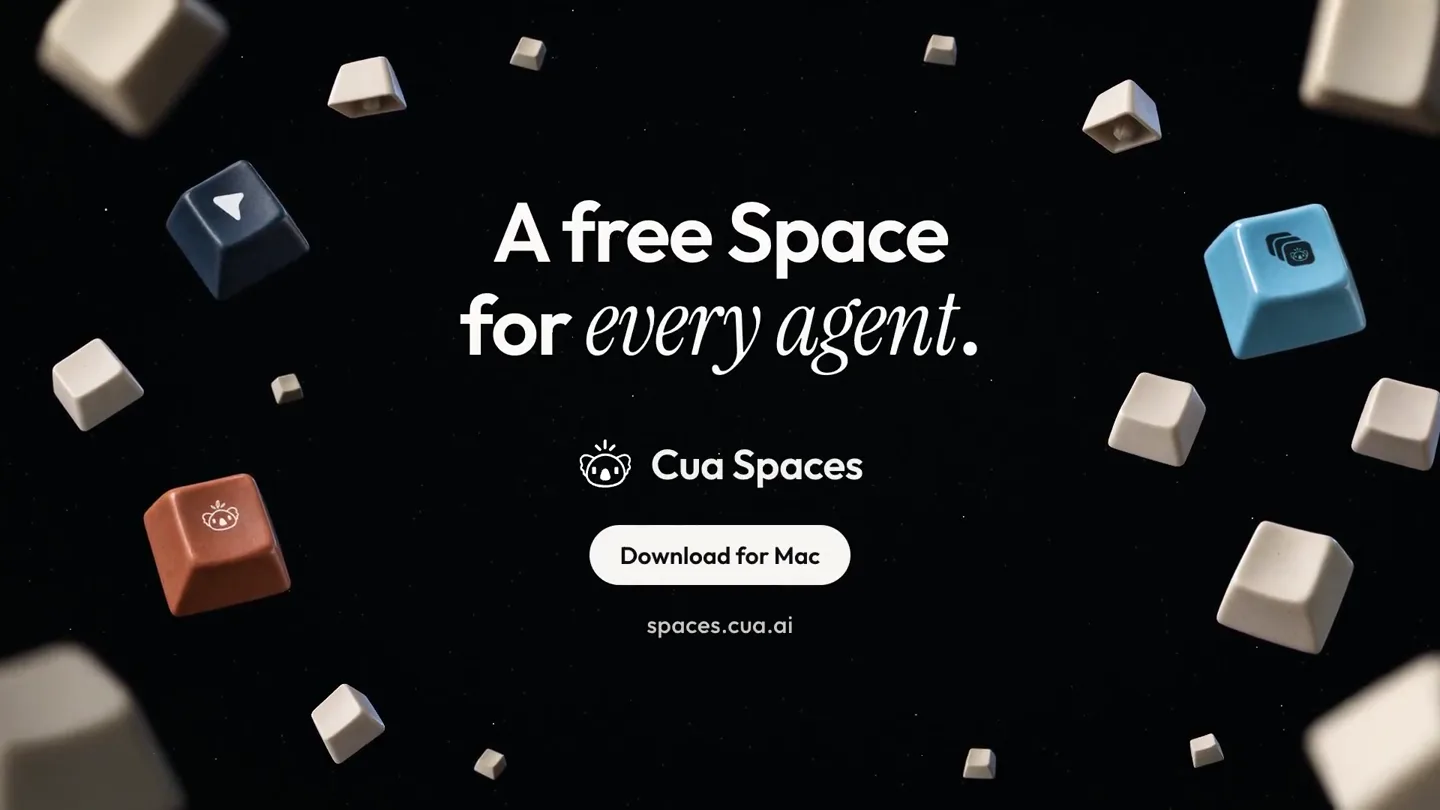
Free Space for Every Agent
“(No spoken dialogue — The electronic music continues, fading out slightly towards the end.)”
- On screen
- A free Space for every agent. Cua Spaces Download for Mac spaces.cua.ai
- Camera
- Static wide shot, centered text with floating 3D keycaps orbiting. Final shot holds on the call to action.
- Motion
- Text reveal with a slight bounce, followed by a button and URL fade-in. Keycaps return to a subtle, slow orbit, maintaining depth of field.
Motion design primitives
Synthesizable in Remotion · key components of the cua-spaces-developer-launch template.
FloatingKeycapOrbit
3D keycap models subtly float and rotate around a central point, maintaining a soft depth of field. They can form abstract patterns or disperse.
+ Code construction recipe
Utilize Remotion's `ThreeCanvas` for 3D rendering. Implement `useCurrentFrame` and `interpolate` for rotation and position animations. Apply a `Shader` for depth of field blur on distant keycaps.
UIDragAndDrop
A realistic macOS-style UI demonstrates drag-and-drop functionality, with a cursor animating precisely to interact with elements and trigger state changes.
+ Code construction recipe
Create a `Sequence` of UI states. Animate cursor position using `spring` for natural movement. Use `AbsoluteFill` for UI elements and `interpolate` for opacity and scale changes on interaction.
InfiniteDesktopGrid
A central UI element scales down and replicates into a dense grid of identical instances, filling the screen to convey vastness and scalability.
+ Code construction recipe
Render the central UI as a `Composition`. Use `map` to create an array of `AbsoluteFill` components, each rendering the UI `Composition` at scaled positions. Animate scale and position using `interpolate` with a `delay` for a ripple effect.
Style DNA & aesthetic system
Visual aesthetic
Typography
Motion
Special effects
Pacing & rhythm
Conceptual story rhythm
- 1
Visionary Opening
Purpose. Establish the core philosophy and invite the viewer into the product's world.
Execution. Abstract 3D keycaps orbiting text, setting a conceptual and inviting tone.
- 2
Problem/Solution Showcase
Purpose. Demonstrate key features that solve user pain points directly.
Execution. Interactive UI walkthroughs with animated keycaps highlighting functionality.
- 3
Scalability & Impact
Purpose. Illustrate the broader potential and transformative power of the product.
Execution. Visual multiplication of UI elements, symbolizing infinite possibilities.
- 4
Empowering Call to Action
Purpose. Reiterate the core benefit and guide users to the next step.
Execution. Return to abstract keycaps with clear, concise call-to-action text and download links.




