
Cursor · Launch Video Breakdown: Hook, Pacing & Motion Design
We’re introducing the Cursor SDK so you can build agents with the same runtime, harness, and models that power Cursor. Run agents from CI/CD pipelines, create automations for end-to-end workflows,…
Scene-by-scene timeline & spoken transcript
The Hook
Local Agent Execution
“(No spoken dialogue — The track begins with a sustained, evolving pad sound. At 0:05, a subtle, high-frequency riser builds, leading into a soft sub-bass impact at 0:06, followed by a rhythmic, arpeggiated synth pattern.)”
- On screen
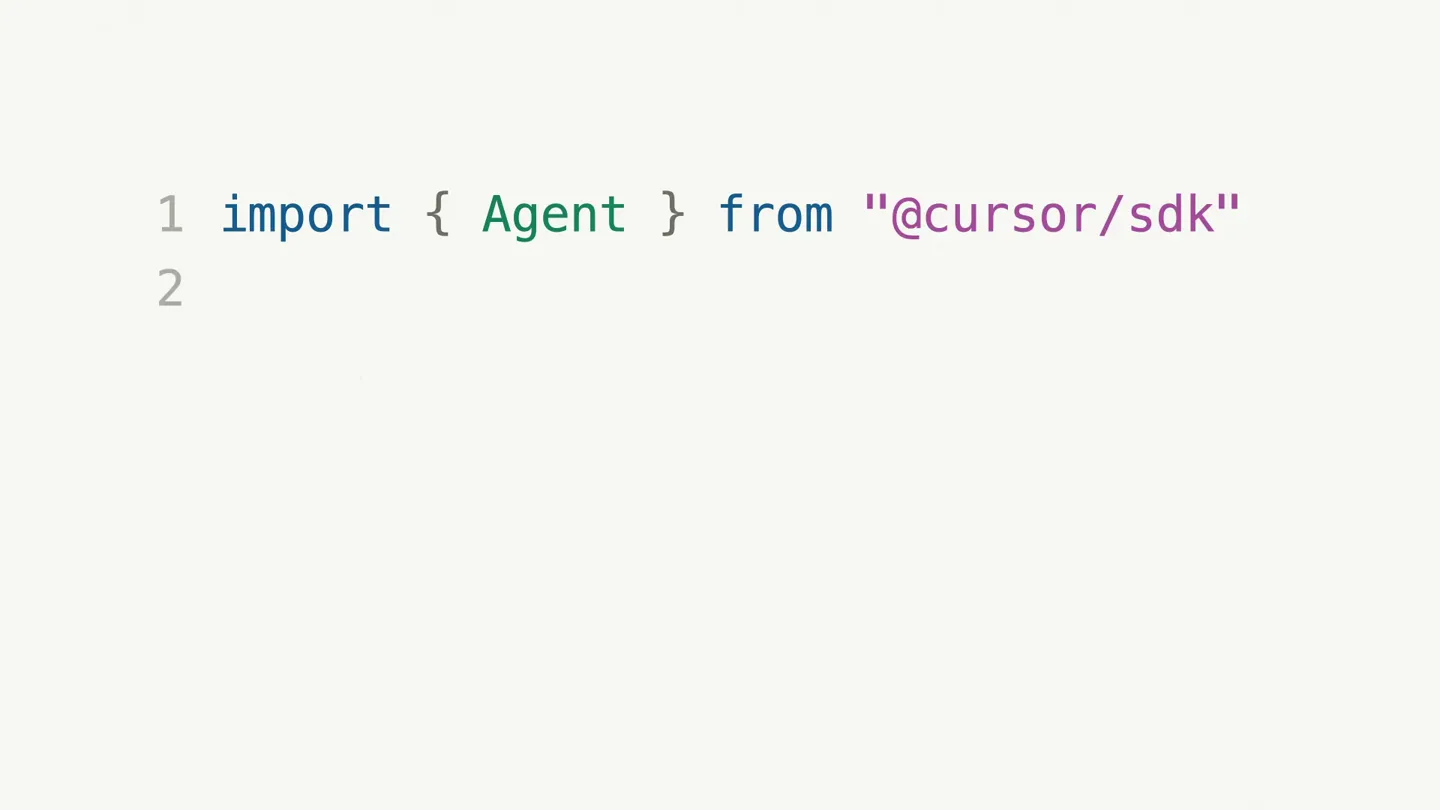
- import { Agent } from "@cursor/sdk" const agent = Agent.create({ name: "Docs improvement agent", model: { id: "composer-2" }, local: { cwd: "apps/docs" }, }) console.log("Running Cursor agent...") const run = await agent.send( "Explore this repo and make one improvement." ) for await (const event of run.stream()) { if (event.type === "tool_call") { console.log(`tool: ${event.name}`) } if (event.type === "assistant") { console.log(event.message) } } await run.wait() console.log("Done") $ bun run ./cursor-agent.ts Running Cursor agent... list_directory apps/docs read_file apps/docs/package.json search_codebase "build-search-index" I found generated docs content and no link validation. I'll add a small checker, wire it into scripts, then verify it. edit_file apps/docs/scripts/check-links.ts edit_file apps/docs/package.json run_command pnpm -F docs docs:check-links run_command pnpm -F docs type-check Added check-links.ts, wired docs:check-links into package.json, and confirmed docs type-check passes. Done $
- Camera
- Static, wide shot of a split-screen terminal. The left pane shows code, the right pane shows terminal output.
- Motion
- Code typing animation, terminal output streaming, split-screen reveal.
Product Reveal
Cloud Agent Capabilities
“(No spoken dialogue — A more prominent, sweeping riser starts, culminating in a significant sub-bass drop and impact at 0:12, accompanied by a bright, percussive synth hit. The arpeggiated synth continues, joined by additional layered synth textures. Another high-energy riser builds from 0:17 to 0:18, leading to a powerful sub-bass impact and a more complex, driving synth melody.)”
- On screen
- import { Agent } from "@cursor/sdk" const agent = Agent.create({ name: "Docs improvement agent", model: { id: "gpt-5.5" }, cloud: { repos: [{ url: "https://github.com/cursor/docs" }], }, }) console.log("Running Cursor Cloud agent...") const run = await agent.send( "Explore this repo and make one improvement." ) for await (const event of run.stream()) { if (event.type === "tool_call") { console.log(`tool: ${event.name}`) } if (event.type === "assistant") { console.log(event.message) } } await run.wait() console.log("Done") $ bun run ./cursor-agent.ts Running Cursor Cloud agent... list_directory apps/docs read_file apps/docs/package.json search_codebase "openGraph" read_file apps/docs/lib/metadata.ts I found several docs pages without tailored social previews. I'll add an OG image helper and wire it into the docs metadata. edit_file apps/docs/app/api/og/route.tsx edit_file apps/docs/lib/metadata.ts run_command pnpm -F docs build:search-index run_command pnpm -F docs type-check Added a generated OG image route, connected docs metadata to it, and verified the docs build still passes. Done $
- Camera
- Static, wide shot of a split-screen terminal. The left pane shows code, the right pane shows terminal output.
- Motion
- Code typing animation, terminal output streaming, text highlight and modification.
Feature Teaser
SDK Introduction
“(No spoken dialogue — From 0:23 to 0:24, a rapid, upward-sweeping sound effect creates a sense of acceleration, followed by another strong sub-bass impact.)”
- On screen
- Cursor SDK
- Camera
- Static, centered text on a light background.
- Motion
- Text reveal with subtle scale and opacity animation.
Call to Action
Brand Identity & Fade Out
“(No spoken dialogue — The music then transitions into a more open, ethereal section with sustained pads and shimmering synth textures, gradually fading out with a final, resonant sub-bass tone at 0:34.)”
- On screen
- (No on-screen text)
- Camera
- Static, centered logo on a black background.
- Motion
- Logo reveal with subtle glow/pulse, followed by a fade to black.
Motion design primitives
Synthesizable in Remotion · key components of the devtool-split-terminal-launch template.
DualTerminalRaceSplit
A split-screen layout where the left pane displays code being typed out, and the right pane displays corresponding terminal commands and output, both animating in real-time.
+ Code construction recipe
Utilize Remotion's <Sequence> and <AbsoluteFill> for layout. Implement typing animation with `useCurrentFrame()` and `interpolate()` to reveal text character by character. For terminal output, use a similar typing effect, potentially with `delayRender()` for staggered lines. Use `spring()` for subtle cursor blinks and text highlights.
CodeHighlightTransition
Specific lines or sections of code are highlighted with a background color, indicating a change or focus, then the text content within that section animates to new values.
+ Code construction recipe
Employ `AbsoluteFill` with `z-index` for the highlight layer. Animate `backgroundColor` and `height` properties using `spring()` or `interpolate()` for smooth transitions. Text content changes can be handled by swapping components or animating `opacity` and `transform` for a quick fade-out/fade-in effect.
SubtleLogoPulse
A static logo appears on screen and subtly pulses or glows, creating a sense of energy and presence without being overtly animated.
+ Code construction recipe
Render the logo as an SVG or image. Apply a `filter: drop-shadow()` or `box-shadow` with an animated `opacity` or `blur` property using `loop()` and `spring()` for a gentle, continuous pulse effect. Scale can also be subtly animated with `spring()` for a breathing effect.
Style DNA & aesthetic system
Visual aesthetic
Typography
Motion
Special effects
Pacing & rhythm
Conceptual story rhythm
- 1
The Setup: Local Agent
Purpose. Introduce the core functionality of Cursor SDK by demonstrating a local agent solving a common development problem.
Execution. Split-screen showing code being written and a local terminal executing commands and providing output, building confidence in the SDK's capabilities.
- 2
The Expansion: Cloud Agent
Purpose. Showcase the scalability and advanced features of the SDK by demonstrating a cloud-based agent tackling a more complex, distributed task.
Execution. Similar split-screen, but with code modifications indicating cloud integration and terminal output reflecting remote operations, highlighting the SDK's versatility.
- 3
The Reveal: SDK Identity
Purpose. Clearly state the product being launched and its core offering.
Execution. A clean, full-screen text reveal of 'Cursor SDK' with subtle animation, acting as a direct product announcement.
- 4
The Brand: Final Impression
Purpose. Reinforce brand identity and leave a lasting impression.
Execution. The Cursor logo appears with a subtle, ethereal pulse, fading out with the music, creating a sense of completion and sophistication.




