DraftedAI · Launch Video Breakdown: Hook, Pacing & Motion Design
Place rooms, hit generate, and V2 fills in the rest. Edit walls, doors, and windows, then switch looks and render. 5x better room matching, 60% faster.
Scene-by-scene timeline & spoken transcript
The Hook
Boundary Adjustment & Constraint Satisfaction
“(No spoken dialogue — upbeat electronic background synth track)”
- On screen
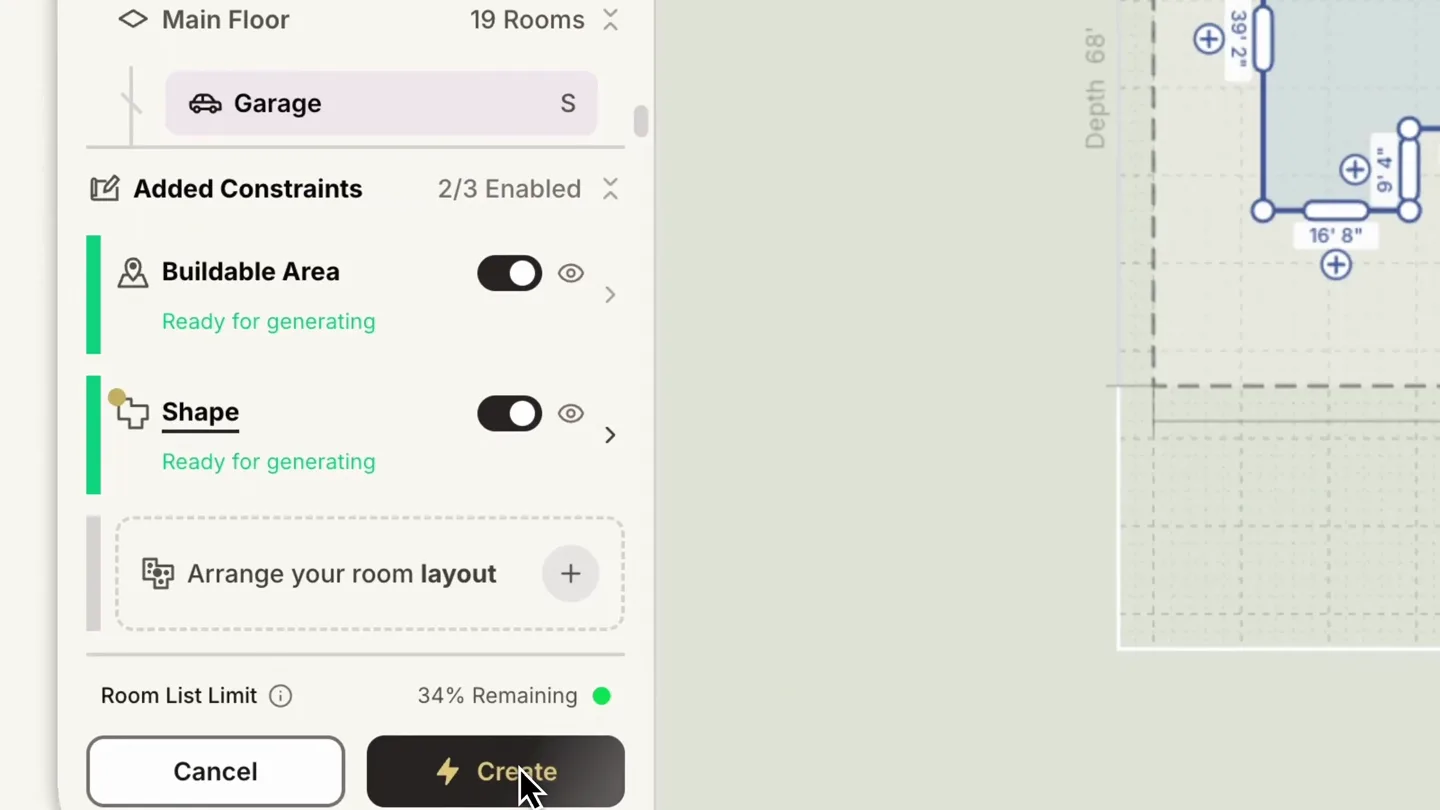
- Shape 2,887 sqft Increase by 432 sqft Ready for generating
- Camera
- Static screen view followed by crop zoom
- Motion
- Cursor drag adjusting bounding vertices with dynamic color feedback
Product Reveal
Plan Generation Grid
“(No spoken dialogue — upbeat electronic music)”
- On screen
- Create Choose a Starting Point 2D Plan 3D Model
- Camera
- Punch zoom to Create button, cut to wide multi-plan grid
- Motion
- Progress state transition to multi-option output display
Feature Teaser
2D to 3D Model Conversion
“(No spoken dialogue — upbeat electronic music)”
- On screen
- View 3D model Add Door Add Window
- Camera
- Smooth zoom into detailed blueprint, switching to 3D perspective camera
- Motion
- Orthographic floor plan transition to extruded 3D architectural model
Call to Action
Generated Concept Gallery
“(No spoken dialogue — upbeat electronic music ends)”
- On screen
- Draft 210 Draft 208 Draft 207 Draft 206 Draft 205 Free Download Share
- Camera
- Vertical downward screen scroll
- Motion
- Catalog view display with watercolor architectural elevations
Motion design primitives
Synthesizable in Remotion · key components of the cad-saas-workflow-showcase template.
InteractiveBoundingBox
Dynamic vector bounding box updating area metrics from red invalid state to green valid state.
+ Code construction recipe
Animate SVG path coordinates with spring physics; interpolate text values and color state based on area threshold.
DimensionGridReveal
Synchronous fade-and-scale reveal of generated architectural floor plans.
+ Code construction recipe
Map grid item opacity and scale using Remotion interpolate with staggered frame offsets.
PlanToModelMorph
Seamless flip between top-down 2D floor plan and isometric 3D exterior line rendering.
+ Code construction recipe
Interpolate CSS perspective and rotateX transforms while crossfading between 2D vector graphic and Three.js canvas.
Style DNA & aesthetic system
Visual aesthetic
Typography
Motion
Special effects
Pacing & rhythm
Conceptual story rhythm
- 1
Constraint Setup
Purpose. Demonstrate effortless spatial input and live validation.
Execution. Drag vertex to resolve constraint warning from red to green.
- 2
Generation & Options
Purpose. Highlight rapid multi-variant synthesis.
Execution. Click 'Create' followed by instant presentation of 4 distinct floor plans.
- 3
Dimensional Realization
Purpose. Show immediate transition from plan to 3D structure.
Execution. Switch viewport to clean 3D architectural massing.
- 4
Finished Elevation Catalog
Purpose. Demonstrate final production-ready deliverables.
Execution. Smooth vertical scroll through watercolor elevations and floor plan cards.