
each::labs · Launch Video Breakdown: Hook, Pacing & Motion Design
each::labs MCP lets Claude Code and Codex run the Video API: reframe, subtitles, trims, thumbnails, 44 operations from a prompt.
Scene-by-scene timeline & spoken transcript
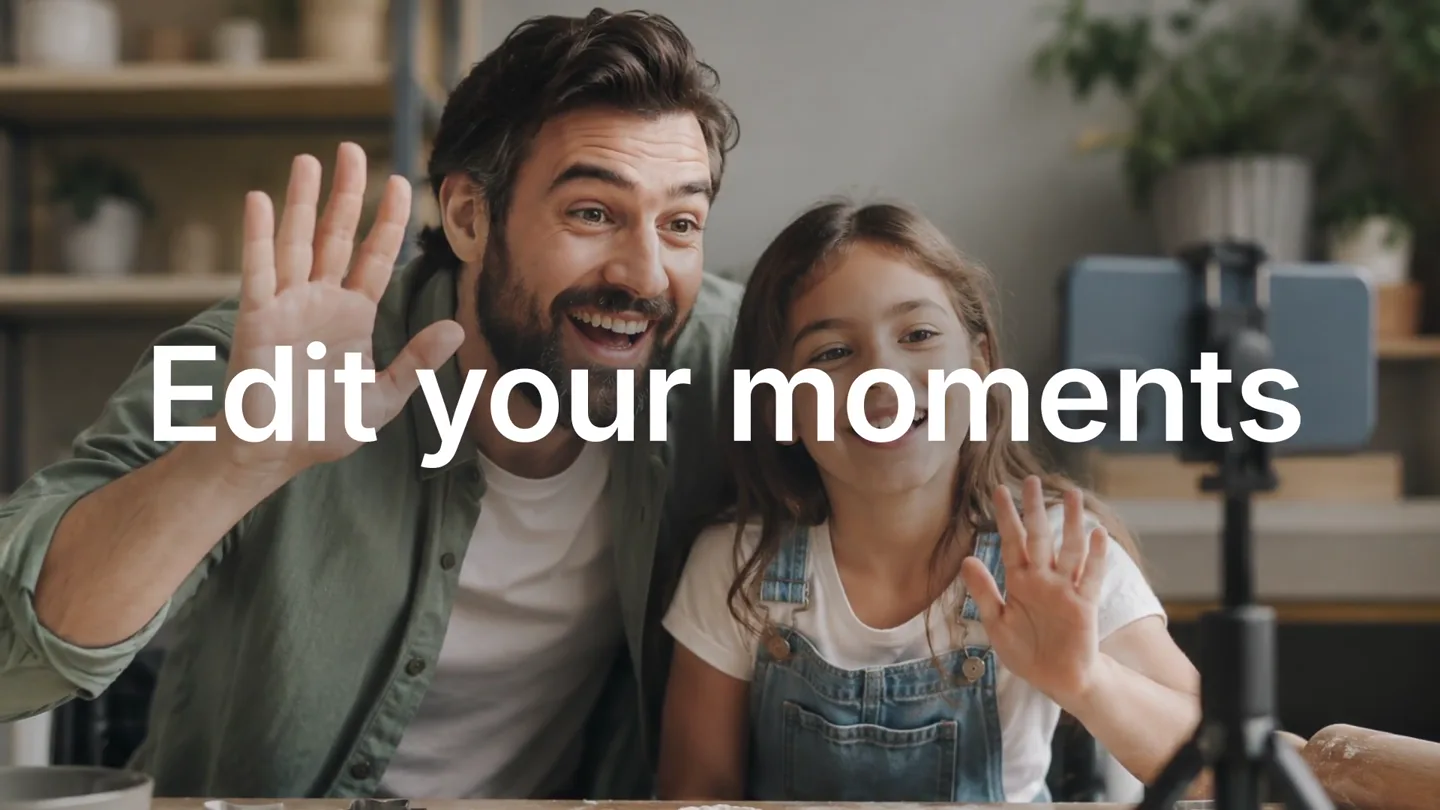
The Hook
Effortless Video Editing with AI
“Me made these. Oh, she did most of it. Oh, she did most of it. (Laughter)”
- On screen
- Edit
- Camera
- Medium shot of a man and child waving at a smartphone camera, then a close-up of the child's face, followed by a wider shot of them baking.
- Motion
- Quick cuts between live-action footage and animated UI elements, with text overlays appearing and disappearing.
Product Reveal
Prompt-Driven Video Generation
“(No spoken dialogue — clean, dry electric guitar walking bass line with tight drums, consistent groove.)”
- On screen
- Edit with just prompting smartphone-camera POV video of m| Sonnet 4.5 camera POV video of me and my daughter. each::labs I'll generate it at 1080p using the premium Veo 3.1 Image-to-Video pipeline through each::labs.
- Camera
- Static shots of UI elements overlaid on live-action footage, then a full-screen UI shot, followed by a return to live-action.
- Motion
- Text typing animation, UI elements fading in and out, and a smooth transition from UI to live-action video output.
Feature Teaser
Advanced Video API Operations
“You made this.”
- On screen
- Scanning 40+ operations Audio Extractor Make this video vertical using each::labs Video API tool I'll You made this Hundreds of models Now on MCP / Video API each::labs
- Camera
- Static UI shots, then a quick cut to a stylized, color-inverted version of the live-action footage, followed by a return to the original live-action, and finally a full-screen text display.
- Motion
- Text scanning animation, button pop-in, quick visual filter application, and bold text reveals.
Motion design primitives
Synthesizable in Remotion · key components of the prompt-driven-api-showcase template.
TypingTextReveal
Text appears character by character, simulating a user typing into a prompt field, often accompanied by a blinking cursor.
+ Code construction recipe
Use `interpolate` to animate the `clipPath` or `width` of a text element based on `frame` progress, combined with a `spring` for the cursor's blink animation.
ScanningTextFade
A line of text gradually reveals itself from left to right, with a subtle gradient or opacity fade effect as it scans.
+ Code construction recipe
Apply a linear gradient mask or `opacity` interpolation across individual characters or words, controlled by `interpolate` over time to create a 'scanning' effect.
CardPopAndOverlay
UI cards or text bubbles smoothly scale up and fade in, often overlaying existing video footage, then recede or transition to new content.
+ Code construction recipe
Utilize `spring` for `scale` and `opacity` properties of a `div` or `AbsoluteFill` component, ensuring smooth entry and exit animations with `delay` for sequential elements.
Style DNA & aesthetic system
Visual aesthetic
Typography
Motion
Special effects
Pacing & rhythm
Conceptual story rhythm
- 1
Relatable Problem
Purpose. Establish a common pain point in video editing and hint at an effortless solution.
Execution. Opening with a warm, human scene of a father and daughter, immediately followed by a simple 'Edit' text overlay, setting up the problem of complex editing.
- 2
AI-Powered Solution
Purpose. Introduce the product's core value proposition: AI-driven, prompt-based video creation.
Execution. Transitioning to UI elements demonstrating prompt input and the system generating video, showcasing the 'each::labs' brand and its AI capabilities.
- 3
Feature Showcase
Purpose. Highlight the breadth and depth of the product's capabilities and operations.
Execution. Rapid display of various operations ('Scanning 40+ operations', 'Audio Extractor') and a visual transformation of the video, reinforcing the product's versatility.
- 4
Empowerment & CTA
Purpose. Conclude by emphasizing user empowerment and a clear call to action.
Execution. Returning to the human element with 'You made this' and a high-five, followed by a bold reveal of 'MCP / Video API' and 'each::labs', inviting users to explore.




