
Filetree (by Jiachi) · Launch Video Breakdown: Hook, Pacing & Motion Design
FileTree is a minimal React component for code blocks and editors, with a simple API. Install via npx skills add huozhi/sugar-high.
Scene-by-scene timeline & spoken transcript
The Hook
Initial Code Block Display
“(No spoken dialogue — High-energy riser builds to a significant sub-bass drop/impact.)”
- On screen
- <FileTree /> Compose with Editor to edit files, or Code for read-only viewing. Taffy src/index.tsx 1 import { Button } from './components/button' 2 import './styles.css' 3 4 export default function App() { 5 return <Button>Say hello</Button> 6 } read only line numbers 6 lines - 137 characters
- Camera
- Static, wide shot of the FileTree component within a browser-like interface, showing a file explorer on the left and code editor on the right.
- Motion
- Instantaneous reveal of the full UI, followed by a subtle, almost imperceptible cursor hover over 'index.tsx'.
Product Reveal
Interactive File Navigation
“(No spoken dialogue — Sustained, atmospheric synth texture with a subtle rhythmic pulse.)”
- On screen
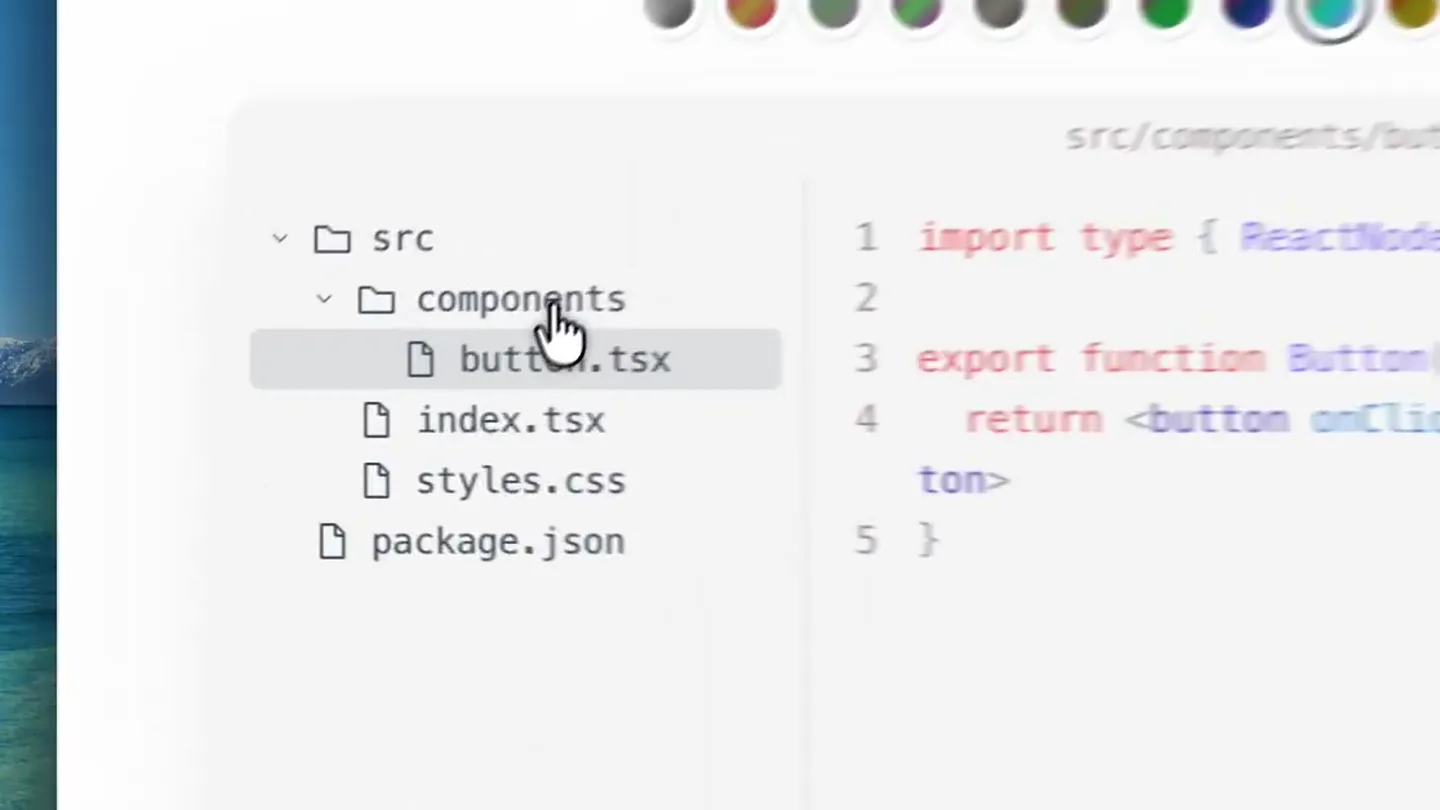
- src components button.tsx index.tsx styles.css package.json import type { React export function Butt ton> }
- Camera
- Static, with the camera slightly zoomed in on the file explorer and code editor sections.
- Motion
- Rapid, sequential cursor hovers and clicks on different files (button.tsx, index.tsx, styles.css, package.json), demonstrating the component's interactive file switching functionality. The code editor content updates instantly with each selection.
Feature Teaser
Return to Initial State
“(No spoken dialogue — High-energy riser culminates in a final sub-bass impact.)”
- On screen
- <FileTree /> Compose with Editor to edit files, or Code for read-only viewing. Taffy src/index.tsx 1 import { Button } from './components/button' 2 import './styles.css' 3 4 export default function App() { 5 return <Button>Say hello</Button> 6 } read only line numbers 6 lines - 137 characters
- Camera
- Static, returning to the initial wide shot of the FileTree component.
- Motion
- A final, quick click on 'index.tsx' to revert to the original code display, reinforcing the ease of navigation.
Call to Action
Sustained Product View
“(No spoken dialogue — Sustained atmospheric synth texture fades out.)”
- On screen
- <FileTree /> Compose with Editor to edit files, or Code for read-only viewing. Taffy src/index.tsx 1 import { Button } from './components/button' 2 import './styles.css' 3 4 export default function App() { 5 return <Button>Say hello</Button> 6 } read only line numbers 6 lines - 137 characters
- Camera
- Static, holding the wide shot of the FileTree component.
- Motion
- The UI remains static, allowing the viewer to absorb the component's appearance and functionality.
Motion design primitives
Synthesizable in Remotion · key components of the minimal-devtool-showcase template.
InstantCodeSwap
Upon clicking a file in the navigation, the code content in the editor pane immediately and completely replaces the previous content without any transition effect.
+ Code construction recipe
This is primarily a state management and rendering primitive. When the active file changes, simply update the `children` prop of a `CodeBlock` component or similar, ensuring no CSS transitions or animation libraries are applied to the content change itself.
UIContextReveal
The entire UI, including the file tree, code editor, and surrounding application elements, appears instantly at the beginning of the video, establishing the product's context without a build-up.
+ Code construction recipe
Render all UI components from `frame(0)` without any initial opacity or scale animations. This creates an immediate, full-context presentation. Use `AbsoluteFill` for the main container.
Style DNA & aesthetic system
Visual aesthetic
Typography
Motion
Special effects
Pacing & rhythm
Conceptual story rhythm
- 1
Immediate Immersion
Purpose. Instantly introduces the product's core interface and functionality.
Execution. Full UI reveal at 0:00, showing the FileTree component in action with code.
- 2
Interactive Demonstration
Purpose. Showcases the ease and speed of navigating files and viewing code.
Execution. Rapid cursor movements and clicks through different files, with instant code updates.
- 3
Feature Reinforcement
Purpose. Reiterates the primary benefit of quick file access and code display.
Execution. Returning to the initial 'index.tsx' view after demonstrating other files.
- 4
Product Clarity
Purpose. Allows the viewer a final moment to process the product's appearance.
Execution. Holding the final UI state for a brief period before the video ends.




