
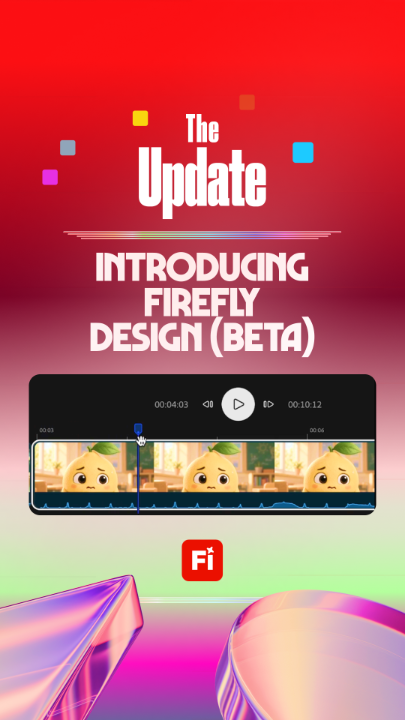
Adobe Firefly Design — every medium, one canvas · Launch Video Breakdown: Hook, Pacing & Motion Design
Scene-by-scene timeline & spoken transcript
The Hook
All Mediums on One Canvas
“Vector, raster, motion, 3D, and print: together on one canvas.”
- On screen
- Vector, raster, motion, 3D, and print: together on one canvas. The Update
- Camera
- Medium close-up to two-shot, cut to 3D title bumper
- Motion
- 3D floating plane collage and kinetic title assembly
Product Reveal
Introducing Firefly Design (beta)
“First up, with Firefly Design (beta), design across mediums, stay on one canvas. It's a workspace for creating and editing designs and multimedia content in Firefly, combining precision tools with AI assistance to create across mediums in one seamless workflow. For me, that means my logo, my photos, and my 3D mockups finally live in the same file.”
- On screen
- First up, with Firefly Design (beta), design across mediums, stay on one canvas. It's a workspace for creating and editing designs and multimedia content in Firefly, combining precision tools with AI assistance to create across mediums in one seamless workflow. For me, that means my logo, my photos, and my 3D mockups finally live in the same file.
- Camera
- Single host cut, then top/bottom UI screencast and host split-screen
- Motion
- Split screen UI demo with smooth cursor path tracking
Feature Teaser
Vector Networks & Precision Editing
“Next up, we've got precision tools, and with Vector Networks, you can branch lines from a shared point to build a logo as one connected but flexible structure. Add a branch, reshape it, or remove it without breaking the rest of your design. As someone who has made way too many shapes for one logo, I love this.”
- On screen
- we've got precision tools, and with Vector Networks, you can branch lines from a shared point to build a logo as one connected but flexible structure. Add a branch, reshape it, or or remove it without breaking the rest of your design. As someone who has made way too many shapes for one logo, I love this.
- Camera
- Desk host shot to split UI demo with live vector manipulation
- Motion
- Vector node path branching animation in screencast
Feature Teaser
AI Assistance & Timeline Motion
“And AI Assistant helps you scale that precision work. Drop in your brand guidelines, and it lays out an artboard with your size, color, type already applied. Then there's motion. Take a static design and add motion right on the same canvas. So the poster and an animated version of the poster come out of the same file.”
- On screen
- And AI Assistant helps you scale that precision work. Drop in your brand guidelines, And it lays out an artboard with your size, color, type already applied. Then there's motion. Take a static design and add motion right on the same canvas. So the poster and an animated version of the poster come out of the same file.
- Camera
- Alternating close-up host cuts and split UI screen with timeline playback
- Motion
- Timeline keyframe scrub and dynamic canvas layer transforms
Feature Teaser
Built-in Client Review Portal
“And last, the client side. A curated review portal keeps review approval and hand-off connected on one canvas. So I'm no longer digging through email threads for feedback.”
- On screen
- And last, the client side. A curated review portal keeps review approval and hand-off connected on one canvas. So I'm no longer digging through email threads for feedback.
- Camera
- UI portal screencast with host reaction cutaway
- Motion
- Side-drawer menu animation and card state toggle
Call to Action
Wrap-Up and Beta Availability
“So what makes you want to move a project over to Firefly Design (beta)? The fact that every medium is in one file, plus the pro depth, like multiple units and variable fonts. Don't forget the client review is frictionless, built right in. And it works with the Adobe apps you already use. And that's The Update. Firefly Design (beta) is available now.”
- On screen
- So what makes you want to move a project over to Firefly Design (beta)? The fact that every medium is in one file, plus the pro depth, like multiple units and variable fonts. Don't forget the client review is frictionless, built right in. And it works with the Adobe apps you already use. And that's The Update. Firefly Design (beta) is available now. The Update
- Camera
- Two-shot studio wrap-up zooming out to final 3D logo endplate
- Motion
- 3D card collapse and typography fly-out
Motion design primitives
Synthesizable in Remotion · key components of the studio-talk-screencast-split template.
SplitScreenAppDeck
Horizontal division with top software canvas and bottom live hosts
+ Code construction recipe
Use AbsoluteFill with flex column layout, allocating 60% height to app recording and 40% to studio footage with border divider
FloatingPlane3DTitle
3D cards rotate and assemble in space around bold center typography
+ Code construction recipe
Render Cards using Remotion 3D transforms, rotating on Y/X axes via spring interpolations tied to frame index
SyncedSubtitleBar
Centered bold subtitle captions fading and snapping per sentence beat
+ Code construction recipe
Interpolate opacity and translateY based on speech timestamps with uppercase typography
Style DNA & aesthetic system
Visual aesthetic
Typography
Motion
Special effects
Pacing & rhythm
Conceptual story rhythm
- 1
Hook & Value Prop
Purpose. Establish multi-medium single canvas capability
Execution. Host delivery into dynamic 3D logo title bumper
- 2
Core Canvas Demo
Purpose. Demonstrate vector, raster, and AI unified tools
Execution. Split screen UI layout with live fruit illustration manipulation
- 3
Vector Precision & AI
Purpose. Highlight vector networking and automated brand scaling
Execution. Geometric node creation screencast with instant updates
- 4
Motion & Client Portal
Purpose. Showcase timeline animation and integrated reviews
Execution. Can animation playback and review approval UI overview
- 5
Outro CTA
Purpose. Reiterate advantages and direct users to beta
Execution. Studio host conversation back into 3D endplate


