
Flowscope Launch (by Y Combinator) · Launch Video Breakdown: Hook, Pacing & Motion Design
flowscope deploys agents that learn and document how businesses operate. From there, their agents redesign and automate those processes, shipping AI into production on the company's existing systems. In days, not months. Congrats on the launch, @jleguina0 & @MirpuriSamuel!
Scene-by-scene timeline & spoken transcript
The Hook
The AI Deployment Dilemma
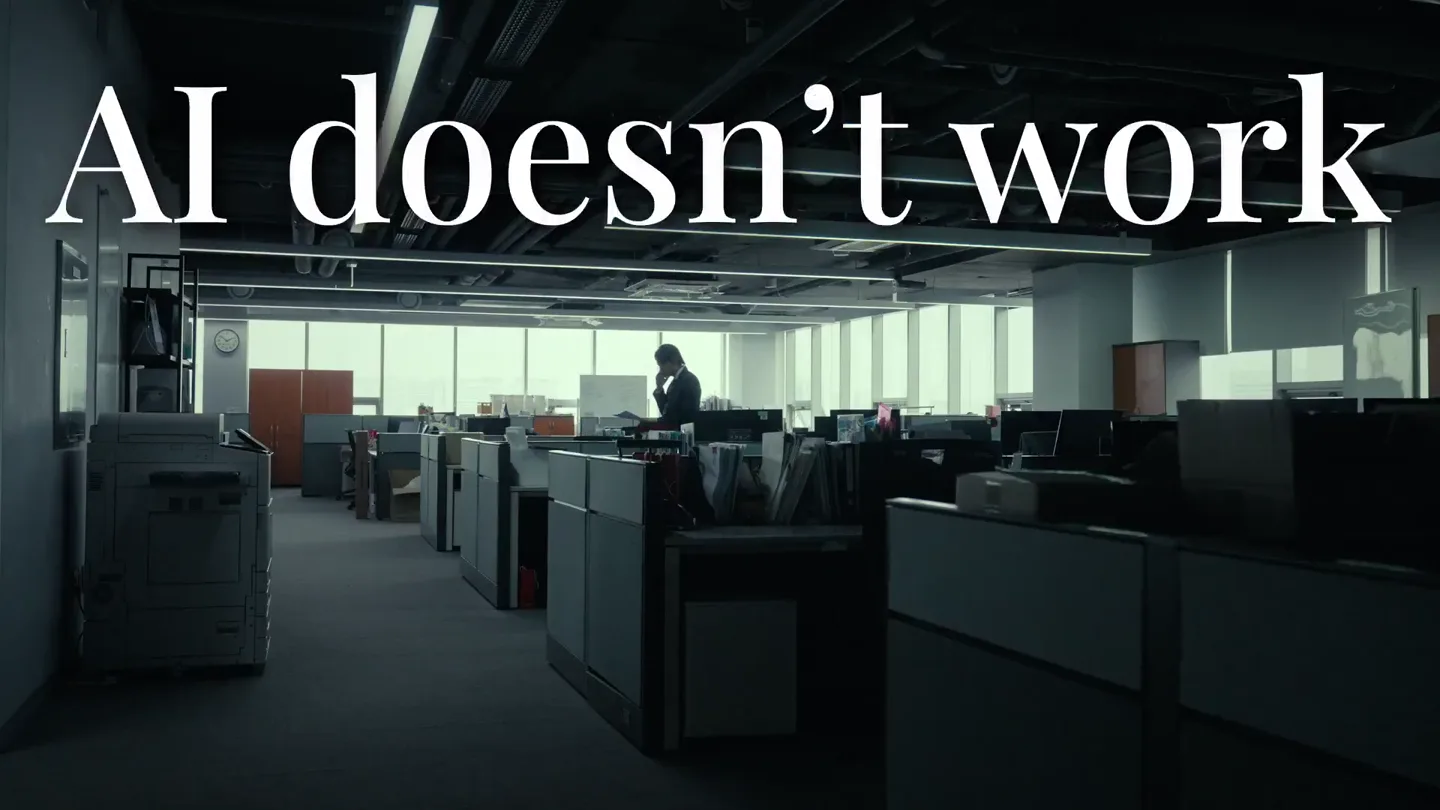
“AI doesn't work. You don't have an AI team. You can't easily hire one. They left you with a deck. So you just wait. Wait. We don't think you should.”
- On screen
- AI doesn't work deploy You don't have an AI team You can't easily hire one They left you with a deck So you just wait wait We don't think you should
- Camera
- Static wide shots of an empty office, then close-ups on a person's silhouette, followed by an extreme close-up on a textured red background.
- Motion
- Rapid text overlays with quick cuts, subtle camera zooms, and color shifts to emphasize tension.
Product Reveal
Flowscope's Agent-Based Solution
“Our agents understand your processes across teams, identify what AI can, and deploy it directly into your existing systems. In days, not months.”
- On screen
- Our agents understand your processes across teams identify what AI can and deploy it directly into your existing systems In days, not months flowscope AI delivered
- Camera
- Abstract grid animation with a subtle camera push-in effect.
- Motion
- Dot-grid animation with connecting lines, text reveals with a subtle bounce, and a final logo reveal with a 'building' line animation.
Feature Teaser
Automated Process Redesign
“(No spoken dialogue — High-energy audio transition with pizzicato synths and sub-bass drop, followed by a confident orchestral synth pad.)”
- On screen
- (No on-screen text)
- Camera
- Dynamic camera movements, including pans and zooms, across various abstract data visualizations and UI elements.
- Motion
- Fast-paced UI animations, data flow visualizations, and abstract geometric shapes with glowing effects.
Feature Teaser
AI into Production
“(No spoken dialogue — Another high-energy audio transition with risers and sweeps, leading into a more intense orchestral synth pad.)”
- On screen
- (No on-screen text)
- Camera
- Tracking shots through complex network diagrams and abstract digital environments.
- Motion
- Node-based network animations, data packet visualizations, and dynamic light trails.
Call to Action
Flowscope: AI Delivered
“(No spoken dialogue — The audio builds to a confident and impactful conclusion with sustained orchestral synth pads and a final sub-bass impact.)”
- On screen
- (No on-screen text)
- Camera
- Sweeping camera movements revealing the Flowscope logo and tagline, followed by a final static shot.
- Motion
- Elegant logo reveal with light streaks and a clean, minimalist presentation of the brand.
Motion design primitives
Synthesizable in Remotion · key components of the flowscope-ai-delivered-template template.
SerifTextReveal
Serif text appears with a subtle fade-in and slight scale-up, often accompanied by a background change or a quick cut.
+ Code construction recipe
Use `spring` for `opacity` and `scale` properties. Implement `Sequence` for staggered text reveals. Utilize `AbsoluteFill` for background color changes.
DotGridConnect
A grid of dots animates, with some dots expanding into larger circles and connecting lines forming between them, creating a dynamic network effect.
+ Code construction recipe
Render a grid of `Dot` components. Use `interpolate` for `opacity` and `scale` of dots. Draw `Line` components between specific dot coordinates, animating `strokeDashoffset` for drawing effect.
AbstractDataFlow
Abstract UI elements, data packets, and glowing lines move across the screen, simulating data processing and system integration.
+ Code construction recipe
Employ `Path` and `Circle` components for UI elements. Animate `transform` properties with `spring` or `interpolate`. Use `SVGFilter` for glow effects and `LinearGradient` for dynamic color transitions.
Style DNA & aesthetic system
Visual aesthetic
Typography
Motion
Special effects
Pacing & rhythm
Conceptual story rhythm
- 1
The Pain Point
Purpose. Establish the common frustrations and challenges associated with AI deployment.
Execution. Dark, somber office scenes with stark serif text overlays, emphasizing isolation and difficulty.
- 2
The Promise
Purpose. Introduce Flowscope as the solution that simplifies and accelerates AI integration.
Execution. Transition to bright, clean motion graphics with a dot-grid system, symbolizing clarity and connection.
- 3
The Process
Purpose. Visually explain how Flowscope's agents learn, redesign, and automate.
Execution. Dynamic abstract data flow animations, network visualizations, and UI elements demonstrating intelligent automation.
- 4
The Payoff
Purpose. Reinforce the benefits of speed and efficiency, culminating in the brand identity.
Execution. Fast-paced, energetic sequences leading to a confident logo reveal and tagline, emphasizing 'AI delivered'.




