
GitHub · Launch Video Breakdown: Hook, Pacing & Motion Design
Cooking up something new Join the waitlist for early access to technical preview of the GitHub Copilot app https://gh.io/github-copilot-app?utm_source=social-github-copilot-app&utm_medium=social&ut…
Scene-by-scene timeline & spoken transcript
The Hook
Octocat's Culinary Tease
“(No spoken dialogue — The track begins with a sustained, evolving synth pad, accompanied by pizzicato-like synth arpeggios. A prominent sub-bass drop/impact occurs at [00:00], followed by a high-energy riser/sweep building from [00:00] to [00:01]. Another sub-bass impact is heard at [00:01]. A significant high-energy transition with a dramatic riser and sweep occurs from [00:02] to [00:03], leading into a more intense section with layered synth textures and a driving rhythm. A powerful sub-bass drop/impact is heard at [00:03].)”
- On screen
- (No on-screen text)
- Camera
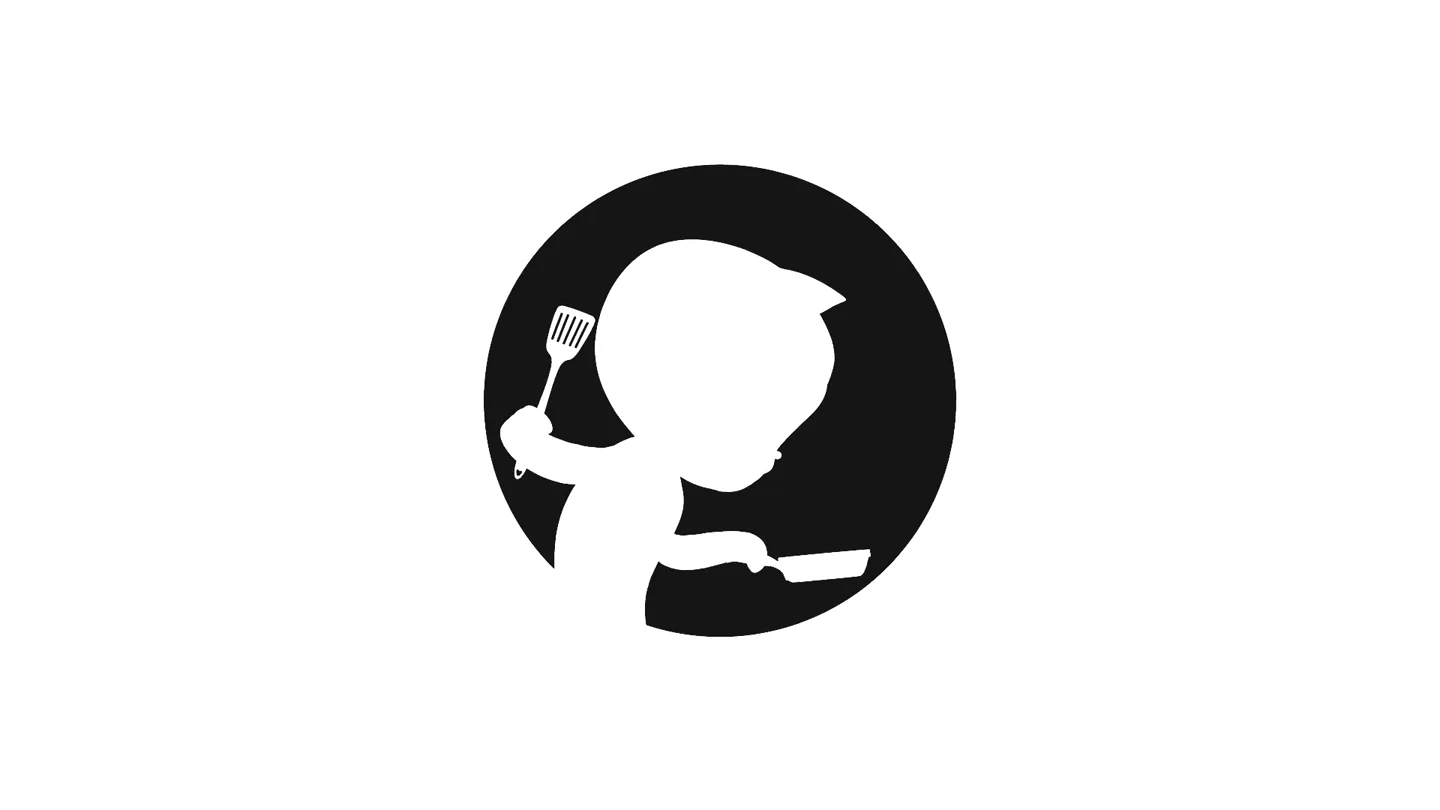
- Static, centered close-up on the GitHub Octocat logo, which then animates its pose.
- Motion
- Character animation, morphing, subtle squash and stretch on the Octocat figure.
Product Reveal
Copilot App Interface Demo
“(No spoken dialogue — Another high-energy riser/sweep builds from [00:06] to [00:07], culminating in a dramatic impact at [00:07]. A sustained, evolving synth pad with a strong sub-bass presence continues, with a notable high-energy transition and sweep from [00:09] to [00:10].)”
- On screen
- Ask anything, paste a URL, type / for commands or # to reference issues... Interactive Claude Opus 4.6 github-app New worktree main Use local folder or repository Choose from GitHub Clone from URL Triage my issues in the GitHub app repository, rank by priority, and kick off sessions to explore them for all PRs On your radar Fix missing WebSocket broadcasts for layer and project commands #8 CameronFoxly/ascii-motion-mcp CameronFoxly - 33m ago [Batch] Monthly Product Update: May 2026 #2837 github/brand-marketing-design alicabemington - 9d ago Reusable Konami code script? #73 github/bug-bash - leereilly - 10d ago Home Inbox Workflows Search Sessions Quick chats Notes on launch What is the Octocat's na What tech stack for creat github-app Onboarding animation Replace notification sound feat: add new inbox view Add wall cling walking Debug sessions not load Icon audit for app patch-studio ascii-motion dither-shader myoctocat.com Monalisacat
- Camera
- Zoom out from the Octocat logo to reveal a full application interface, followed by a static, wide shot of the UI.
- Motion
- Seamless zoom transition, UI element reveals, simulated typing animation, cursor interaction.
Feature Teaser
App Icon & Launch Date
“(No spoken dialogue — A final, very powerful sub-bass drop/impact with a dramatic synth flourish occurs at [00:11], followed by a decaying synth pad and atmospheric sounds.)”
- On screen
- The new GitHub Copilot The new GitHub Copilot app June 2nd
- Camera
- Zoom in on the app icon, then static full-screen text reveals.
- Motion
- Scale and fade transitions for text, subtle background texture animation.
Call to Action
Join the Waitlist
“(No spoken dialogue — Decaying synth pad and atmospheric sounds continue.)”
- On screen
- Join the waitlist gh.io/github-copilot-app
- Camera
- Static, centered text on a black background.
- Motion
- Simple fade-in for text, sustained visual.
Motion design primitives
Synthesizable in Remotion · key components of the github-copilot-app-launch template.
OctocatMorphCook
The GitHub Octocat logo smoothly transforms its pose, acquiring a chef's hat, spatula, and frying pan, suggesting a 'cooking' theme.
+ Code construction recipe
Utilize SVG path morphing with `interpolate` for the Octocat's body and limbs. Animate opacity and scale for the hat, spatula, and pan elements, timed with the morphing using `spring` for a playful bounce.
UIDrilldownReveal
A central logo scales down and moves to the top-center, revealing a full application interface that animates into view from the edges.
+ Code construction recipe
Implement a `spring` animation for the logo's scale and position. Use `interpolate` for the main UI container's `clipPath` or `transform` properties (e.g., `scaleY` from 0 to 1, or `translateY` from off-screen) to reveal the interface. Individual UI elements like the sidebar and input fields can fade in with a slight delay.
TypingCursorReveal
Text appears character by character in an input field, accompanied by a blinking cursor, simulating real-time user input.
+ Code construction recipe
Use `Sequence` and `AbsoluteFill` to render text character by character. Animate the `width` of a text container or use a custom component that renders characters sequentially. A separate `spring` animation can control the blinking `opacity` of a cursor element.
Style DNA & aesthetic system
Visual aesthetic
Typography
Motion
Special effects
Pacing & rhythm
Conceptual story rhythm
- 1
Whimsical Introduction
Purpose. Capture attention with a playful, brand-centric animation that hints at 'something new' without explicit details.
Execution. The Octocat logo transforms into a chef, setting a lighthearted and intriguing tone.
- 2
Product in Action
Purpose. Demonstrate the core functionality and user experience of the new Copilot app.
Execution. A seamless zoom reveals the app UI, showcasing typing and interaction within the interface.
- 3
Key Information Reveal
Purpose. Clearly state the product name and launch date.
Execution. Clean, full-screen text animations present 'The new GitHub Copilot app' and 'June 2nd'.
- 4
Direct Call to Action
Purpose. Guide viewers to the next step for early access.
Execution. A stark, high-contrast screen with the waitlist URL, ensuring maximum visibility and clarity.




