
Hermes Ai Second Brain System (by CyrilXBT) · Launch Video Breakdown: Hook, Pacing & Motion Design
140K GitHub stars. Three months. Most people still copy-pasting into ChatGPT every morning. Hermes plus Obsidian plus NotebookLM equals a second brain that compounds forever. Writes its own skills.…
Scene-by-scene timeline & spoken transcript
The Hook
Split-Screen Problem & Solution Tease
“(No spoken dialogue — Driving electronic beat with 808s and pizzicato synths. High-energy synth riser and sub-bass drop at 0:03.)”
- On screen
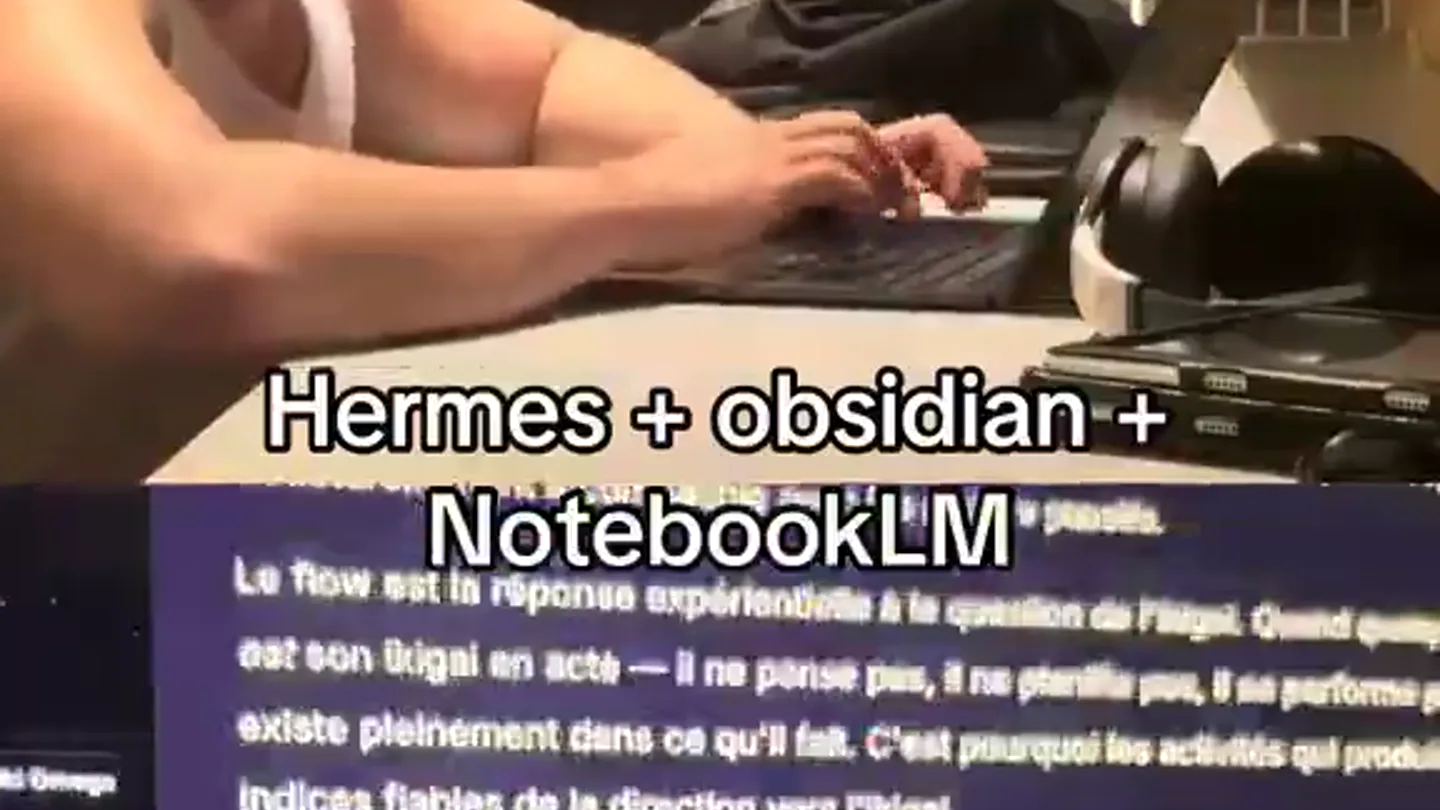
- Hermes + obsidian + NotebookLM
- Camera
- Split-screen: Top frame is a static medium shot of a person typing on a laptop. Bottom frame is a dynamic, orbiting camera around a 3D node-graph visualization.
- Motion
- Split-screen composition, 3D camera orbit, particle system animation, text overlay.
Problem Agitation
The 'Second Brain' Concept
“My heart is a jungle, jungle.”
- On screen
- Hermes + obsidian + NotebookLM
- Camera
- Split-screen: Top frame remains static. Bottom frame features rapid cuts between different UI elements of the 'second brain' application, including text documents and interactive dashboards.
- Motion
- Rapid scene cuts, UI element reveals, text scrolling, subtle UI animations.
Product Reveal
Dynamic Data Visualization
“My heart is a jungle, jungle.”
- On screen
- Hermes + obsidian + NotebookLM
- Camera
- Split-screen: Top frame remains static. Bottom frame returns to the dynamic 3D node-graph, with the camera zooming and panning through the data structure.
- Motion
- 3D camera movement (zoom, pan), node-graph expansion, particle effects, glowing elements.
Feature Teaser
Interactive Learning & Session Summary
“My heart is a jungle, jungle.”
- On screen
- Hermes + obsidian + NotebookLM Session terminée
- Camera
- Split-screen: Top frame remains static. Bottom frame shows various interactive UI elements, including lists, buttons, and a 'Session terminée' (Session ended) screen, with subtle transitions.
- Motion
- UI element transitions, list reveals, button highlights, screen state changes.
Motion design primitives
Synthesizable in Remotion · key components of the split-screen-dev-flow template.
SplitScreenDeveloperFocus
A vertical split-screen where the top half shows a live-action shot of a developer working, and the bottom half displays dynamic product UI or abstract motion graphics.
+ Code construction recipe
Use a Remotion <AbsoluteFill> with two child <AbsoluteFill> components, each with a 'height: 50%' and 'top: 0' or 'top: 50%'. The top component can render a video asset, while the bottom renders a sequence of UI components or a <Canvas> for custom graphics.
DynamicNodeGraphOrbit
A 3D visualization of interconnected nodes and lines, representing data relationships, with a camera orbiting and occasionally zooming into specific clusters.
+ Code construction recipe
Implement using Three.js or a similar 3D library within a Remotion <Canvas>. Nodes and lines can be rendered as spheres and cylinders. Camera motion (orbit, zoom) should be animated using 'interpolate' with 'ease-in-out' curves for smooth transitions, driven by 'frame' or 'spring' for impacts.
RapidUIReveal
Quick, impactful cuts between different screens or sections of a product's user interface, often accompanied by subtle element animations like fades or slides.
+ Code construction recipe
Sequence multiple UI components or screenshots within a <Sequence> component. Use 'interpolate' for 'opacity' and 'transform' properties (e.g., 'translateY') on individual UI elements (text, buttons) to create quick fades and slides on entry, synchronized with scene cuts.
Style DNA & aesthetic system
Visual aesthetic
Typography
Motion
Special effects
Pacing & rhythm
Conceptual story rhythm
- 1
The Dual Reality Hook
Purpose. Immediately grab attention by juxtaposing the mundane (typing) with the extraordinary (advanced tech visualization), hinting at a powerful underlying system.
Execution. Split-screen showing a person working and a complex 3D node-graph, with a high-energy audio transition.
- 2
The Problem Solver
Purpose. Introduce the product's core value proposition – creating a 'second brain' – by showcasing its intuitive interface and knowledge management capabilities.
Execution. Rapid cuts through various UI screens demonstrating knowledge organization, note-taking, and interactive elements.
- 3
The System Unveiled
Purpose. Visually demonstrate the product's intelligence and interconnectedness through dynamic data visualization, reinforcing its 'second brain' claim.
Execution. Extended sequences of the 3D node-graph, with camera movements highlighting the complexity and beauty of the data structure.
- 4
The Empowered User
Purpose. Showcase the practical application and benefits, such as learning, task management, and session completion, making the abstract concrete.
Execution. Display of interactive learning modules, task lists, and a clear 'session ended' screen, implying productivity and completion.




