Iskra · Launch Video Breakdown: Hook, Pacing & Motion Design
A playful light-bending experiment on the web.
Scene-by-scene timeline & spoken transcript
The Hook
Light-Bending Introduction
“(No spoken dialogue — ambient visual with subtle light effects.)”
- On screen
- (No on-screen text)
- Camera
- Static wide shot, focusing on the center of the screen where light rays converge.
- Motion
- Procedural light ray generation and refraction, with subtle chromatic aberration.
Product Reveal
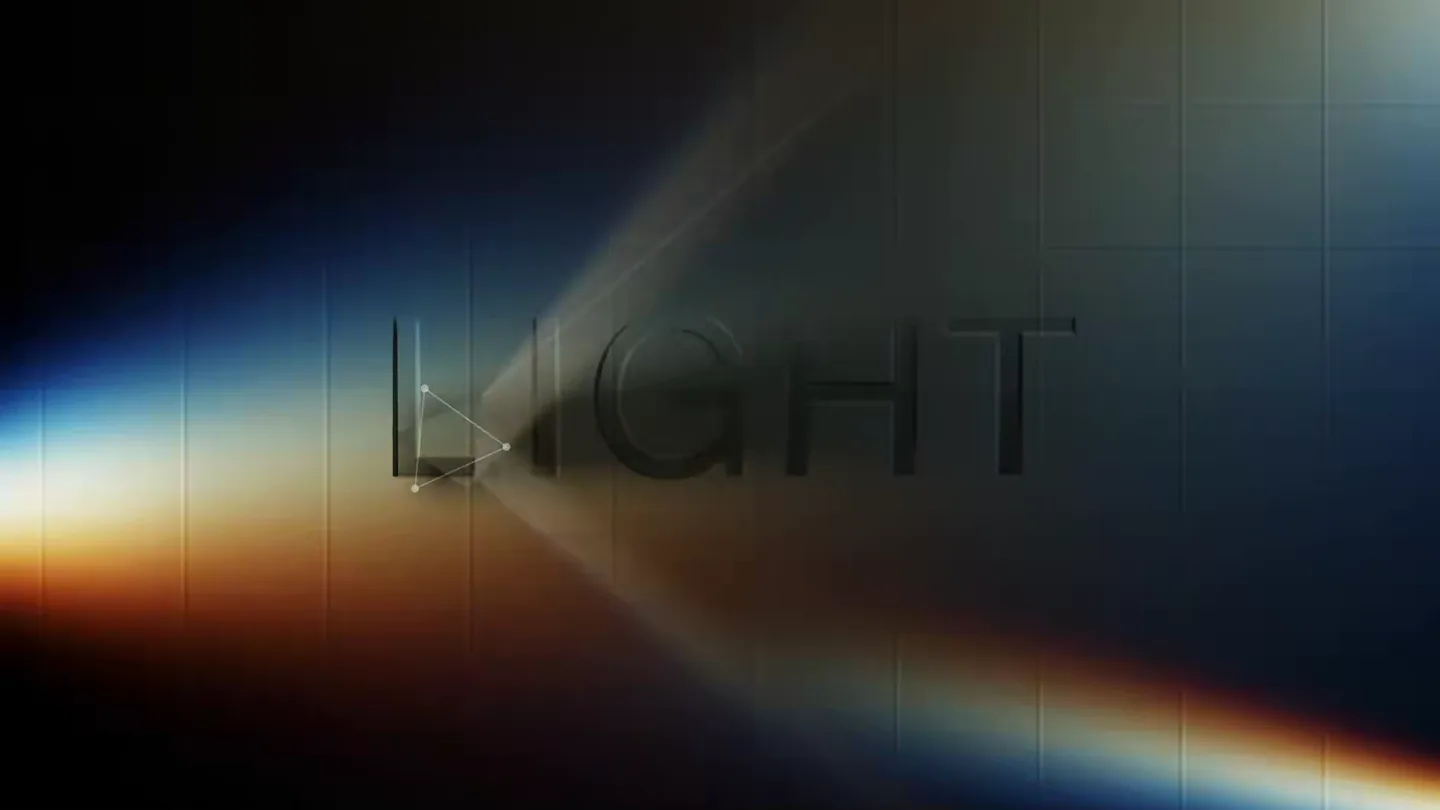
The Word 'LIGHT' Emerges
“(No spoken dialogue — ambient visual with subtle light effects.)”
- On screen
- LIGHT
- Camera
- Static wide shot, maintaining focus on the central light interaction.
- Motion
- Text reveal through light interaction, where rays illuminate and define the embossed letters. Bezier curve manipulation for light paths.
Call to Action
Call to Action: 'TRY IT NOW'
“(No spoken dialogue — ambient visual with subtle light effects.)”
- On screen
- TRY IT NOW
- Camera
- Static wide shot, maintaining focus on the central light interaction.
- Motion
- Sequential text reveal, with 'TRY IT NOW' appearing in a similar embossed style, illuminated by the dynamic light rays.
Feature Teaser
Interactive Light Manipulation
“(No spoken dialogue — ambient visual with subtle light effects.)”
- On screen
- (No on-screen text)
- Camera
- Static wide shot, showcasing user interaction with light sources and refraction points.
- Motion
- Real-time interactive light source and prism manipulation, demonstrating the core functionality of the creative tool. Dynamic light path rendering.
Motion design primitives
Synthesizable in Remotion · key components of the iskra-light-sound-weave template.
LightRayRefraction
Dynamic light rays emanate from a source, refract through virtual prisms or surfaces, and cast colorful, soft-edged beams across the scene.
+ Code construction recipe
Utilize Remotion's Canvas API or SVG filters for complex light path rendering. Implement `interpolate` for smooth color transitions and `spring` for subtle, organic light source movements. Shader effects for chromatic aberration and glow.
EmbossedTextReveal
Text appears to be embossed into the background, revealed and highlighted by the passing and refracting light rays, creating a subtle 3D effect.
+ Code construction recipe
Render text with a subtle `text-shadow` or multiple `box-shadow` layers to simulate depth. Animate `opacity` and `color` based on the proximity and intensity of the `LightRayRefraction` component, using `mask` properties for the reveal.
InteractiveBezierLightPath
User-controlled points on the screen define the origin and direction of light rays, which can be manipulated to bend and split light.
+ Code construction recipe
Implement a custom Remotion component using `useRef` and `useState` to track mouse/touch input for control points. Render SVG `<path>` elements for Bezier curves, dynamically updating their `d` attribute. Apply `filter: url(#chromaticAberration)` for visual fidelity.
Style DNA & aesthetic system
Visual aesthetic
Typography
Motion
Special effects
Pacing & rhythm
Conceptual story rhythm
- 1
Mysterious Illumination
Purpose. To pique curiosity and establish the core visual theme of light manipulation.
Execution. Abstract light rays appear and interact, hinting at underlying mechanics without explicit explanation.
- 2
Product Identity Reveal
Purpose. To clearly state the product's essence and name.
Execution. The word 'LIGHT' emerges, defined by the very light it manipulates, reinforcing the product's core function.
- 3
Empowerment & Invitation
Purpose. To encourage immediate engagement and highlight the interactive nature.
Execution. The call to action 'TRY IT NOW' appears, inviting the viewer to experience the tool firsthand.
- 4
Interactive Demonstration
Purpose. To showcase the product's capabilities and user control.
Execution. Live manipulation of light sources and prisms, demonstrating the creative possibilities of the tool.