
Lightsprint (by Y Combinator) · Launch Video Breakdown: Hook, Pacing & Motion Design
Lightsprint (@lightsprintai) is a collaborative platform that helps teams plan visually, manage cloud agents in parallel, preview changes live and ship product reliably. Congrats on the launch, @be…
Scene-by-scene timeline & spoken transcript
The Hook
The Problem with Traditional Team Collaboration
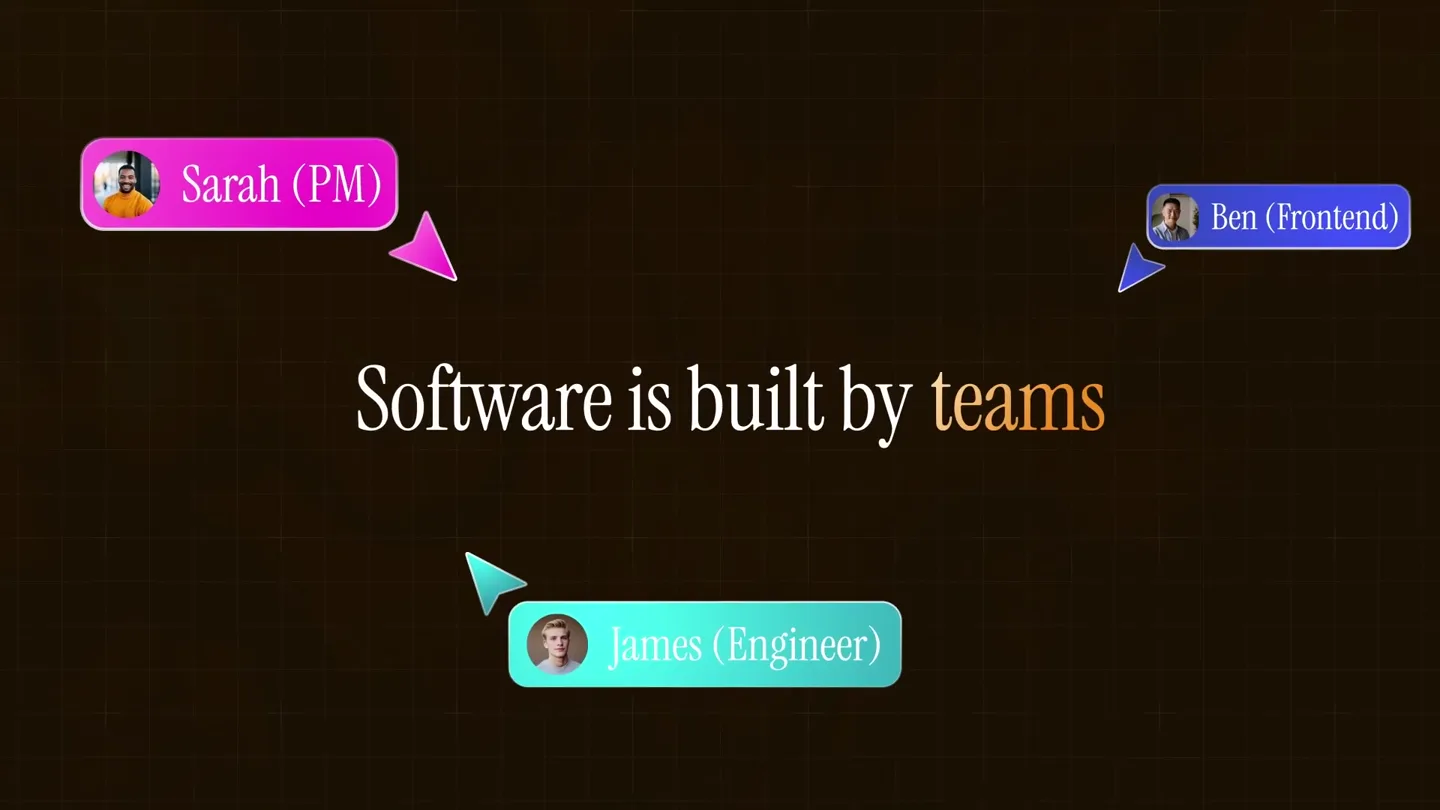
“Software is built by teams. But today, the team is out of sync. Engineers are blocked, product managers are guessing, and designers are frustrated. This is why shipping product reliably is so hard.”
- On screen
- Software is built by teams
- Camera
- Static wide shot, then a subtle zoom out to reveal multiple UI elements representing different team members' screens.
- Motion
- Text reveal with color highlight, followed by a multi-panel UI montage with connecting lines and user avatars.
Product Reveal
Introducing Lightspring: Collaborative Planning
“Lightspring is now collaborative. It helps teams plan visually, manage cloud agents in parallel, preview changes live, and ship product reliably. Let's say you want to add a referral program. We'll guide you through the entire process.”
- On screen
- is now collaborative
- Camera
- Zoom in on a central UI element, then a smooth pan across different sections of the Lightspring application.
- Motion
- Text reveal with color highlight, followed by a clean UI walkthrough with animated cursor interactions and content pop-ins.
Feature Teaser
Visual Planning & Decision Making
“First, we'll help you refine your product decisions. Lightspring helps you explore different approaches and make informed choices. Once you've made your decision, Lightspring automatically generates tasks for your team.”
- On screen
- What would you like to plan?
- Camera
- Close-up on specific UI elements, then a smooth transition to a Kanban-style task board.
- Motion
- Animated cursor interaction, content fading in, and a seamless transition between different UI views, emphasizing task generation.
Feature Teaser
Live Preview & Parallel Development
“You can preview changes live, even before they're implemented. This allows you to test different scenarios and ensure everything works as expected. Lightspring also enables parallel feature development, so multiple teams can work simultaneously.”
- On screen
- Preview
- Camera
- Dynamic camera movements showcasing multiple UI panels simultaneously, with a focus on interactive elements.
- Motion
- Multi-panel UI reveal, animated data visualizations, and interactive element highlights with subtle glow effects.
Call to Action
Ship Reliably with Lightspring
“Finally, Lightspring helps you ship product reliably. It ensures that all changes are integrated smoothly and that your team is always in sync. Supply your team with cloud agents and visit Lightspring.ai to get started.”
- On screen
- hit Merge
- Camera
- Rapid cuts between different UI states, culminating in a full-screen logo reveal.
- Motion
- Quick transitions, animated progress bars, and a final logo animation with a subtle glow and grid background.
Motion design primitives
Synthesizable in Remotion · key components of the lightsprint-inspired-analytics-launch template.
MultiPanelUIReveal
Multiple UI panels representing different team members or tasks animate onto the screen from various directions, often connected by subtle lines or arrows, creating a collaborative network effect.
+ Code construction recipe
Use `AbsoluteFill` for layout, `Sequence` for staggered entry, `interpolate` for `translateX`, `translateY`, and `opacity` with `spring` for a bouncy feel. SVG paths can be used for connecting lines, animated with `strokeDashoffset`.
InteractiveCursorWalkthrough
A stylized cursor animates across the screen, clicking and hovering over UI elements, triggering content reveals, form fills, and navigation changes, simulating user interaction.
+ Code construction recipe
Implement a custom cursor component with `AbsoluteFill` and `interpolate` for `left` and `top` properties. Use `Sequence` to define a path of cursor movements and `spring` for smooth transitions between points. Trigger UI element animations on cursor 'click' events.
DynamicKanbanFlow
Kanban-style task cards dynamically appear, move between columns (Todo, In Progress, Done), and expand to reveal details, often accompanied by user avatars and progress indicators.
+ Code construction recipe
Utilize `AbsoluteFill` for the board layout. Each task card can be a `Sequence` with `interpolate` for `translateX`, `translateY`, and `opacity` to simulate movement and fading. Use `spring` for card transitions and `measureText` for dynamic text sizing.
Style DNA & aesthetic system
Visual aesthetic
Typography
Motion
Special effects
Pacing & rhythm
Conceptual story rhythm
- 1
The Pain Point
Purpose. Establish the common challenges and frustrations faced by software development teams.
Execution. Dark, somewhat chaotic multi-panel UI showing disconnected team members and error messages, emphasizing the 'out of sync' problem.
- 2
The Solution Unveiled
Purpose. Introduce Lightspring as the answer to these problems, highlighting its core benefits.
Execution. Transition to a brighter, organized UI, showcasing collaborative features with smooth animations and clear visual guidance.
- 3
Feature Deep Dive
Purpose. Demonstrate key functionalities of Lightspring through interactive walkthroughs.
Execution. Detailed UI interactions, animated task flows, live previews, and parallel development scenarios, all presented with a clean, guided approach.
- 4
The Promise & CTA
Purpose. Reiterate the ultimate benefit (reliable shipping) and guide users to the next step.
Execution. Rapid, satisfying animations of tasks completing and merging, culminating in a clear brand reveal and call to action.




