Lottielab · Launch Video Breakdown: Hook, Pacing & Motion Design
Burp is Lottielab's AI motion editor — waitlist now open.
Scene-by-scene timeline & spoken transcript
The Hook
AI-Powered Creative Generation
“(No spoken dialogue — The track begins with a sustained, ethereal synth pad and a slow, rhythmic, almost percussive synth pulse.)”
- On screen
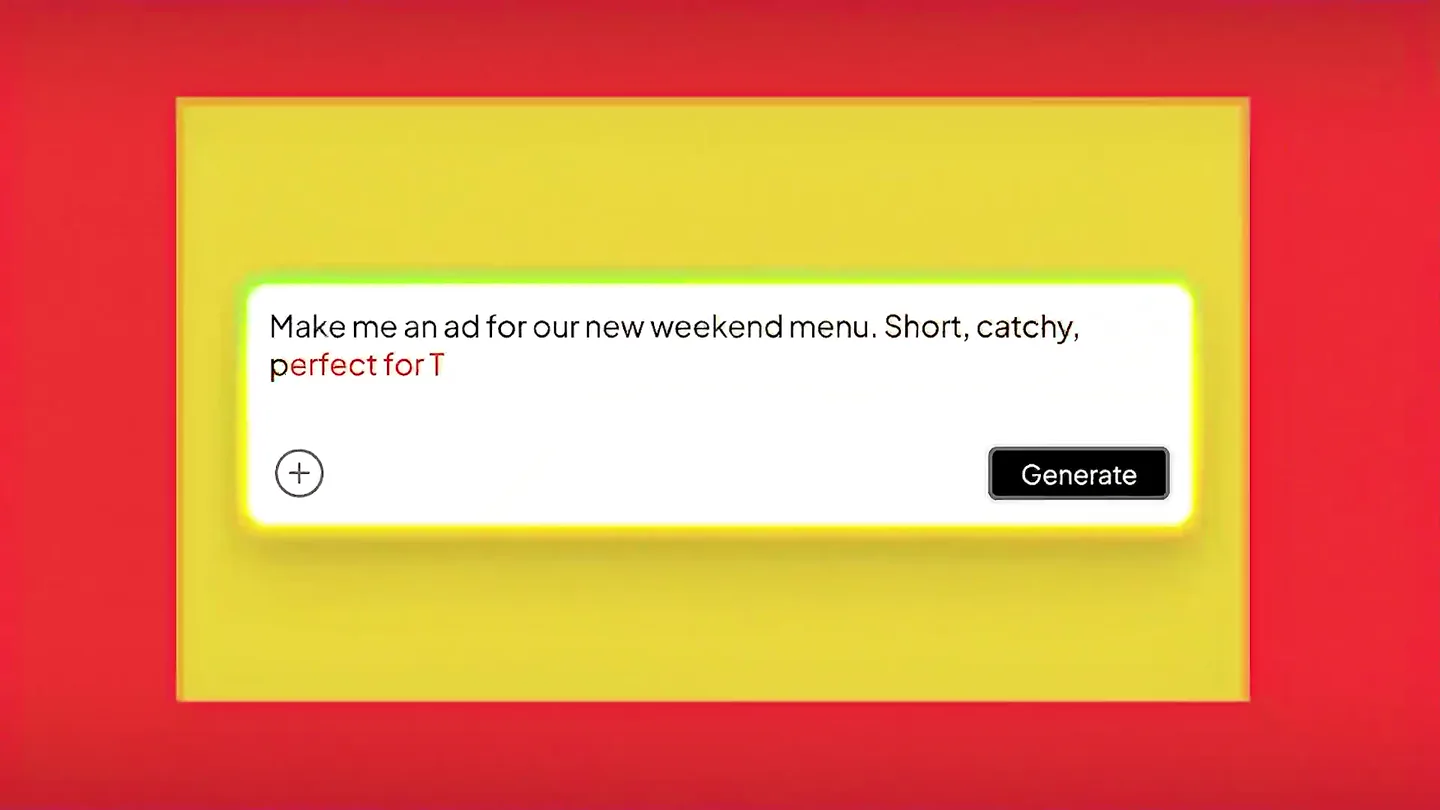
- What do you want to make today? Make me an ad for our new weekend menu. Short, catchy, perfect for Generate Make a social post st Make a social post style ad for my healthtech platform. Make an animated poster with playful icons for a wellness app Banner set for my Shopify store's sneaker launch, bold red theme. Bundle NEW SNEAKERS COLLECTION AIR M ORDER NOW NIKE NIKE NEW SNEAKERS COLLECTION AIR A ok post ad launch with
- Camera
- Close-up on a text input field, then a series of rapid cuts showcasing different UI elements and generated content, often with a slight zoom or pan to emphasize details.
- Motion
- Rapid text typing animation, UI element reveals, content generation simulation, quick cuts, and subtle camera movements create a dynamic, fast-paced introduction.
Product Reveal
Introducing Burp: The AI Motion Editor
“(No spoken dialogue — At 0:11, a high-energy transition begins with a rapid, ascending synth riser, culminating in a powerful sub-bass drop/impact at 0:12. This is followed by a driving, rhythmic synth sequence with a strong percussive element, reminiscent of a drum machine or sequencer. Another sub-bass impact occurs at 0:16.)”
- On screen
- What do you want to make to Import Desi Designing and animating Cooking up our most magical release yet.
- Camera
- Dynamic camera movements, including quick zooms and pans, reveal abstract UI elements and text, building anticipation for the product name.
- Motion
- Abstract shape transitions, text reveals with subtle animation, and a strong rhythmic editing pace synchronized with the audio build-up and drops.
Feature Teaser
Motion Magic Unveiled
“(No spoken dialogue — The intensity builds with layered synth textures and a sense of anticipation.)”
- On screen
- Cooking up our most magical release yet.
- Camera
- Static shot on text, followed by a dynamic reveal of the Lottielab logo, then a series of quick cuts showcasing abstract motion graphics and UI elements.
- Motion
- Text fade-in, logo reveal with expanding and contracting elements, and abstract colorful shape animations that hint at motion design capabilities.
Call to Action
Waitlist Now Open
“(No spoken dialogue — At 0:26, a distinct, high-pitched electronic sweep or 'whoosh' sound is introduced, followed by a series of rapid, almost glitch-like electronic stabs and a final, resonant electronic 'thump' at 0:29.)”
- On screen
- burp.app ma ything mo burp.app make anything move
- Camera
- Zoom out to reveal the full Lottielab logo, followed by a static shot of the product name and tagline.
- Motion
- Logo animation with a 'burst' effect, text reveal with a subtle fade and scale, and a clean, direct presentation of the call to action.
Motion design primitives
Synthesizable in Remotion · key components of the ai-code-generator-launch template.
AITextTypewriter
Simulates AI text generation with a typing cursor and dynamic text input, often accompanied by a subtle glow or color shift on the input field.
+ Code construction recipe
Use `Sequence` and `spring` for character-by-character reveal. Implement a blinking cursor with `interpolate` and `opacity`. Apply a `linear-gradient` for the input field's rainbow border, animating its `background-position` or `hue-rotate` filter.
RainbowGradientReveal
Geometric shapes or UI elements are revealed or highlighted with a vibrant, animated rainbow gradient border or fill, often expanding or contracting.
+ Code construction recipe
Utilize SVG `linearGradient` or `radialGradient` definitions with multiple color stops. Animate `offset` properties of the color stops or apply `filter: hue-rotate()` to a pre-defined gradient. Combine with `scale` and `opacity` animations for reveal effects.
RhythmicImpactTransition
Fast, percussive visual cuts and abstract shape animations synchronized precisely with audio beats and sub-bass impacts, creating a sense of energy and anticipation.
+ Code construction recipe
Map `AbsoluteFill` or `Rect` components to audio transients. Animate `scale`, `opacity`, and `transform` properties using `spring` with high stiffness and low damping, or `interpolate` with `easeOutCubic` for sharp, impactful transitions. Use `blur` and `brightness` filters for visual 'thumps'.
Style DNA & aesthetic system
Visual aesthetic
Typography
Motion
Special effects
Pacing & rhythm
Conceptual story rhythm
- 1
The AI Prompt
Purpose. Introduce the core AI interaction and demonstrate its versatility across various creative tasks.
Execution. Rapid-fire sequence of text prompts being typed into an AI interface, showcasing diverse use cases with quick UI changes and content generation previews.
- 2
The Build-Up
Purpose. Create anticipation and excitement for a significant product reveal or feature.
Execution. Abstract, colorful motion graphics and text snippets hinting at 'magic' and 'release', building in intensity with synchronized audio risers and impacts.
- 3
The Reveal
Purpose. Unveil the product name and its core value proposition.
Execution. A dramatic, impactful reveal of the 'Burp' name and the Lottielab logo, often with a 'burst' or expanding animation, followed by a tagline.
- 4
The Call to Action
Purpose. Direct viewers to the next step, such as joining a waitlist.
Execution. Clear display of the product website and a concise call to action, presented cleanly with subtle, reinforcing animations.