Lovable · Launch Video Breakdown: Hook, Pacing & Motion Design
Introducing a smarter Lovable that is 71% better at solving complex tasks. Lovable can now do more work, more autonomously—using deeper planning, browser testing, and prompt queuing. Below is how i…
Scene-by-scene timeline & spoken transcript
The Hook
Conversational Intro & Product Tease
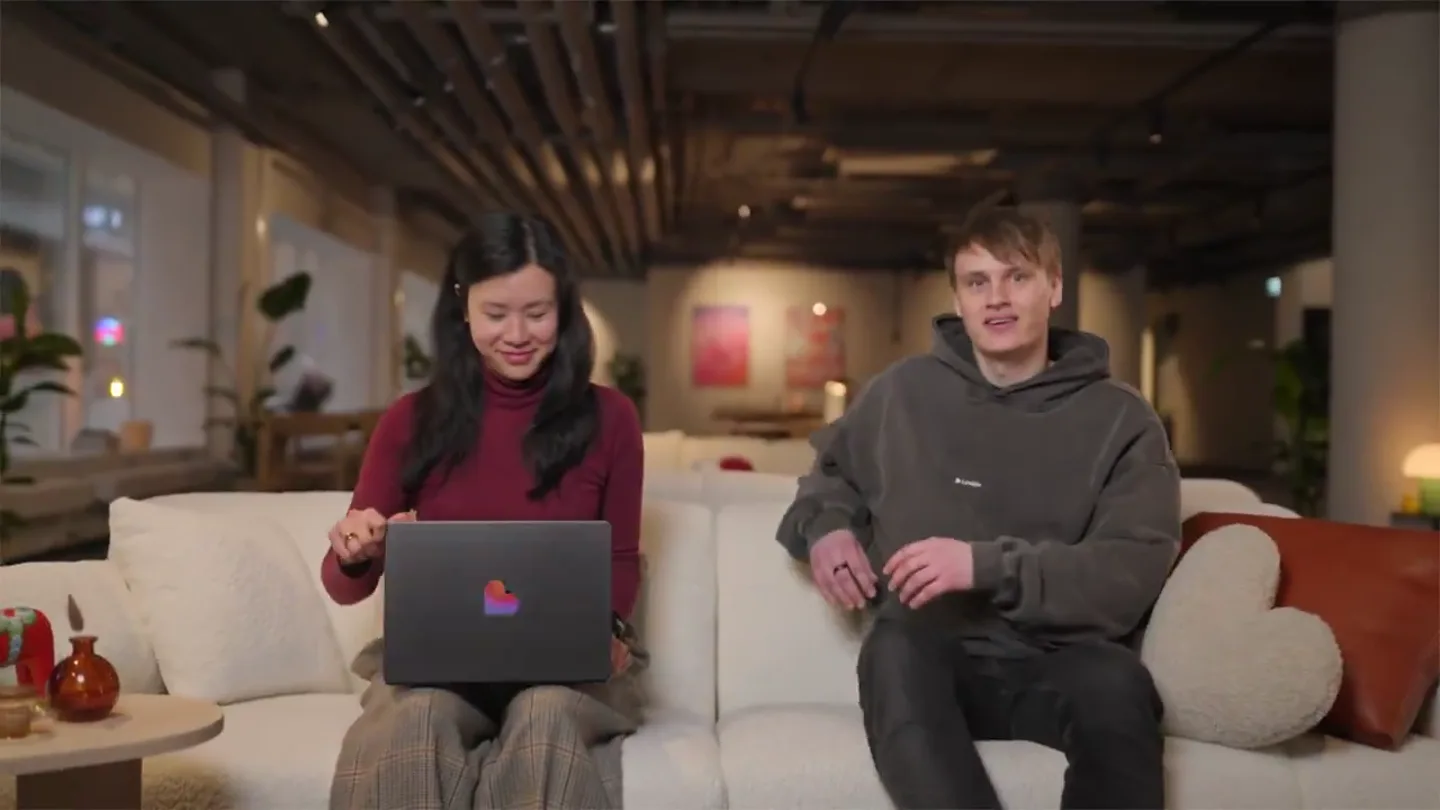
“Hey Fabian. Hey Caroline. So what are we building today? I was thinking we could build an app that helps me learn Swedish.”
- On screen
- (No on-screen text)
- Camera
- Wide shot of two presenters on a couch, then a slight zoom into Caroline as she speaks. A subtle blue gradient overlay appears and fades.
- Motion
- Subtle camera zoom, gradient overlay, and a split-screen reveal of a UI element.
Product Reveal
AI Prompt & Dynamic UI Generation
“Okay, that's a great idea. Let's do it. So I'm just going to type in 'Create an app that helps me learn Swedish'.”
- On screen
- Crea... Plan, Create an app that helps me learn Swedish, Lovable, Excellent choices! A vocabulary-focused app with flashcards, quizzes, and simple progress tracking is a great combination for learning Swedish. Here's a detailed plan: Thinking for 4s >, Questions, What is your current level of Swedish?, Complete beginner, What learning methods appeal to you most?, Grammar lessons, Conversation practice, Flashcards, Back, Submit, Ask Lovable... Plan
- Camera
- Split-screen with Caroline on the left and a dynamic UI on the right. The UI expands and scrolls.
- Motion
- Split-screen composition, dynamic text typing animation, UI element expansion, and smooth scrolling.
Feature Teaser
Autonomous Browser Testing & Feature Integration
“Okay, so it's building the app. It's testing it in the browser. Oh, wait, that shouldn't happen. Let me fix that. Okay, so now it's fixed. So what else should we add? I was thinking we could add Google login, AI voice chat, and also make a video for the background.”
- On screen
- Queue, Add Google Login, Queue, Make a video for the background, Add AI for voicechat, Add Google Login, Connecting Elevenlabs, Adding Google Auth, Published
- Camera
- Alternating split-screen views between Caroline and Fabian, each paired with a dynamic UI queue. The UI elements update in real-time.
- Motion
- Split-screen, real-time UI updates, text animation for queue items, and a 'Published' overlay.
Call to Action
Brand Slogan & Logo Reveal
“(No spoken dialogue — High-energy audio transition with a sub-bass drop)”
- On screen
- Build more. Manage less., Lovable
- Camera
- Full-screen animated gradient background with text appearing centrally.
- Motion
- Gradient background animation, text fade-in, and logo reveal with a subtle glow.
Motion design primitives
Synthesizable in Remotion · key components of the founder-tech-split-reveal template.
SplitScreenUIReveal
A vertical split-screen effect where one side features live-action footage and the other side reveals a dynamic product UI, often with text typing or element expansion animations.
+ Code construction recipe
Use Remotion's <AbsoluteFill> for the main layout. Implement two child components: one for the video feed (e.g., <Video src={...} />) and another for the UI (e.g., <Sequence from={...} duration={...}>). Use CSS `width: 50%` and `position: absolute` for the split. Animate UI elements using `spring()` for bounce and `interpolate()` for typing effects.DynamicTextQueue
A list of tasks or features appears in a queue-like UI, with new items animating in and status updates (e.g., 'Connecting...', 'Adding...') appearing below them.
+ Code construction recipe
Create a component that maps over an array of queue items. Each item should have a `delay` prop. Animate the `opacity` and `transform` (e.g., `translateY`) of each item using `spring()` or `interpolate()` with `delay` for staggered entry. Use a `Sequence` for each item to control its individual timing.
GradientBrandReveal
A full-screen, vibrant gradient background animates subtly, serving as a backdrop for a bold slogan and subsequent logo reveal.
+ Code construction recipe
Utilize a <LinearGradient> or <RadialGradient> component from a UI library or custom SVG. Animate the `x1`, `y1`, `x2`, `y2` properties or color stops of the gradient using `interpolate()` for a smooth, evolving background. Text and logo elements should `fade-in` and `scale` using `spring()` for impact.
Style DNA & aesthetic system
Visual aesthetic
Typography
Motion
Special effects
Pacing & rhythm
Conceptual story rhythm
- 1
The Conversational Setup
Purpose. Introduces the founders and the product's core capability through a natural dialogue, setting a relatable context.
Execution. Live-action footage of founders on a couch, engaging in a casual conversation, with a subtle brand overlay.
- 2
Problem-Solving Demonstration
Purpose. Showcases the product's ability to autonomously generate and refine solutions based on user prompts.
Execution. Split-screen view: founder interacting with a laptop on one side, dynamic UI showing prompt input and AI-generated responses on the other.
- 3
Feature Expansion & Iteration
Purpose. Highlights the product's flexibility and advanced features (e.g., browser testing, AI integration, queueing) through rapid iteration.
Execution. Alternating split-screens with founders reacting to real-time UI updates, demonstrating feature additions and bug fixes.
- 4
Brand Consolidation
Purpose. Reinforces the product's value proposition and brand identity with a concise slogan and logo reveal.
Execution. Full-screen animated gradient background with a bold, impactful slogan and the Lovable logo appearing centrally.