Motion · Launch Video Breakdown: Hook, Pacing & Motion Design
The Motion MCP for ChatGPT lets you connect Motion, give it assets, and describe what you want. ChatGPT handles ideas, animation, and export.
Scene-by-scene timeline & spoken transcript
The Hook
ChatGPT Creates Motion Design
“(No spoken dialogue — Sparse, arpeggiated synth melody over a sustained pad, creating an ambient and slightly mysterious atmosphere.)”
- On screen
- ChatGPT can now create Motion design Powered by Motion
- Camera
- Static, centered view on text and logos.
- Motion
- Text reveal with a subtle fade-in and scale-up, followed by a logo reveal. Clean, minimalist typography animation.
Product Reveal
Prompting Motion Design in ChatGPT
“(No spoken dialogue — Ambient synth melody continues, building subtle tension.)”
- On screen
- What's on the agenda today? Motion Create a | Create a motion design video. Ask ChatGPT ChatGPT can make mistakes. Check important info. Using Motion Creating motion design... Adding sound... Rendering your video...
- Camera
- Static, zoomed-in perspective on the ChatGPT interface, focusing on the input bar and progress updates.
- Motion
- Typing animation, progress bar fill, and text pop-ups simulating real-time AI interaction. Cursor animation guides the eye.
Feature Teaser
AI-Generated Dating App Video
“(No spoken dialogue — Ambient synth melody continues, leading into a high-energy audio transition with a riser at 00:15.)”
- On screen
- Your motion design v1 Preview Ditto iMessage Encrypted Hey Ditto, I'm ready to go on a date. Can you set me up? Yo Yo it's Ditto, a dating initiative built by college students who get it We skip the swiping and set you up on actual dates every Wednesday Drop a few details about you + your type so I can set you up with a better date Application Complete your application Change that.
- Camera
- Close-up on a smartphone screen, simulating a user interacting with a dating app. Slight camera shake/zoom on key elements.
- Motion
- Scrolling text animation, image reveals, and a 'heart' pixel animation. The phone UI is presented as the generated 'motion design'.
Feature Teaser
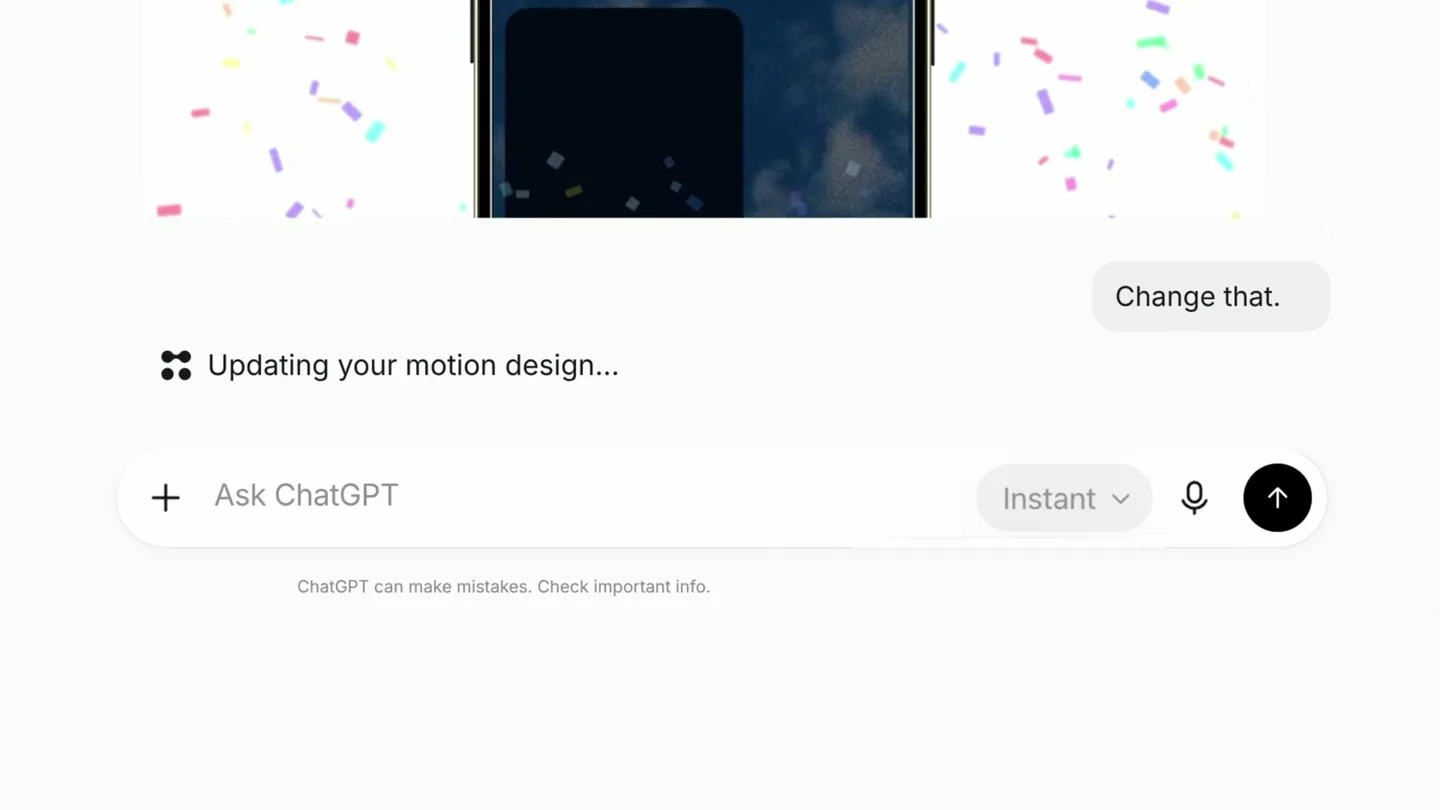
Iterative AI Refinement
“(No spoken dialogue — High-energy audio transition with a riser leads into a driving tech house beat with a sub-bass drop/impact at 00:16.)”
- On screen
- Updating your motion design... Ask ChatGPT ChatGPT can make mistakes. Check important info. Your motion design v2 Updated Date alright, react to a few people so I learn your type !! is this your type ? What are too much party too basic physical mismatch the photo itself Other
- Camera
- Continues close-up on the smartphone screen, showing the updated motion design. Slight camera pan to follow content.
- Motion
- Confetti burst animation, progress bar, and new content reveal within the phone UI. Interactive elements like multiple-choice options are highlighted.
Call to Action
Motion.so Call to Action
“(No spoken dialogue — Driving tech house beat continues with consistent energy.)”
- On screen
- motion.so
- Camera
- Static, centered view on the Motion logo and website URL.
- Motion
- Logo reveal with a subtle bounce/spring animation, followed by a clean text reveal for the website URL. Minimalist and direct.
Motion design primitives
Synthesizable in Remotion · key components of the ai-ui-workflow-showcase template.
TypingProgressReveal
Simulates real-time text input with a blinking cursor, followed by a progress bar animation and subsequent text output. This creates a sense of AI processing.
+ Code construction recipe
Use `Sequence` and `AbsoluteFill` for layout. Implement typing with `spring` or `interpolate` on `opacity` and `width` for the cursor. Progress bar uses `interpolate` on `width` for filling. Text reveals use `spring` for `opacity` and `translateY`.
PhoneUIContentStack
Displays dynamic content (text messages, images, interactive elements) within a smartphone frame, simulating a scrolling or updating user interface.
+ Code construction recipe
Utilize `AbsoluteFill` for the phone frame. Content elements (text bubbles, images) can be rendered as `Sequence` children, using `spring` for `translateY` and `opacity` to simulate new content appearing or scrolling into view. `MeasureText` can help with dynamic text sizing.
LogoTextSpringReveal
A clean, impactful reveal of a logo and accompanying text, often with a subtle bounce or spring effect to add a touch of dynamism.
+ Code construction recipe
Wrap logo and text in `AbsoluteFill`. Apply `spring` to `scale` and `opacity` for the logo, and `translateY` and `opacity` for the text. Ensure `durationInFrames` and `fps` are set for precise timing.
Style DNA & aesthetic system
Visual aesthetic
Typography
Motion
Special effects
Pacing & rhythm
Conceptual story rhythm
- 1
The AI Promise
Purpose. Immediately establishes the core value proposition: AI-powered motion design.
Execution. Bold text reveal 'ChatGPT can now create Motion design' with the OpenAI logo.
- 2
Seamless Integration
Purpose. Demonstrates how the product integrates into an existing, familiar workflow (ChatGPT).
Execution. Screen recording of typing a prompt in ChatGPT, showing 'Creating motion design...' progress.
- 3
Real-World Application & Iteration
Purpose. Showcases a practical example of the AI's output and its ability to refine designs based on feedback.
Execution. A generated dating app video within a phone frame, followed by a 'Change that' prompt and an updated video.
- 4
Call to Action
Purpose. Directs viewers to the product's website.
Execution. Clean reveal of the Motion logo and 'motion.so' website URL.