
Progress Check (by ty) · Launch Video Breakdown: Hook, Pacing & Motion Design
progress-check is a tiny skill that gives agents an animated progress bar during long-running tasks, so work is no longer a black box.
Scene-by-scene timeline & spoken transcript
The Hook
Real-time Progress Visualization
“(No spoken dialogue — Ambient visual with subtle, rhythmic progress bar updates.)”
- On screen
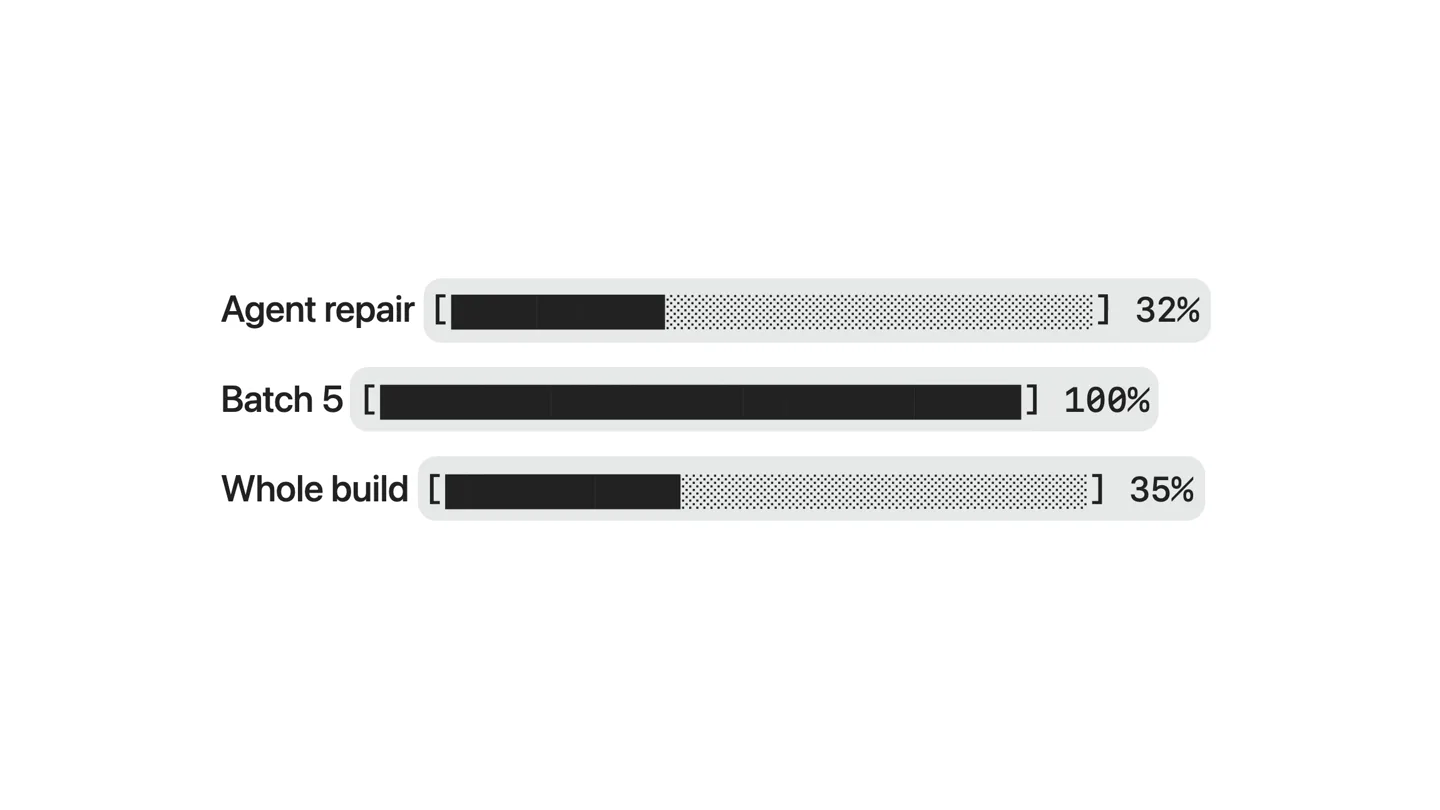
- Agent repair [ ] 7% Batch 5 [ ] 21% Whole build [ ] 30%
- Camera
- Static, centered view on the progress bars.
- Motion
- Smooth, continuous interpolation of progress bar fill and percentage text updates.
Problem Agitation
Dynamic Task Progression
“(No spoken dialogue — Silent video, focusing on the visual representation of ongoing tasks.)”
- On screen
- Agent repair [ ] 38% Batch 6 [ ] 23% Whole build [ ] 35%
- Camera
- Static, centered view, maintaining focus on the evolving progress bars.
- Motion
- Interpolated width changes for progress bars, with synchronized numerical percentage updates. Subtle, quick cuts between different states.
Product Reveal
Clarity in Complex Workflows
“(No spoken dialogue — Visuals convey the product's core benefit of transparency.)”
- On screen
- Agent repair [ ] 59% Batch 6 [ ] 80% Whole build [ ] 36%
- Camera
- Static, centered, allowing the animated elements to command attention.
- Motion
- Linear interpolation for progress bar filling, creating a sense of steady, predictable advancement. Text updates are immediate and precise.
Feature Teaser
Task Completion and Overview
“(No spoken dialogue — The visual narrative concludes with tasks reaching completion.)”
- On screen
- Agent repair [ ] 86% Batch 7 [ ] 64% Whole build [ ] 40%
- Camera
- Static, centered, emphasizing the final states of the progress bars.
- Motion
- Smooth, accelerating interpolation as progress bars approach 100%, providing a satisfying visual cue of completion. Final state holds briefly.
Motion design primitives
Synthesizable in Remotion · key components of the real-time-progress-dashboard template.
AnimatedProgressBar
A horizontal bar that fills from left to right, representing task completion, accompanied by a percentage value that updates numerically.
+ Code construction recipe
Use `interpolate` for the `width` property of a `div` element, mapping `frame` to a percentage value. The percentage text can be rendered using `interpolate` on a number, formatted as a string.
DynamicTextUpdate
Numerical text values (percentages) that change in sync with the visual progress bar, providing precise feedback.
+ Code construction recipe
Employ `interpolate` for the numerical value, ensuring it updates smoothly alongside the progress bar's width. Use `toFixed(0)` for whole numbers.
ProgressGridPattern
The unfilled portion of the progress bar features a subtle, dotted grid pattern, indicating an area yet to be completed.
+ Code construction recipe
Implement a background image or SVG pattern for the unfilled section of the progress bar. This can be a simple repeating dot or grid pattern, applied via CSS `background-image`.
Style DNA & aesthetic system
Visual aesthetic
Typography
Motion
Special effects
Pacing & rhythm
Conceptual story rhythm
- 1
Initial State
Purpose. Introduce the concept of multiple, simultaneous long-running tasks.
Execution. Display three progress bars at varying, low completion percentages.
- 2
Dynamic Progression
Purpose. Demonstrate the real-time, independent progress of each task.
Execution. Animate the progress bars filling at different rates, with corresponding percentage updates.
- 3
Task Completion
Purpose. Showcase the satisfaction of tasks reaching 100% completion.
Execution. One or more progress bars smoothly reach full capacity, with the percentage hitting 100%.
- 4
Ongoing Work
Purpose. Reinforce that some tasks may still be in progress, providing a continuous overview.
Execution. While some tasks complete, others continue to progress, illustrating the ongoing nature of work.




