
QVAC · Launch Video Breakdown: Hook, Pacing & Motion Design
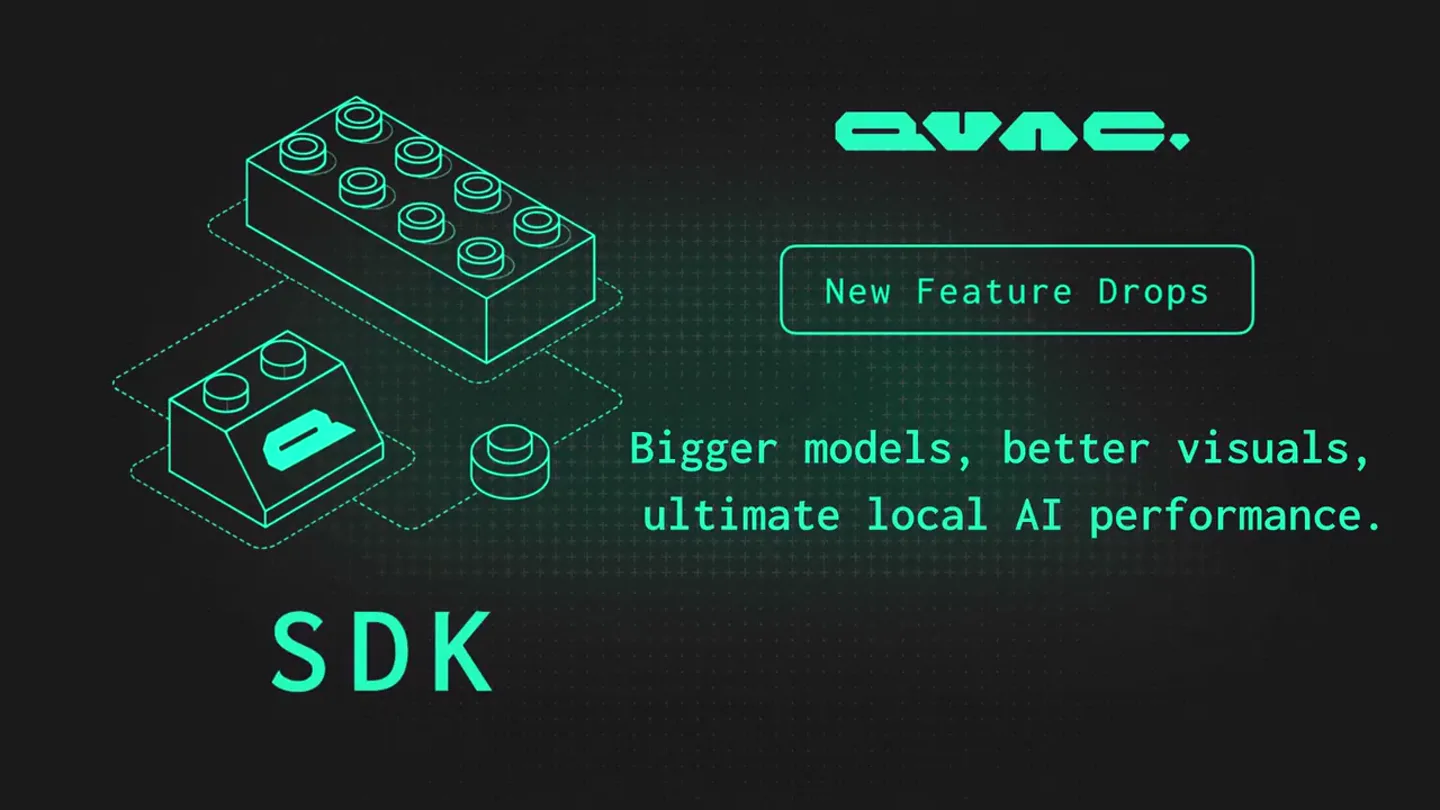
QVAC SDK 0.11.0 is live. This release focuses entirely on unlocking next-generation local compute and advanced visual workflows. What’s new: Next-Gen Models: Core engine updated to the latest versi…
Scene-by-scene timeline & spoken transcript
The Hook
Introducing QVAC SDK: Next-Gen Local Compute
“QVAC SDK 0.11.0 is live. This release focuses entirely on unlocking next-generation local compute and advanced visual workflows.”
- On screen
- QVAC. New Feature Drops Bigger SDK
- Camera
- Static, wide shot of a laptop screen with a dark background and green grid overlay.
- Motion
- Isometric line art animation of building blocks, then a quick wipe transition to a full laptop screen view.
Feature Teaser
Next-Gen Model Support & Multi-GPU
“What’s new: Core engine updated to the latest version of Fabric, the SDK supports next-generation AI models, including Qwen 3.5, Qwen 3.6, and Gemma 4. The SDK splits processing workloads across multiple GPUs, allowing to run significantly larger models completely locally.”
- On screen
- QVAC. SDK Powered by the latest version of Fabric, the SDK supports next generation of AI models, New Feature Next-Gen Model Support Qwen 3.5, Qwen 3.6, and Gemma 4 Local AI that scales The SDK splits processing workloads across multiple GPU's Multi GPU Support Allowing to run significantly larger models completely locally.
- Camera
- Static, wide shot of a laptop screen, with text appearing on the left side.
- Motion
- Text reveals with a subtle fade-in and slide-up animation. The laptop screen content dynamically updates with code and terminal outputs.
Feature Teaser
Advanced Visual Workflows: Multi-Image & Upscaler
“Multi-image conditioning, allowing to blend multiple reference images in a single generation. New image upscaler boosts the resolution to high-quality formats running on-device.”
- On screen
- QVAC. SDK Multi-image conditioning, allowing to blend multiple reference images in a single generation. New Feature Visual Workflows Upgrades New Image Upscaler boosts the resolution to high-quality formats running on-device.
- Camera
- Static, wide shot of a laptop screen, with text appearing on the left side.
- Motion
- Text reveals with a subtle fade-in and slide-up animation. The laptop screen content dynamically updates with image generation and upscaling demonstrations.
Call to Action
QVAC SDK: Learn More
“(No spoken dialogue — The music continues with its consistent, driving electronic beat and atmospheric synth pads, maintaining a professional and modern tone.)”
- On screen
- QVAC. qvac.tether.io
- Camera
- Zoom out to a full screen view of the QVAC logo and website URL.
- Motion
- Simple fade-in of the logo and URL, holding for the remainder of the video.
Motion design primitives
Synthesizable in Remotion · key components of the developer-sdk-launch-template template.
TerminalCodeReveal
Simulates a live coding or terminal output, with text appearing character by character or line by line, often accompanied by progress bars or dynamic data updates.
+ Code construction recipe
Use Remotion's `Sequence` and `AbsoluteFill` components. Animate text content using `interpolate` for character-by-character reveal or `spring` for line-by-line appearance. Implement dynamic data (progress bars, metrics) with `interpolate` based on time. Use a monospace font and a dark background with green text for authenticity.
FeatureTextSlideIn
Key feature descriptions slide in from the bottom or side, often with a slight fade, to highlight new capabilities alongside visual demonstrations.
+ Code construction recipe
Utilize Remotion's `spring` or `interpolate` for `translateY` and `opacity` properties. Wrap text in a `div` and animate its style. Ensure a smooth, non-linear easing curve for a polished feel. Coordinate with `Sequence` to time text reveals with spoken dialogue.
IsometricLineArtBuild
Geometric, wireframe-style objects (like building blocks) are drawn or assembled on screen with glowing lines, conveying a sense of construction or modularity.
+ Code construction recipe
Render SVG paths or `Canvas` elements for the isometric shapes. Animate `stroke-dashoffset` for drawing effects or `opacity` and `transform` for assembly. Apply a `filter: drop-shadow()` for the glowing effect. Use `interpolate` with `easeOutCubic` for smooth drawing animations.
Style DNA & aesthetic system
Visual aesthetic
Typography
Motion
Special effects
Pacing & rhythm
Conceptual story rhythm
- 1
The Technical Introduction
Purpose. Immediately establishes the product (SDK) and its core focus on next-gen local compute and visual workflows.
Execution. Isometric line art of building blocks transitioning to a laptop screen displaying the QVAC logo and initial feature text.
- 2
Deep Dive into Core Engine
Purpose. Explains the foundational updates to the SDK's engine and its support for advanced AI models.
Execution. On-screen text detailing 'Next-Gen Model Support' alongside dynamic terminal output showing model loading and processing.
- 3
Unlocking Local Power
Purpose. Highlights the SDK's ability to leverage multi-GPU setups for larger, local model execution.
Execution. Terminal output demonstrating multi-GPU workload splitting and resource utilization, with accompanying text 'Multi GPU Support'.
- 4
Advanced Visual Capabilities
Purpose. Showcases the SDK's new features for image processing, conditioning, and upscaling.
Execution. Laptop screen displaying image generation and upscaling processes, with before-and-after visual comparisons and 'Visual Workflows Upgrades' text.




