
Raspire Mobile App Security (by Y Combinator) · Launch Video Breakdown: Hook, Pacing & Motion Design
RASPIRE (@raspire_) is building app security at AI speed. Protects Android/iOS apps from fraud, reverse engineering, and API abuse with zero code changes.
Scene-by-scene timeline & spoken transcript
The Hook
The Problem with App Security
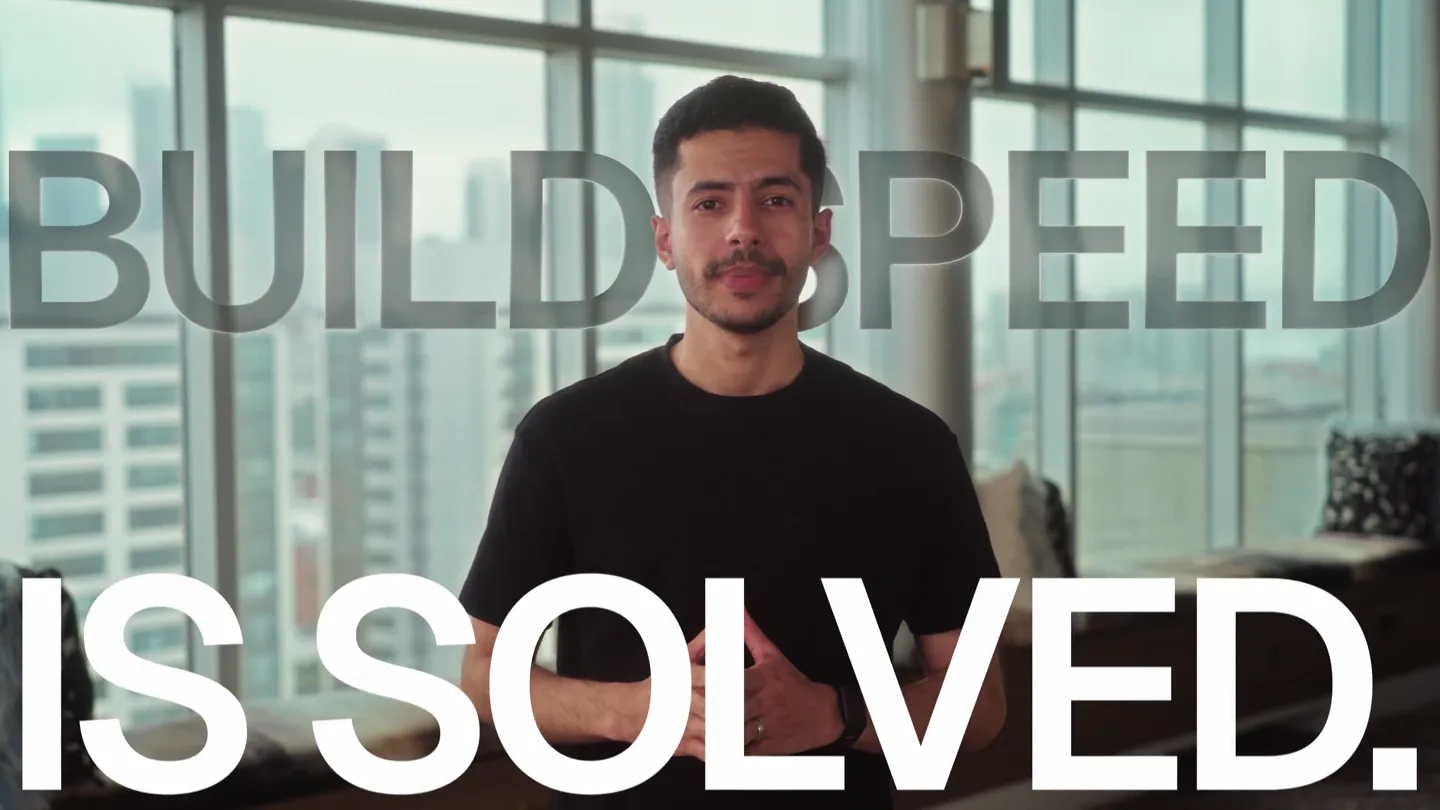
“Building speed is solved. But building secure takes weeks.”
- On screen
- BUILD SPEED IS SOLVED. TAKES WEEKS
- Camera
- Medium shot of presenter, static. Text overlays animate around him.
- Motion
- Kinetic typography with large, semi-transparent text elements sliding and scaling, creating a sense of urgency and contrast.
Product Reveal
Introducing RASPIRE: AI-Speed Security
“RASPIRE is building app security at AI speed. Protects Android/iOS apps from fraud, reverse engineering, and API abuse with zero code changes.”
- On screen
- RASPIRE CI Build APP-RELEASE DONE RASPIRE Shield 12 DEFENSES APPLIED DONE Upload to Store GOOGLE PLAY APPSTORE DONE ONE-CLICK - ZERO SDK LIVE App-release.apk 38 MB 56% App-release.ipa 58 MB 2% Anti-Fraud Anti- 1254 No delays changes
- Camera
- Medium shot of presenter, static. Digital UI elements appear and animate over his shoulders.
- Motion
- Clean UI animations with progress bars, checkmarks, and icon-based feature highlights. Text elements slide in with a subtle glow effect.
Feature Teaser
Real-time Visibility and Compliance
“We give you real-time visibility into all the threats that your app is facing. And we make sure that you are compliant with all the regulations.”
- On screen
- Demo Bank Overview Dashboard All Apps Search Last 7 days May 21 - May 28, 2026 TOTAL APPS ATTACKS BLOCKED COMPROMISED DEVICES RISK LEVEL DISTRIBUTION 2 / 2 215 38 High 126 58.6% apps protected -47.5% vs last week -24.3% vs last week Medium 67 31.2% Top threats Most detected security threats across your applications All risks OS distribution Operating systems across protected devices Threat type Risk level Volume % Hooking Detec Tampering Detec Reverse Engineering Det Debugger Detec Proxy Detect Android 110 51.2% 105 48.8% COMPROMISED DEVICES 38 -24.3% vs last week All in one platform PCI DSS COMPLIANT PSD3 PSR HIPAA COMPLIANT GDPR COMPLIANT Your balance $22,578.66 VISA Cards Add Send Transactions S Stripe -$127 Today, 16:40 Transfer P PayPal -$794 Yesterday, 12:10 Income -$1,816 Transfer Top threats Most detected security threats across your applications All risks Threat type Risk level Volume % Hooking Detection High 33 15.3% Tampering Detection High 28 13% Reverse Engineering Detection High 28 13% Debugger Detection High 25 11.6% Proxy Detection Medium 20 9.3%
- Camera
- Close-up on UI dashboard, then medium shot of presenter with compliance badges, then close-up on mobile app UI, then close-up on dashboard table.
- Motion
- Data visualization animations with line graphs, pie charts, and dynamic tables. UI elements slide in and highlight key metrics. Compliance badges appear with a subtle checkmark animation.
Call to Action
Meet the Team & Visit RASPIRE
“(No spoken dialogue — Energetic electronic music with a final sub-bass impact and synth flourish.)”
- On screen
- RASPIRE raspire.com
- Camera
- Medium shot of two presenters, then a fade to black with website URL.
- Motion
- Product logo appears with a glowing effect, followed by a simple fade to a dark background with the website URL appearing with a subtle underline animation.
Motion design primitives
Synthesizable in Remotion · key components of the founder-tech-launch-template template.
KineticTextOverlay
Large, semi-transparent text elements animate by sliding, scaling, and fading over live-action footage, creating a dynamic and impactful visual statement.
+ Code construction recipe
Use `AbsoluteFill` for text layers. Animate `transform: translateX`, `transform: scale`, and `opacity` using `interpolate` with `spring` or `easeOutCubic` for smooth, impactful transitions. Apply `blur` or `dropShadow` CSS filters for depth.
FloatingUIDisplay
Clean, rounded-rectangle UI elements with progress bars, icons, and text appear and animate over the presenter, showcasing product features and processes.
+ Code construction recipe
Render UI components as `AbsoluteFill` children. Animate `transform: translateY`, `opacity`, and `scale` using `spring` for a bouncy, modern feel. Utilize `linear-gradient` for background fills and `box-shadow` for depth. SVG icons can be animated with `stroke-dasharray` and `stroke-dashoffset`.
DataVizHighlight
Dashboard elements like line graphs, pie charts, and tables animate to highlight key data points and metrics, providing real-time insights.
+ Code construction recipe
Implement data visualizations using SVG or Canvas. Animate `stroke-dasharray` for line graphs, `arc` paths for pie charts, and `opacity` and `background-color` for table row highlights. Use `interpolate` with `easeOutQuad` for smooth data transitions.
Style DNA & aesthetic system
Visual aesthetic
Typography
Motion
Special effects
Pacing & rhythm
Conceptual story rhythm
- 1
The Pain Point
Purpose. Immediately establish the core problem the product solves, creating relatability and urgency.
Execution. Founder directly addresses the camera, large kinetic typography highlights the problem statement over his shoulders.
- 2
The Solution Unveiled
Purpose. Introduce the product as the answer to the problem, showcasing its core functionality and ease of use.
Execution. Founder explains, while sleek UI elements and process flows animate around him, demonstrating zero-code integration and quick results.
- 3
Deep Dive & Trust Building
Purpose. Elaborate on key features, benefits, and build credibility through data and compliance.
Execution. Detailed dashboard views with animated data visualizations, mobile app UI demonstrations, and compliance badges appearing alongside the founder.
- 4
The Call to Action
Purpose. Encourage viewers to learn more or engage with the product.
Execution. Founders appear together, product logo glows, followed by a clear website URL on a dark background.




