
Shipper · Launch Video Breakdown: Hook, Pacing & Motion Design
BREAKING: Vibe Coding 2.0 is here 🚨 From today on, Claude Opus 4.6 in Shipper can build and run a full business by itself, without any human contact. We just launched Shipper as a tool for Claude to: → Build web/mobile apps and Chrome extensions → Code, design, monetize, https://t.co/RlM2DplitI
Scene-by-scene timeline & spoken transcript
The Hook
Vibe Coding 2.0 Introduction
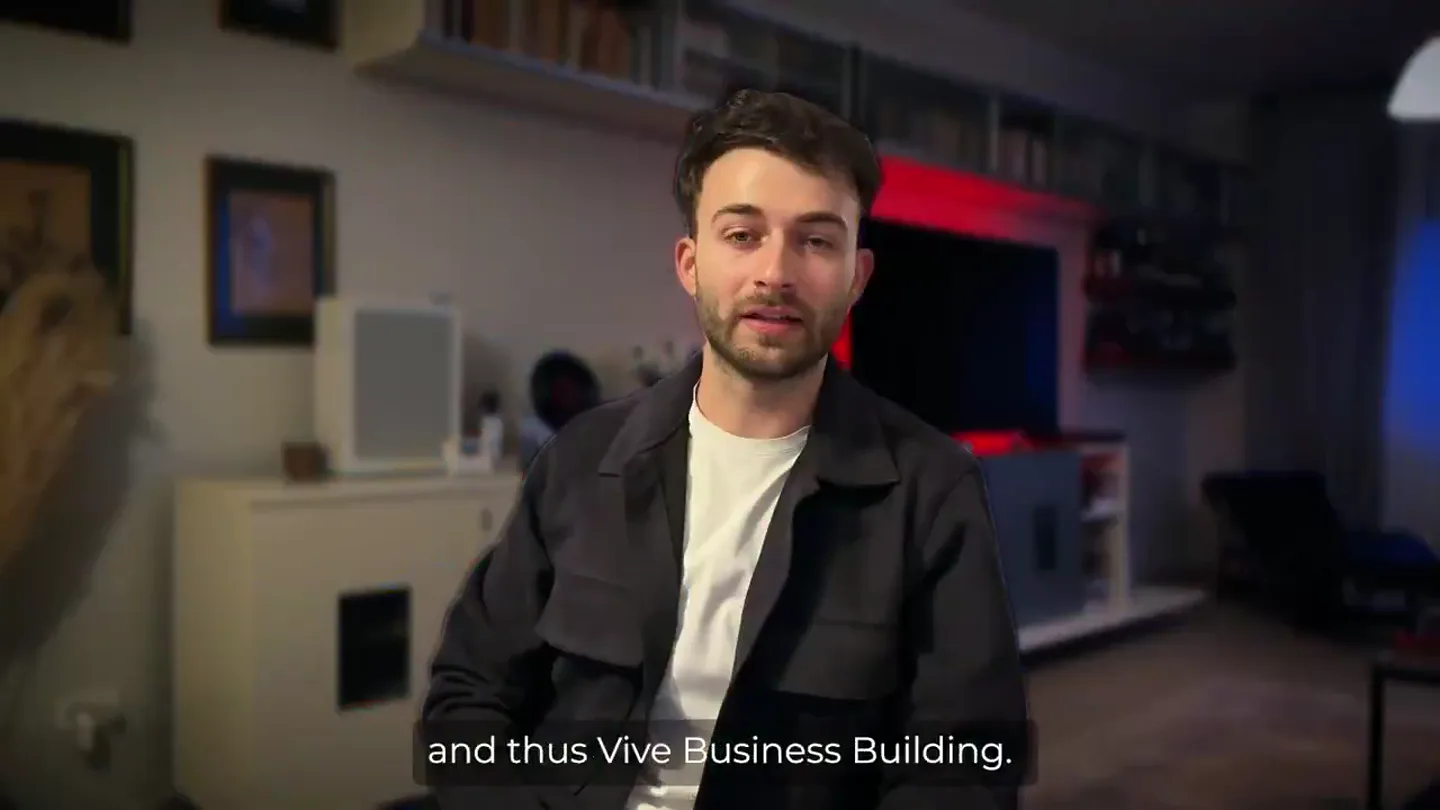
“BREAKING: Vibe Coding 2.0 is here. From today on, Claude Opus 4.6 in Shipper can build and run a full business by itself, without any human contact. Introducing Vibe Coding 2.0 and thus Vibe Business Building.”
- On screen
- Introducing Introducing Vibe Coding 2.0
- Camera
- Static shot with subtle background animation, then a medium shot of the presenter.
- Motion
- Text reveal with glow effect, subtle background wave animation, quick cut to presenter.
Product Reveal
Shipper's Multi-Platform Capabilities
“With Shipper, you're now able to build mobile apps on iOS and Android, Chrome extensions, and of course web apps and websites. Not only that, you can also put them all together, you can create sub-projects within the same project.”
- On screen
- Shipper Build apps by chatting to AI Chat it into existence Get Started Login Mobile Apps Chrome Extensions Web Apps Websites Web Chrome Extension Mobile App Build me an iOS/Android app with r Discover Your Dream Stay
- Camera
- Alternating between presenter medium shot and screen recordings, with dynamic text overlays.
- Motion
- Fast cuts, text pop-ins with icons, screen recording overlays, subtle background glow/wave.
Feature Teaser
Integrated Project Building
“So I would build my mobile app, and then I can build a second website, and both of them share context, and then I can build a third website for the knowledge base, help section etc. With Shipper you're now able to build a website or an app, and you can build it all together, which in turn becomes Vibe Business Building.”
- On screen
- Mobile APPS Second website knowledge base help section etc Shipper Build apps by chatting to AI Chat it into existence Get Started Login Web Chrome Extension Mobile App Build me a website like Airbnb with listings, reviews, and booking Click here Vibe Business Building |
- Camera
- Dynamic camera moves around screen recordings and presenter, showcasing interconnectedness.
- Motion
- Zoom-ins, pans across UI elements, text reveals, and a final full-screen text reveal with a glow.
Call to Action
Launch Giveaway & Brand Reinforcement
“And to celebrate the launch, we're giving away free credits. All you have to do is retweet this video and comment below what you would build with Shipper. We're going to pick five winners and give them free credits. So go ahead, retweet, comment, and we'll see you in the next one. Shipper 2.0.”
- On screen
- we're giving away free credits 41 137 1.2K 271 Relevant Replying to @shipper_now GIF Reply Jamie @paixd_ • Now Shipper S shipper 2.0
- Camera
- Close-up on text, then screen recording of Twitter UI, followed by a final brand logo reveal.
- Motion
- Confetti burst, UI interaction simulation (mouse clicks), quick cuts, and a final gradient background with text fade-in.
Motion design primitives
Synthesizable in Remotion · key components of the shipper-vibe-coding-launch template.
DynamicTextOverlay
Text elements appear with a subtle scale-up and glow effect, often accompanied by relevant icons, then fade out or transition quickly.
+ Code construction recipe
Use Remotion's <Sequence> and <AbsoluteFill> for positioning. Animate opacity and scale using `spring()` or `interpolate()` with an ease-out curve. Apply a `drop-shadow` or `filter: glow()` for the glow effect. SVG icons can be animated with `transform` properties.
FluidBackgroundWaves
A continuous, undulating wave pattern in a vibrant green hue moves subtly in the background, providing a dynamic yet non-distracting visual texture.
+ Code construction recipe
Implement using a `<Canvas>` or `<SVG>` component. Animate `path` or `shape` properties (e.g., `d` attribute for SVG paths) with `interpolate()` over time, creating a smooth, looping wave motion. Use `filter: blur()` for a soft, ethereal look. Colors can be defined with gradients.
ProductUIReveal
Screen recordings of the product UI (web, mobile, extensions) are introduced with quick zooms, pans, and rotations, often layered over the presenter or background.
+ Code construction recipe
Utilize `<Video>` or `<Img>` components for screen recordings. Animate `transform` properties (scale, rotateY, translateX/Y) using `spring()` for snappy transitions. Use `z-index` for layering and `clipPath` or `maskImage` for dynamic reveals of UI elements.
Style DNA & aesthetic system
Visual aesthetic
Typography
Motion
Special effects
Pacing & rhythm
Conceptual story rhythm
- 1
The Grand Unveil
Purpose. Immediately capture attention and introduce the core innovation.
Execution. Abstract glowing background with bold text reveal, followed by a direct address from the founder.
- 2
Feature Showcase Blitz
Purpose. Demonstrate the breadth of the product's capabilities quickly and visually.
Execution. Rapid cuts between the founder and dynamic screen recordings, highlighting different app types with animated text overlays.
- 3
Integrated Workflow Deep Dive
Purpose. Illustrate the unique value proposition of combining multiple projects.
Execution. Animated UI elements showing multiple projects interacting, with the founder explaining the 'sub-project' concept.
- 4
Engagement & Call to Action
Purpose. Drive immediate user interaction and reinforce brand identity.
Execution. Confetti animation, simulated social media interaction, and a clear, concise call to action with a final brand logo reveal.




