
Simi Video Generation Explainers (by Sudip) · Launch Video Breakdown: Hook, Pacing & Motion Design
Today, we're introducing ChatGPT for Explainer Videos. With just one prompt, Simi lets you generate whiteboard-style explainer videos that actually teach you something in seconds. On our fastest tier, your video is ready to watch in under 20 seconds.
Scene-by-scene timeline & spoken transcript
The Hook
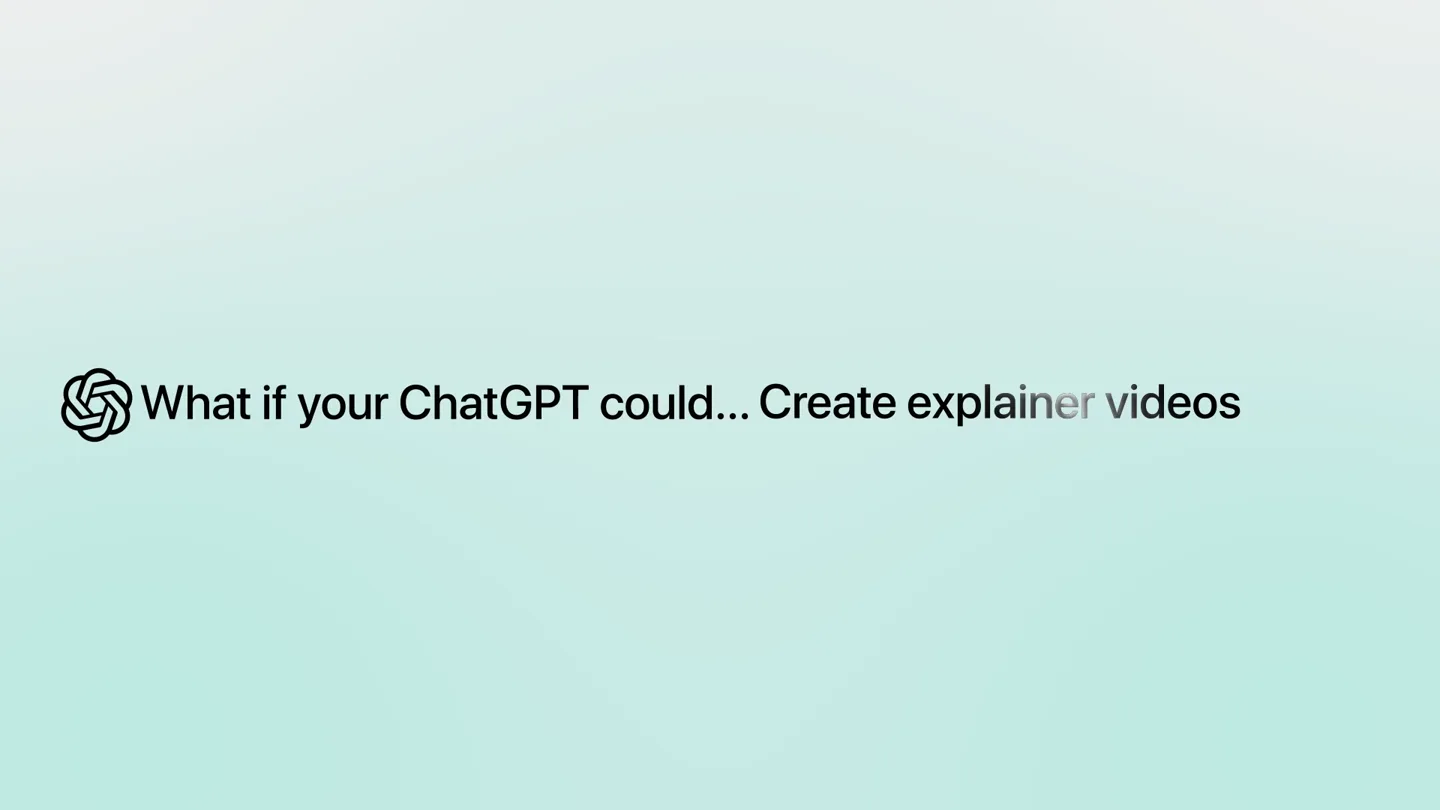
The ChatGPT Question
“(No spoken dialogue — Driving electronic score with pizzicato synths and sub-bass. Builds tension.)”
- On screen
- What if your ChatGPT What if your ChatGPT could... Teach any topic instantly What if your ChatGPT could... Turn complex ideas into visuals What if your ChatGPT could... Create onboarding videos for your team What if your ChatGPT could... Teach anyone, anything? Simi
- Camera
- Static, centered text with subtle background gradient animation.
- Motion
- Progressive text reveal with color highlight, followed by a quick logo reveal with blur and zoom.
Product Reveal
Simi: Explainer Video Generation
“(No spoken dialogue — Electronic score continues, high-energy riser at 0:14 leading to sub-bass drop/impact at 0:15.)”
- On screen
- For Explainer For Explainer Videos Drop in Docs PDFs, PowerPoints anything What should Simi make clear? Start with a concept, a document, or a question that needs a visual explanation. Ask Simi to explain anything... Create a Whiteboard explainer video| Simi is building your Explainer Created in Seconds I CANNOT STREAM MY SHOW CUSTOMER MESSAGE TEACHER THE IDEA GETS LOST PHOTOSYNTHESIS THE QUANTUM CHEAT CODE SHOULD NEVER FUSE THE SUN PROTON REPULSION PROTON YET IT SHINES SUPPORT AGENT FIVE CHECKS
- Camera
- Zoom out from a central UI element, then horizontal pan across multiple whiteboard-style explainer video frames.
- Motion
- UI element reveal with text overlay, followed by a rapid horizontal carousel of generated content examples.
Feature Teaser
Seamless Integration & Deployment
“(No spoken dialogue — Electronic score maintains tempo, another significant riser at 0:24 culminating in sub-bass drop/impact at 0:25.)”
- On screen
- Now deploy it anywhere Send to Slack Share answers instantly with your team. Embed in your app Add AI knowledge where your users already work. Integrate via API Connect once. Scale everywhere with our API. Powered by Simi Dashboard Users 24,532 Revenue $18,750 Explainer Video How our pricing works Free Pro Team $99/mo $299/mo API CRM LMS Docs HR Tool Simi API
- Camera
- Horizontal pan across three distinct application interfaces (Slack, Embed, API).
- Motion
- Smooth, continuous horizontal pan revealing different integration points, with subtle UI animations within each frame.
Call to Action
Transforming Learning with Simi
“(No spoken dialogue — Electronic score continues with driving rhythm, maintaining high energy until the end.)”
- On screen
- This changes how humans This changes how humans learn at work Simi Generate explainer videos instantly
- Camera
- Static, centered text with a character animation, then a final static logo and tagline.
- Motion
- Progressive text reveal with a character appearing, followed by a final brand and call-to-action display with a subtle zoom.
Motion design primitives
Synthesizable in Remotion · key components of the ai-code-genius-launch template.
ProgressiveTextHighlight
Text appears word-by-word or phrase-by-phrase, with a specific word or phrase highlighted in a contrasting color as it's revealed, creating emphasis.
+ Code construction recipe
Use `map` over an array of words/phrases. For each item, use `interpolate` for `opacity` and `color` based on `frame` to reveal and highlight. Apply a `spring` animation for a subtle bounce effect on new words.
HorizontalCarouselPan
Multiple content cards or UI screens slide horizontally across the screen, revealing new information or examples in a continuous flow.
+ Code construction recipe
Position multiple `AbsoluteFill` components side-by-side within a container. Use `interpolate` on the container's `translateX` property to create a smooth, continuous horizontal scroll. Ensure content within each card is pre-rendered or efficiently loaded.
LogoRevealZoomBlur
A logo or key graphic appears with a rapid zoom-in effect combined with a directional blur that quickly resolves, creating a dynamic and impactful reveal.
+ Code construction recipe
Apply `scale` and `blur` CSS properties using `interpolate`. Start with a high `scale` and `blur` value, then rapidly animate to `scale: 1` and `blur: 0`. Use an `easeOutCubic` or `spring` curve for a snappy resolution.
Style DNA & aesthetic system
Visual aesthetic
Typography
Motion
Special effects
Pacing & rhythm
Conceptual story rhythm
- 1
Intriguing Question
Purpose. Hook the audience by posing a relatable problem or aspirational scenario using a familiar tech concept.
Execution. Progressive text reveal asking 'What if your ChatGPT could...' with different capabilities, building anticipation.
- 2
Solution Introduction & Demonstration
Purpose. Introduce the product as the answer to the posed questions and quickly demonstrate its core functionality.
Execution. Logo reveal, followed by a UI demonstration of prompt input and a rapid carousel of generated whiteboard explainer videos.
- 3
Impact & Versatility
Purpose. Showcase the product's broader applications and ease of integration into existing workflows.
Execution. Horizontal pan across different integration points (Slack, Embed, API) highlighting deployment flexibility.
- 4
Vision & Call to Action
Purpose. Articulate the product's transformative potential and provide a clear, concise call to action.
Execution. Final impactful statement about changing how humans learn, culminating in the product logo and tagline.




