
Sixtyfourai (by Saarth Shah) · Launch Video Breakdown: Hook, Pacing & Motion Design
Introducing @sixtyfourai. AI Agents for people intelligence. Since the invention of the internet, every person has been leaving breadcrumbs. The child predator's username. The scammer's banned acco…
Scene-by-scene timeline & spoken transcript
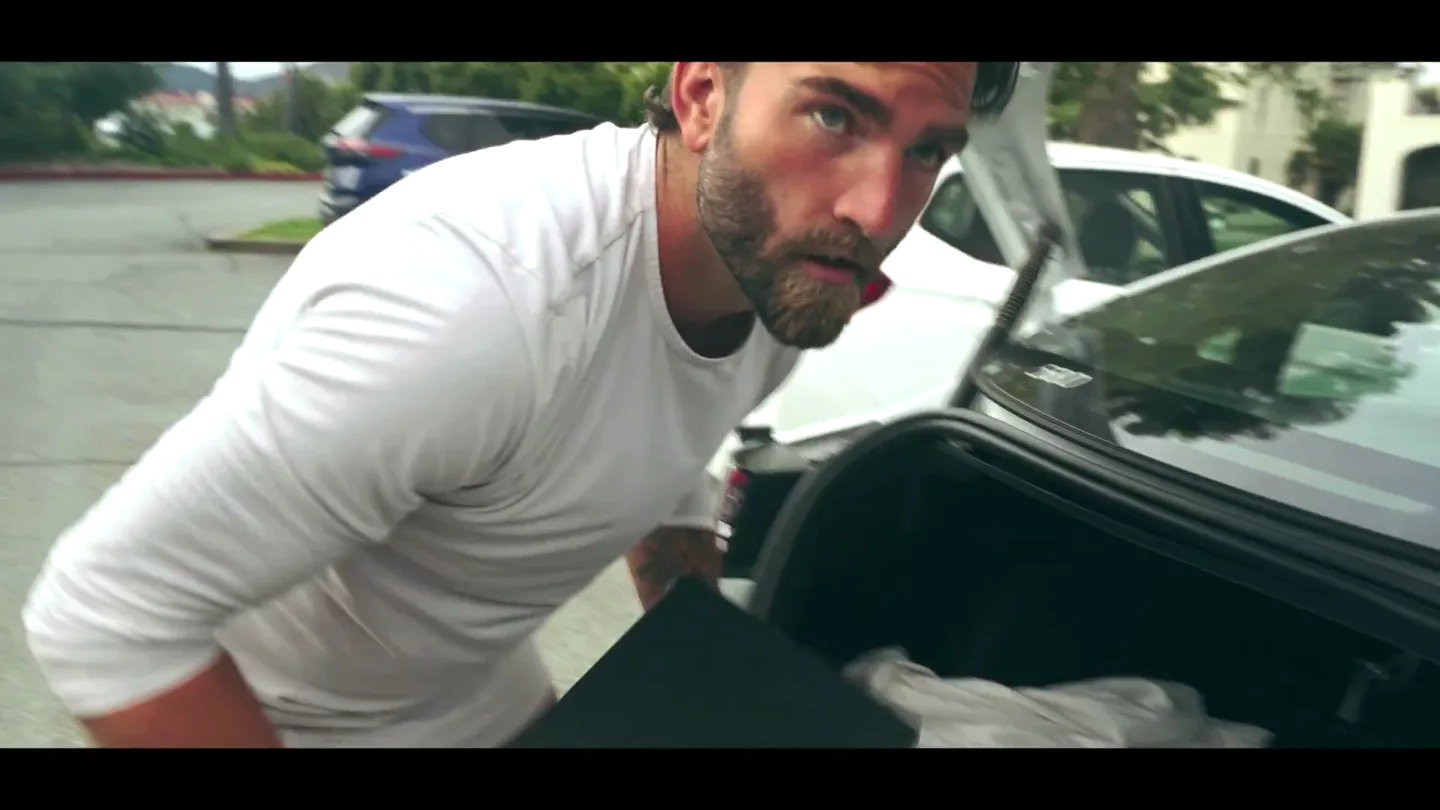
The Hook
Real-world Problem & Instant AI Solution
“Introducing @sixtyfourai. AI Agents for people intelligence. Since the invention of the internet, every person has been leaving breadcrumbs. The child predator's username. The scammer's banned acco…”
- On screen
- #Sixtyfour Alt accounts + repeated seller activity Multiple marketplace reports tied to linked Brief Report Client Michael Kennedy Smithers Age 32 Years - Born 1994 Location New York, United States Q Key Finding Sixtyfour Agents found multiple marketplace reports linked to Michael's alternate accounts across resale signals. Risk Signal Repeated account usage and suspicious seller activity linked to the client profile. Agents Tracing... Sixtyfour Warning - This seller has many previous reports of fraudulent selling fake goods. 3 Active Accounts Found 7 banned accounts 21 buyer complaints
- Camera
- Handheld, close-up on product, then wide shot of interaction, followed by a medium shot of the protagonist.
- Motion
- Augmented reality (AR) overlays with data cards, quick cuts between product interaction and data visualization, subtle camera shakes for realism.
Problem Agitation
Legal & Financial Ramifications
“So we're looking at a potential class action lawsuit here. We're talking about millions of dollars in damages. This is a huge liability for the company.”
- On screen
- Sole Proprietor 2019 Q Key Finding Sixtyfour Agents found records showing Kelly filed for Chapter 7 bankruptcy three times across three different companies in the last 12 months. Risk Signal Repeated Chapter 7 filings indicate recurring financial instability across linked businesses.
- Camera
- Medium shots of individuals in a professional setting, with occasional close-ups on faces to capture expressions. Panning between speakers.
- Motion
- Seamless transitions between interview subjects, with data overlays appearing subtly to reinforce spoken points. Soft focus on background elements.
Product Reveal
The Team Behind the Solution
“We've been working on this for months. It's a game-changer. We're talking about a whole new level of intelligence.”
- On screen
- (No on-screen text)
- Camera
- Wide shot of an office environment, then a POV shot from a computer screen, followed by a medium shot of a team collaborating.
- Motion
- Dynamic camera movements, including a quick zoom into a developer's face, and a wide-angle lens effect to capture the team's energy. Fast cuts to show collaboration.
Call to Action
Core Value Proposition & Branding
“(No spoken dialogue — A final sub-bass drop and electronic synth chord emphasize the brand reveal.)”
- On screen
- If it exists, we can find it. Sixtyfour © 2026 Sixtyfour AI Inc. — San Francisco, CA. All rights reserved.
- Camera
- Static shot with a blurred background, focusing on on-screen text.
- Motion
- Text animation with a subtle fade-in and scale, followed by a logo reveal. The background remains blurred, drawing focus to the message.
Motion design primitives
Synthesizable in Remotion · key components of the sixtyfour-ai-launch-template template.
ARDataOverlay
Floating, semi-transparent data cards with dynamic content appear and animate into view over live-action footage, often with a subtle glow or blur effect.
+ Code construction recipe
Utilize Remotion's `AbsoluteFill` for overlays. Implement `spring` for position and opacity animations. Use `interpolate` for text content changes. Apply `CSS backdrop-filter: blur()` for transparency and `box-shadow` for glow effects.
RapidCutDialogue
Quick, rhythmic cuts between multiple speakers or perspectives in a conversation, maintaining a high pace and visual engagement.
+ Code construction recipe
Orchestrate `Sequence` components with precise `from` and `durationInFrames` values. Use `spring` for subtle camera position shifts or `interpolate` for rapid zooms between cuts. Ensure audio sync with `Audio` component.
DynamicTextReveal
Key textual messages or brand elements animate onto the screen with a combination of scale, opacity, and subtle position shifts, often against a blurred background.
+ Code construction recipe
Employ `spring` for text `scale` and `opacity` properties. Use `interpolate` for `translateY` or `translateX` to create a sliding effect. Background blur can be achieved with a `Blur` component or `CSS filter: blur()` on a background `Img` or `Video`.
Style DNA & aesthetic system
Visual aesthetic
Typography
Motion
Special effects
Pacing & rhythm
Conceptual story rhythm
- 1
The Problem Unveiled
Purpose. Immediately establish a relatable, high-stakes problem that the product solves, creating urgency and intrigue.
Execution. Live-action scenario (fake goods transaction) augmented with instant, data-rich AR overlays revealing the hidden truth.
- 2
Escalation & Impact
Purpose. Broaden the problem's scope to demonstrate its wider implications (legal, financial), showing the product's necessity.
Execution. Interviews with professionals (lawyer) interspersed with data overlays illustrating complex financial and legal risks.
- 3
The Solution & The Makers
Purpose. Introduce the product and the dedicated team behind it, building trust and showcasing expertise.
Execution. Dynamic shots of developers working, culminating in a collaborative moment, emphasizing human ingenuity.
- 4
The Promise
Purpose. Deliver a concise, powerful statement of the product's core value proposition and brand identity.
Execution. Clean, impactful text animation and logo reveal against a blurred background, reinforcing the brand message.




