Story (by Jason Carman) · Launch Video Breakdown: Hook, Pacing & Motion Design
I'm excited to announce that @wizard_editor is officially in beta here at Story. Our founding team comes from Apple, Disney, Google, and ILM — we're hiring! Come build the future of editing.
Scene-by-scene timeline & spoken transcript
The Hook
The Problem of Post-Production
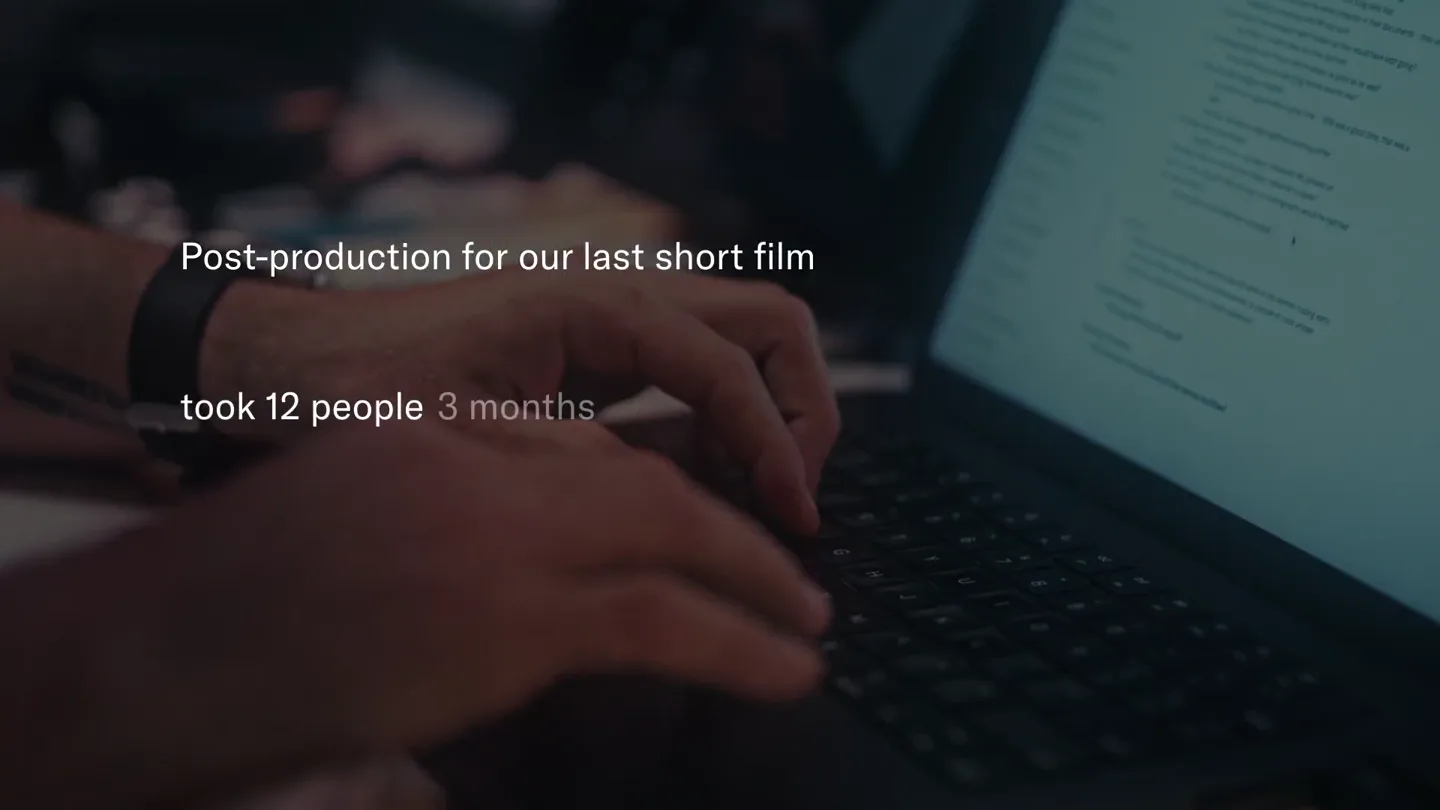
“Post-production for our last short film took 12 people 3 months and 4,234 hours. In March, we started a new company. 3 days ago, we used those tools to re-edit the beginning of the film.”
- On screen
- Post-production for our last short film took 12 people 3 months and 4,234 hours In March, we started a new company 3 days ago 3 days ago we used those tools to re-edit the beginning of the film.
- Camera
- Close-up on hands typing, medium shot of founder, dark cinematic shot of crew, then black screen with text, followed by a close-up on a UI element.
- Motion
- Rapid text reveal, quick cuts between live-action and UI, subtle camera pans and zooms.
Problem Agitation
Introducing the AI-Powered Workflow
“(No spoken dialogue — ticking sound, building electronic beat, and sub-bass drops create suspense and energy.)”
- On screen
- Your assembly & selects canvas is ready. Features are intentional Editing becomes directing RUNNING WIZ-EMOC Show Pull Min's latest grade Wiz: I'd reduce ~10f of heads & tails. Want me to get this note? Kevin Don't prompt the edit, Wizard
- Camera
- Close-up on UI elements, quick cuts to founder's face, then back to UI, ending on a wide shot of a desk with a monitor.
- Motion
- UI elements animate in, text appears and disappears, quick cuts emphasize speed and efficiency, subtle camera movements follow UI interactions.
Product Reveal
Wizard: The Future of Editing
“(No spoken dialogue — energetic electronic music with cinematic swells and percussive synth melody.)”
- On screen
- Wizard
- Camera
- Wide shot of a desk with a monitor displaying the 'Wizard' logo, followed by dynamic UI interactions and close-ups of the software in action.
- Motion
- Large typography reveal, UI elements animate with smooth transitions, fast-paced editing showcases various features, subtle camera movements enhance the UI experience.
Feature Teaser
Seamless Collaboration and AI Insights
“(No spoken dialogue — music maintains high energy with driving beats and synth melodies, punctuated by sound design elements.)”
- On screen
- (No on-screen text)
- Camera
- Dynamic camera movements showcasing various UI features, including collaborative editing, AI suggestions, and timeline manipulation.
- Motion
- Complex UI animations, split-screen effects, data visualization, and rapid cuts highlight the product's capabilities and speed.
Call to Action
Join the Beta: Build the Future
“5 4 3 2 1 (child's voice) Wow!”
- On screen
- WIZARD EDITOR BETA STORY.COM
- Camera
- Countdown sequence with abstract visuals, leading to a final product shot with call to action text.
- Motion
- Abstract motion graphics, glitch effects, and a clear, bold text reveal for the call to action. The final shot is clean and impactful.
Motion design primitives
Synthesizable in Remotion · key components of the tech-launch-fast-cut-ui template.
DynamicUITextReveal
Text appears character by character or word by word, often with a subtle glow or color shift, mimicking a terminal or command-line interface. It can also involve a 'typing' cursor effect.
+ Code construction recipe
Use `Sequence` and `spring` for character/word-level opacity and position animation. Interpolate `color` and `text-shadow` for the glow effect. Implement a blinking cursor with `loop` and `opacity` animation.
FastCutUIZoom
Rapid, almost jarring cuts between different sections of a user interface, often accompanied by quick zooms or pans to highlight specific interactive elements or data points.
+ Code construction recipe
Utilize `AbsoluteFill` and `interpolate` for `scale` and `translate` properties. Employ `Sequence` with very short `durationInFrames` for quick scene changes. Consider `Easing.easeOutCubic` for snappy transitions.
AbstractDataFlow
Abstract visual representations of data processing or information flow, using glowing lines, particles, or geometric shapes that move and connect across the screen, often with a dark, futuristic aesthetic.
+ Code construction recipe
Leverage `Canvas` or `SVG` for drawing lines and shapes. Animate `stroke-dasharray`, `stroke-dashoffset`, `opacity`, and `transform` properties. Use `spring` or `interpolate` for particle movement and `noise` functions for organic flow.
Style DNA & aesthetic system
Visual aesthetic
Typography
Motion
Special effects
Pacing & rhythm
Conceptual story rhythm
- 1
The Pain Point
Purpose. Establish the current inefficiencies and challenges in traditional post-production workflows, creating a relatable problem for the target audience.
Execution. Live-action shots of people working, juxtaposed with on-screen text detailing the time and effort involved, creating a sense of struggle and complexity.
- 2
The Breakthrough
Purpose. Introduce the new company and its innovative solution, hinting at a paradigm shift in the industry.
Execution. Quick cuts between founder shots and UI elements, with text revealing the company's inception and the immediate impact of their new tools, building anticipation.
- 3
The Solution in Action
Purpose. Demonstrate the product's core functionalities and benefits through dynamic UI interactions, showcasing its speed and intelligence.
Execution. Fast-paced montage of the 'Wizard' software in use, highlighting AI-driven features, collaborative tools, and efficient editing workflows with animated UI elements.
- 4
The Future Vision
Purpose. Inspire viewers with the potential of the new technology and invite them to be part of its development.
Execution. Abstract motion graphics, a countdown, and a clear call to action with the product name and website, culminating in a powerful final statement.