
Traces · Launch Video Breakdown: Hook, Pacing & Motion Design
Traces MCP lets anyone on the team pull past sessions, decisions, and tool calls as shared memory for agents.
Scene-by-scene timeline & spoken transcript
The Hook
Querying Team Knowledge
“(No spoken dialogue — silent video with ambient visual)”
- On screen
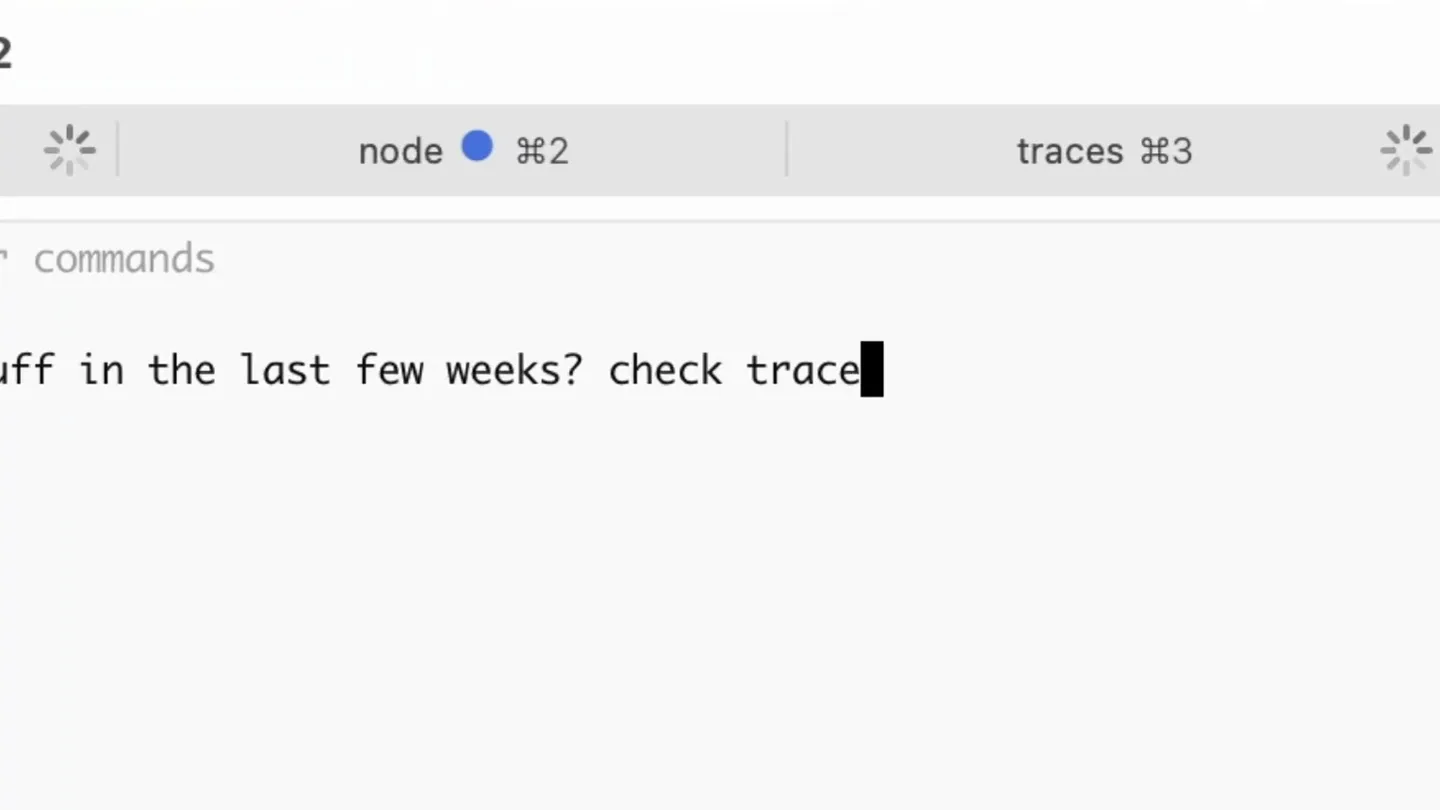
- fx • zai/glm-5.2 fx v0.0.4 • Run /help for commands who worked on login stuff in th auto • glm-5.2
- Camera
- Static close-up on a terminal window, simulating a user typing.
- Motion
- Typing animation with a blinking cursor, simulating real-time input.
Problem Agitation
Traces Initiates Search
“(No spoken dialogue — silent video with ambient visual)”
- On screen
- fx • zai/glm-5.2 fx v0.0.4 • Run /help for commands who worked on login stuff in the last few weeks? check traces I'll search the traces MCP server for tools related to finding session/work history, then use it to look for login-related work. 1 tool call • 1 read Searched MCP tools find sessions or work history by topic keyword participant 2 tool calls • 2 read Searched MCP tools traces search sessions recent activity Searched MCP tools traces • Thinking (14s) (↑18 ↓75) auto • glm-5.2
- Camera
- Slight zoom out, revealing more of the terminal output as the system processes the query.
- Motion
- Fast-paced text generation, simulating rapid system processing and data retrieval.
Product Reveal
Processing Traces Data
“(No spoken dialogue — silent video with ambient visual)”
- On screen
- 4 tool calls • 4 read Read tool result Read tool result Read tool result Read tool result I've paged through ~2,400 traces across the full 3-week window keywords. Here's what I found. Login / auth-related work in the last 3 weeks @kirang89 (Kiran Gangadharan) – most active on login/auth: • Explained Claude Code (↑18 ↓4.8K)
- Camera
- Vertical pan down, following the scroll of the terminal output.
- Motion
- Rapid text scroll and content reveal, emphasizing the volume of data processed.
Feature Teaser
Detailed Session Recall
“(No spoken dialogue — silent video with ambient visual)”
- On screen
- @kirang89 (Kiran Gangadharan) – most active on login/auth: • Explained Claude Code CLI login flow – Aug 21, 10:30 • Completed • Guided OAuth client creation in Google Cloud Console – Aug 21, 12:59 • Completed • trace • Clarified Google OAuth flow and auto-join behavior – Aug 17, 16:58 • Completed • trace • Investigated device token user code lifecycle – Aug 20, 09:08 • In progress • trace (token/auth security) • Address token exposure in live queries – Aug 28, 07:23 • In progress @ssrihari (Srihari Sriraman): • Mitigate OAuth redirect origin vulnerability – Aug 17, 18:16 • In progress • trace • Planned fix for auth session contention – Aug 18, 16:39 • Planning • trace @tarunsachdeva (Tarun Sachdeva): • Fix missing Google button in Signin Dialog – Aug 17, 15:36 • In progress • trace • Completed CLI API-key authentication audit – Aug 14, 21:26 • Completed • trace • Audited API key usage and scope enforcement – Aug 14, 21:26 • In progress • trace Summary Person Traces Focus @kirang89 5 CLI login flow, OAuth client setup, Google OAuth flow, device token lifecycle, token exposure @ssrihari 2 OAuth redirect vulnerability, auth session contention @tarunsachdeva 3 Signin dialog UI, CLI API-key audit, API key scope enforcement Kiran has done the most login-related work, touching both the CLI login flow and OAuth/Google sign-in. Srihari focused on auth security issues (OAuth redirect vuln, session contention). Tarun worked on the Signin dialog UI and API-key auth auditing. 3m 8s (↑18 ↓5.7K) auto • glm-5.2
- Camera
- Continued vertical pan, revealing a structured summary table and concluding remarks.
- Motion
- Smooth, continuous scroll revealing detailed, organized information, highlighting the product's depth.
Motion design primitives
Synthesizable in Remotion · key components of the terminal-knowledge-recall template.
TerminalTypewriter
Text appears character by character, simulating typing, with a blinking cursor at the end of the input line.
+ Code construction recipe
Use `interpolate` for character visibility based on time, combined with a `spring` animation for the blinking cursor's opacity.
FastScrollReveal
Blocks of text and data rapidly scroll into view from the bottom, mimicking a terminal's output stream.
+ Code construction recipe
Employ `interpolate` on the `translateY` property of text containers, with a fast `duration` and `easing` function like `easeOutCubic`.
DynamicDataHighlight
Specific keywords or data points within the terminal output change color or gain a subtle background highlight as they appear.
+ Code construction recipe
Utilize conditional styling based on text content or index, animating `color` or `backgroundColor` properties with `spring` for a soft, quick transition.
Style DNA & aesthetic system
Visual aesthetic
Typography
Motion
Special effects
Pacing & rhythm
Conceptual story rhythm
- 1
The Query
Purpose. Introduce the user's problem and the initial interaction with the system.
Execution. Typing animation of a question in a terminal.
- 2
The Search
Purpose. Showcase the system's intelligence and ability to interpret and initiate a complex search.
Execution. Rapid text generation detailing the search process and tool calls.
- 3
The Retrieval
Purpose. Demonstrate the product's capability to quickly process and surface relevant information.
Execution. Fast-scrolling output of 'tool results' and a summary of traces found.
- 4
The Insight
Purpose. Deliver the actionable outcome, highlighting the product's value in providing detailed, organized memory.
Execution. Detailed list of individuals and their work, culminating in a summary table.




